 English
  Chinese
  Japanese
  Hindi
Hindi  Spanish
  French
  Arabic
  Bengali
  Russian
  Portuguese
  Indonesian
  Korean
  German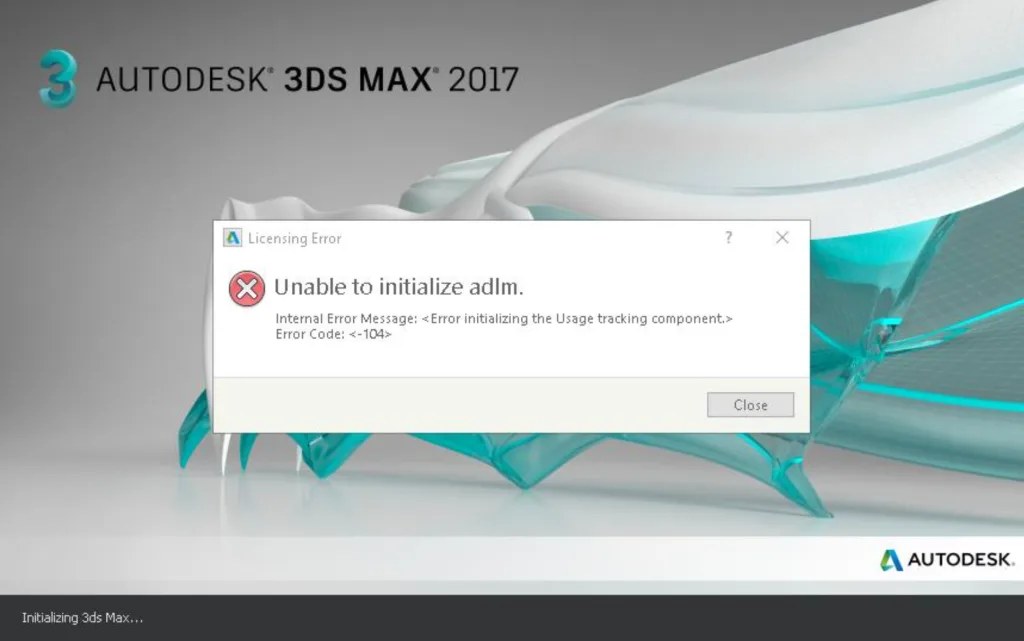
The following steps outline the solution for when ADLM fails to initialize:
- Open the
deepuninstallersoftware and clear all existing Autodesk licenses.Note: This process will remove all Autodesk software licenses from your system 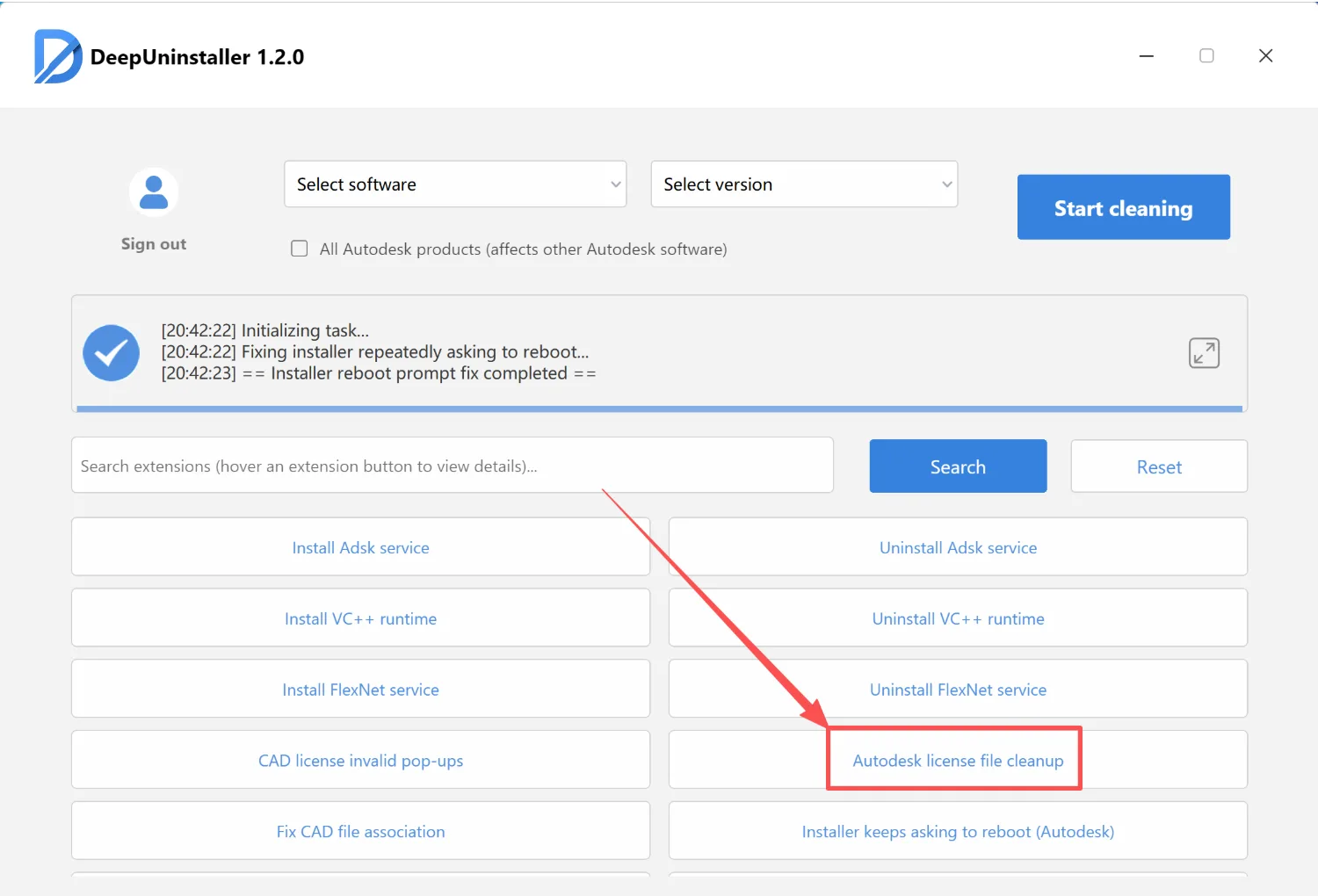
- Click to uninstall the FlexNet service.
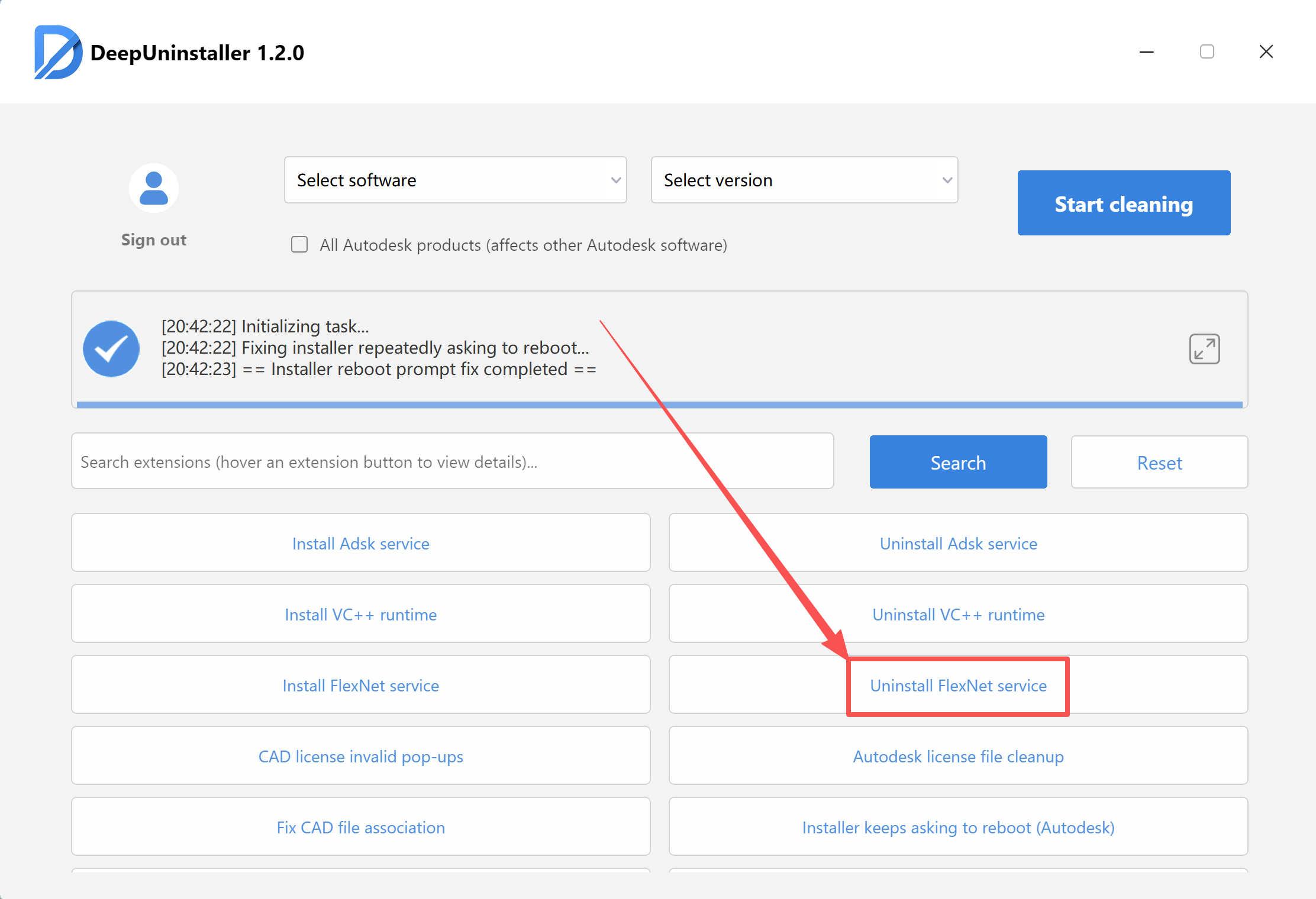
- Initiate the cleanup process, then restart your computer, and attempt to reinstall the software.
Leave a Reply