 English
  Chinese
  Japanese
  Hindi
Hindi  Spanish
  French
  Arabic
  Bengali
  Russian
  Portuguese
  Indonesian
  Korean
  German
 Issue:
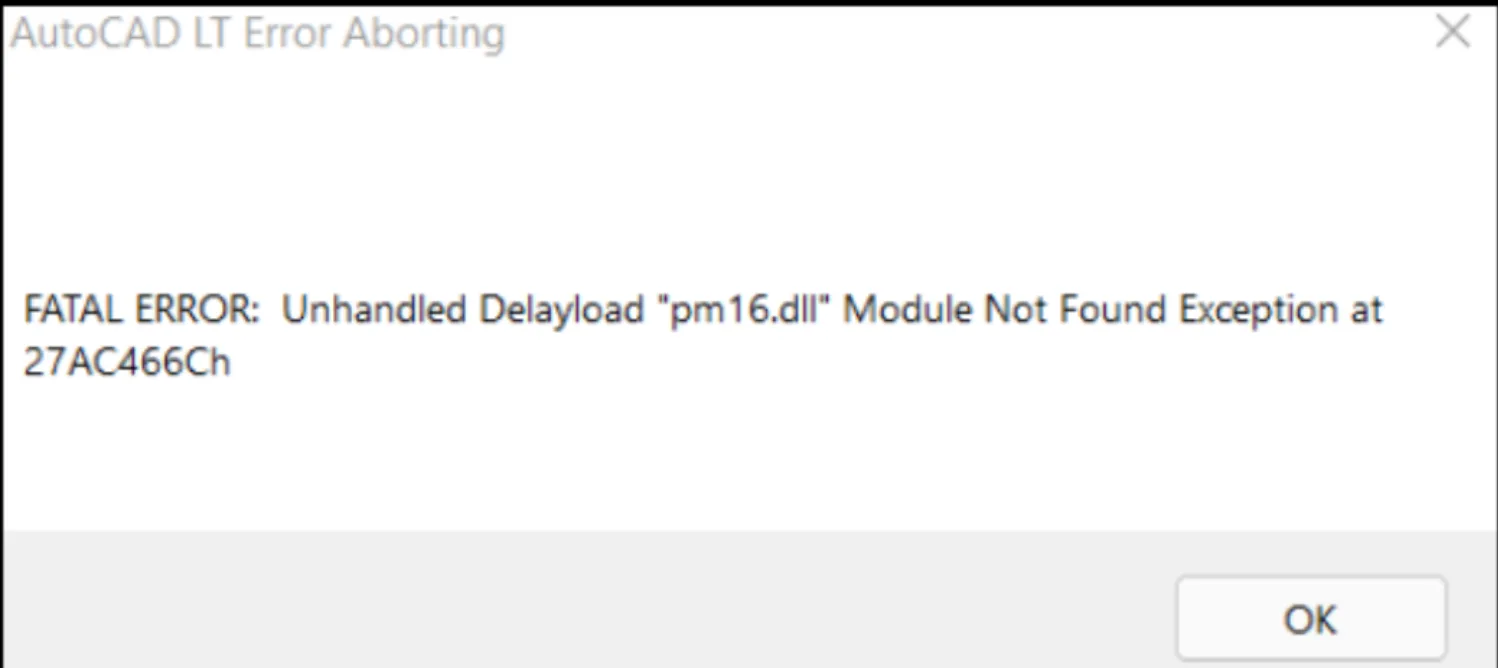
Users reported that when attempting to launch AutoCAD family products after installation, the program crashes with a fatal error message similar to the following (exception may have different values at the end of the error message):
AutoCAD LT Error Aborting
FATAL ERROR: Unhandled Delayload “pm16.dll” Module Not Found Exception at 27AC466Ch
Issue:
To resolve this issue, follow these steps:
- Open Programs and Features through the Windows Control Panel.
- Locate and select Microsoft .NET Framework 4.8, then choose the option to update or repair it.
- Next, Then use the C++ installer for the DeepUninstaller software.
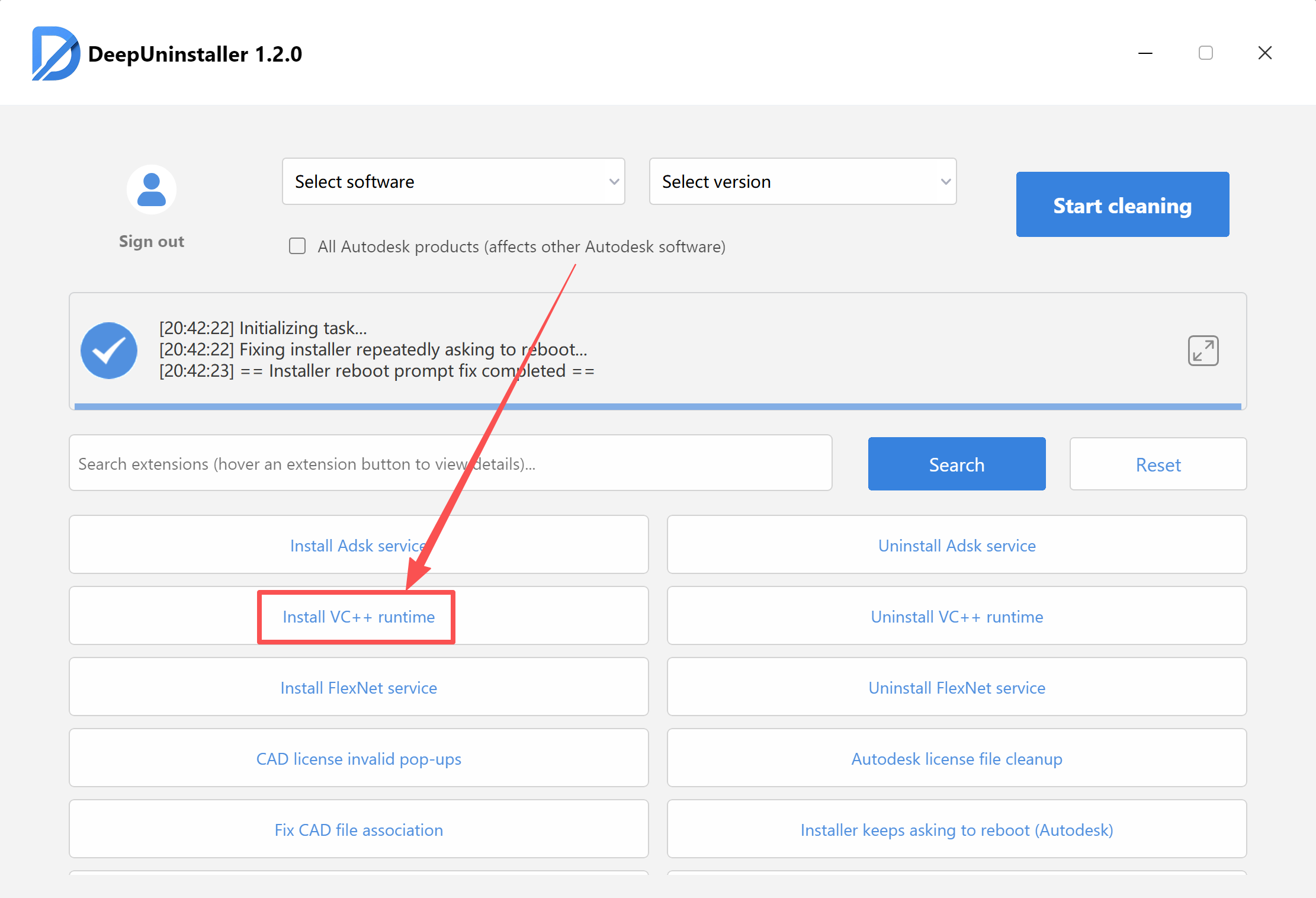
- Finally, install the following two files:
- Restart your computer and attempt to open the Autodesk software again.
Leave a Reply