 English
  Chinese
  Japanese
  Hindi
Hindi  Spanish
  French
  Arabic
  Bengali
  Russian
  Portuguese
  Indonesian
  Korean
  German
 Issue:
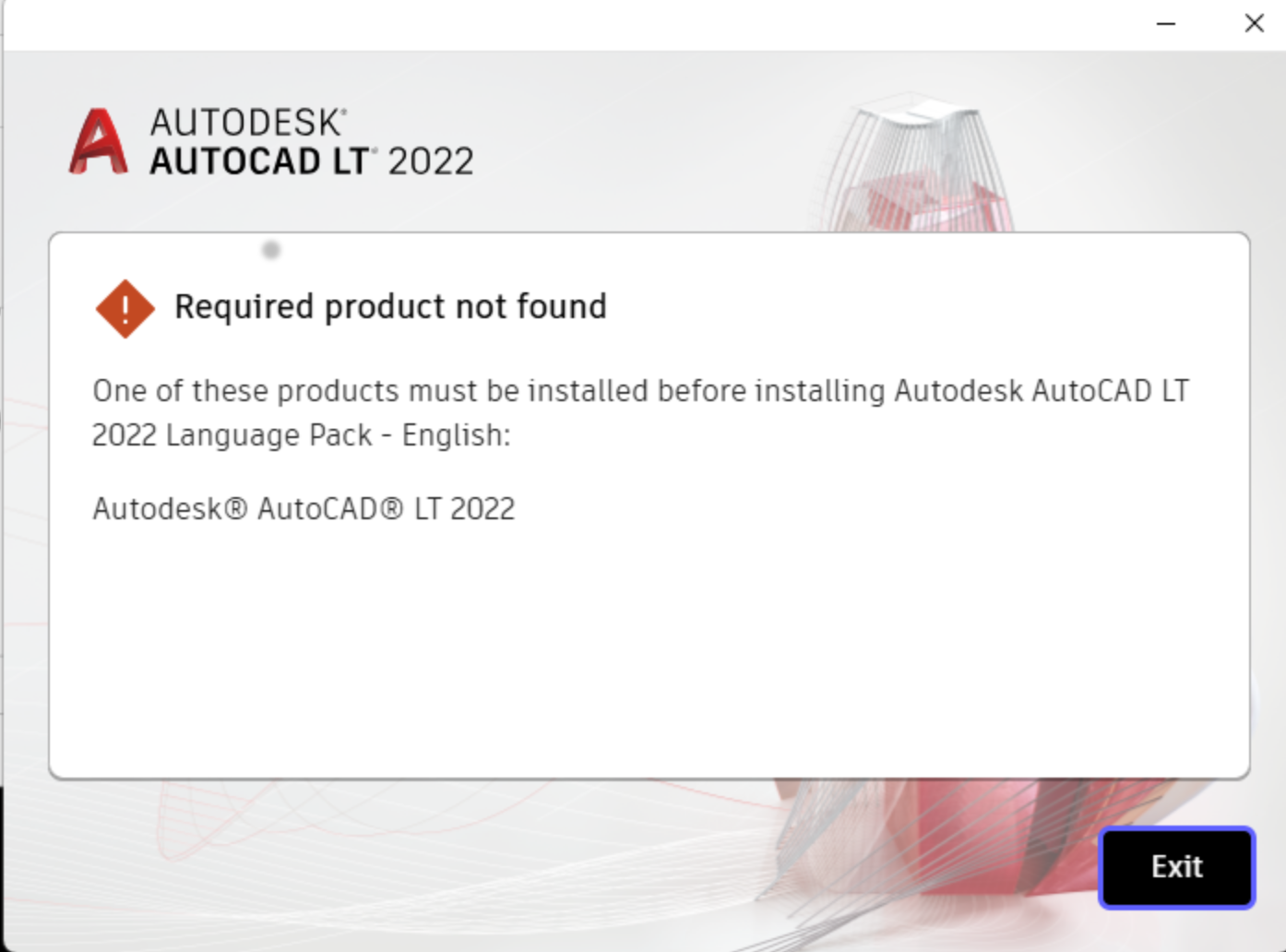
When attempting to install an AutoCAD 2022 language pack, the following error message appears:
“2022 Language Pack – English:
One of these products must be installed before installing Autodesk AutoCAD LT
.”
Resolution
This issue indicates that the base AutoCAD 2022 product is not detected on the system, which is a prerequisite for installing any language pack. To resolve this, ensure AutoCAD 2022 is properly installed. If you believe AutoCAD 2022 is installed but the error persists, or if a previous installation was incomplete, a clean uninstall followed by a reinstallation may be necessary.
Follow these steps to perform a clean uninstall using the deepuninstaller tool:
- Open the deepuninstaller application.
- In the deepuninstaller interface, select the AutoCAD product and the specific version (e.g., AutoCAD 2022).
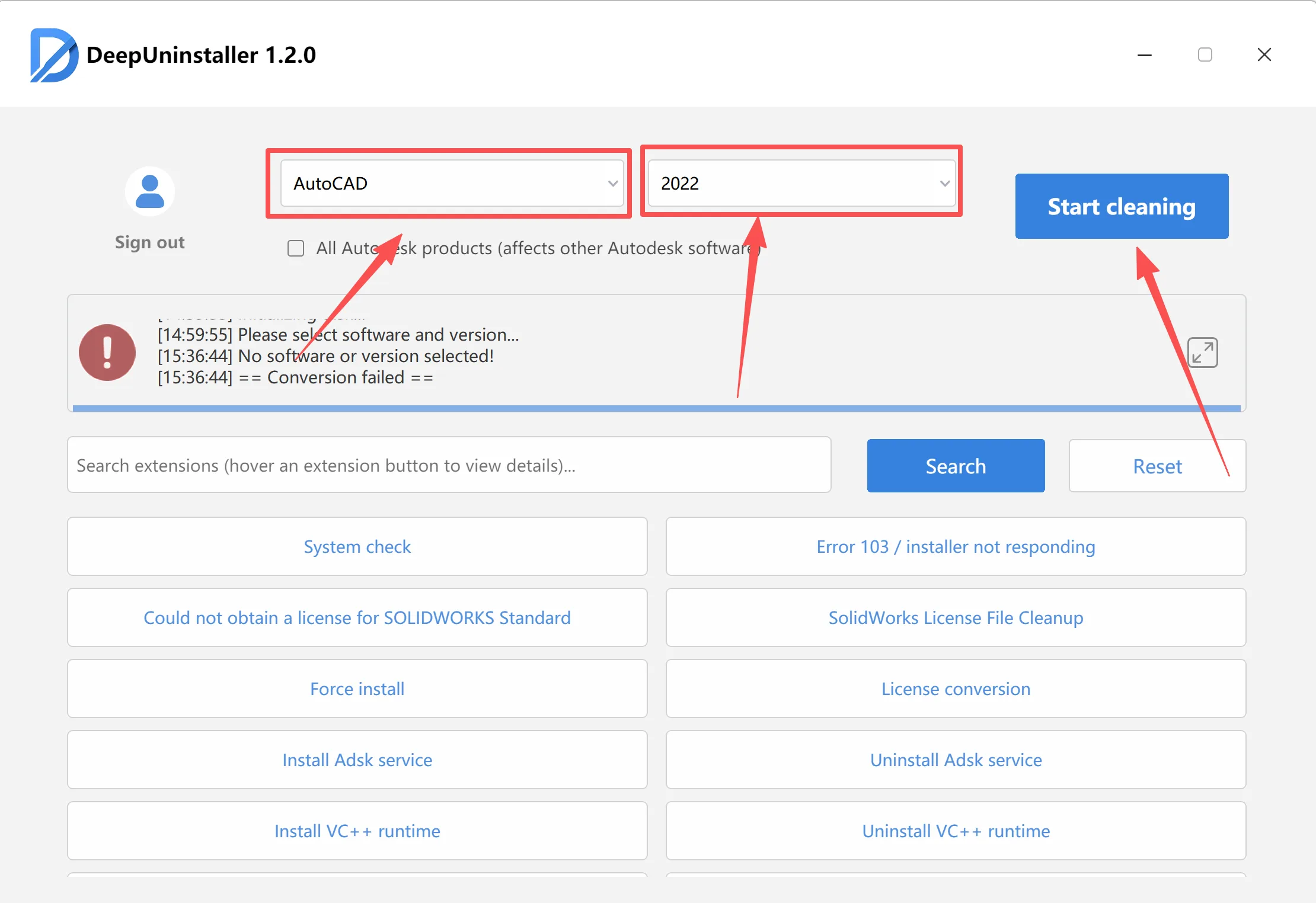
- Click the “Clean” or “Uninstall” button to remove all related components.
- After the deepuninstaller process completes, restart your computer.
- Install AutoCAD 2022, and then proceed with the language pack installation.
Leave a Reply