 English
  Chinese
  Japanese
  Hindi
Hindi  Spanish
  French
  Arabic
  Bengali
  Russian
  Portuguese
  Indonesian
  Korean
  German
 Issue:
This article provides a solution for SolidWorks 2024 installation where the setup.exe file does not launch or respond when double-clicked or run as administrator.
Resolution
Follow these steps to resolve the issue:
- Download
deepuninstallerfrom its official website. - Open the latest version of
deepuninstallerand log in. - In the
deepuninstallerinterface, navigate to “Extension Functions”. - Locate the option labeled “Cannot run AutoCAD (error 2146885616)” and click Select version 2026
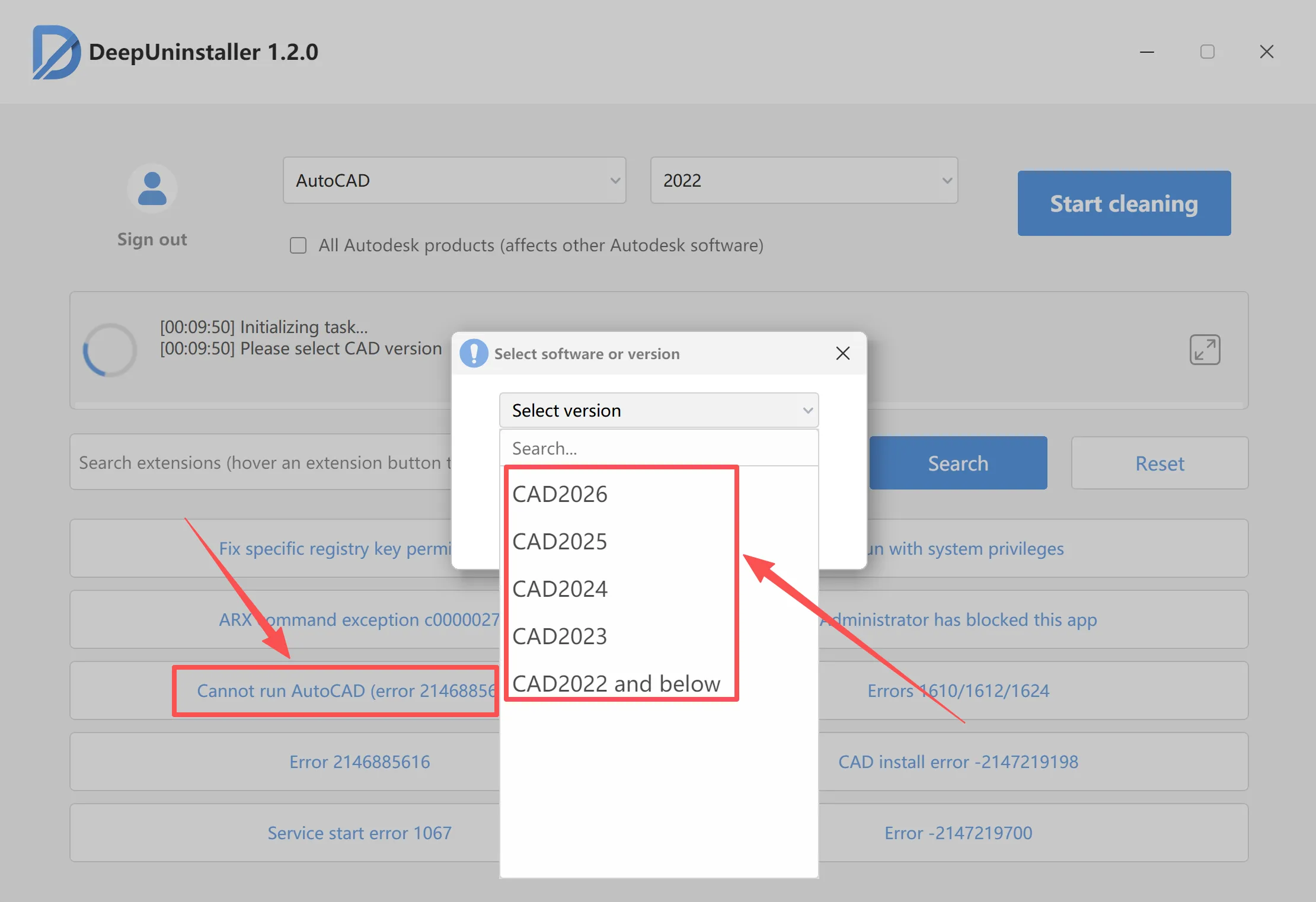
- Allow the process to complete to 100%.
- Once the
deepuninstallerprocess is finished, double-clicksetup.exeagain. The SolidWorks 2024 installation interface should now launch successfully.
Leave a Reply