 English
  Chinese
  Japanese
  Hindi
Hindi  Spanish
  French
  Arabic
  Bengali
  Russian
  Portuguese
  Indonesian
  Korean
  German
 Issue:
During the installation of an Autodesk product, the install wizard stops, and reports:
Installation incomplete. Some products failed to install.
Install error: <Product Name> The install couldn’t Finish. Error 1603
Install error 1603: Fatal error during installation.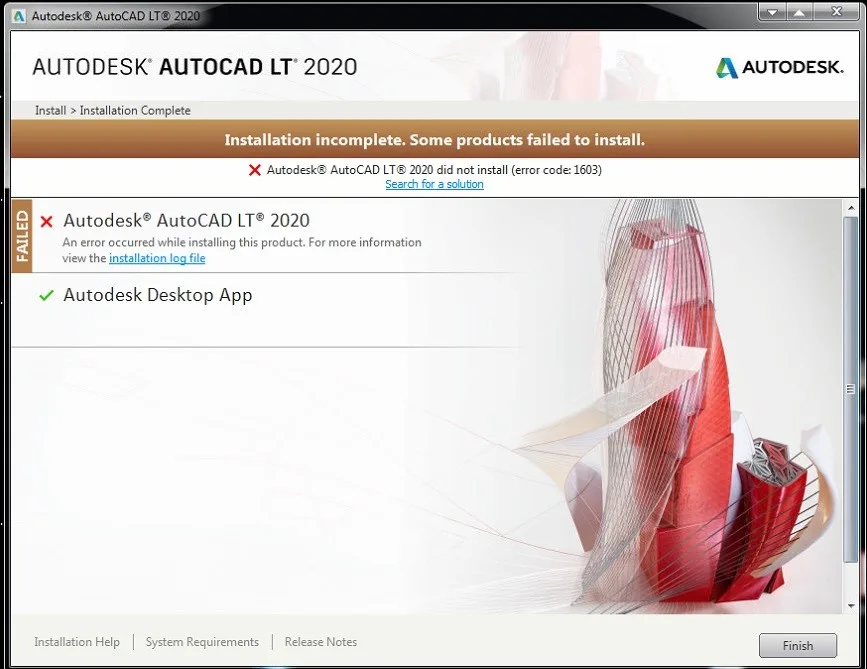
Cause
This issue predominantly affects Autodesk software versions 2020 and later. It often arises when the Autodesk Licensing Service components are corrupted or not fully removed after an uninstallation, especially when using third-party uninstallation tools or the system’s default uninstaller, leading to conflicts during a new installation attempt.
Solution
To resolve Error 1603, follow these steps:
- Ensure a complete cleanup of previous Autodesk components.
- Launch your deepuninstaller software.
- Locate and perform an uninstallation of any remaining Autodesk (Adsk) components.
- After the uninstallation process is reported as complete, restart your computer.
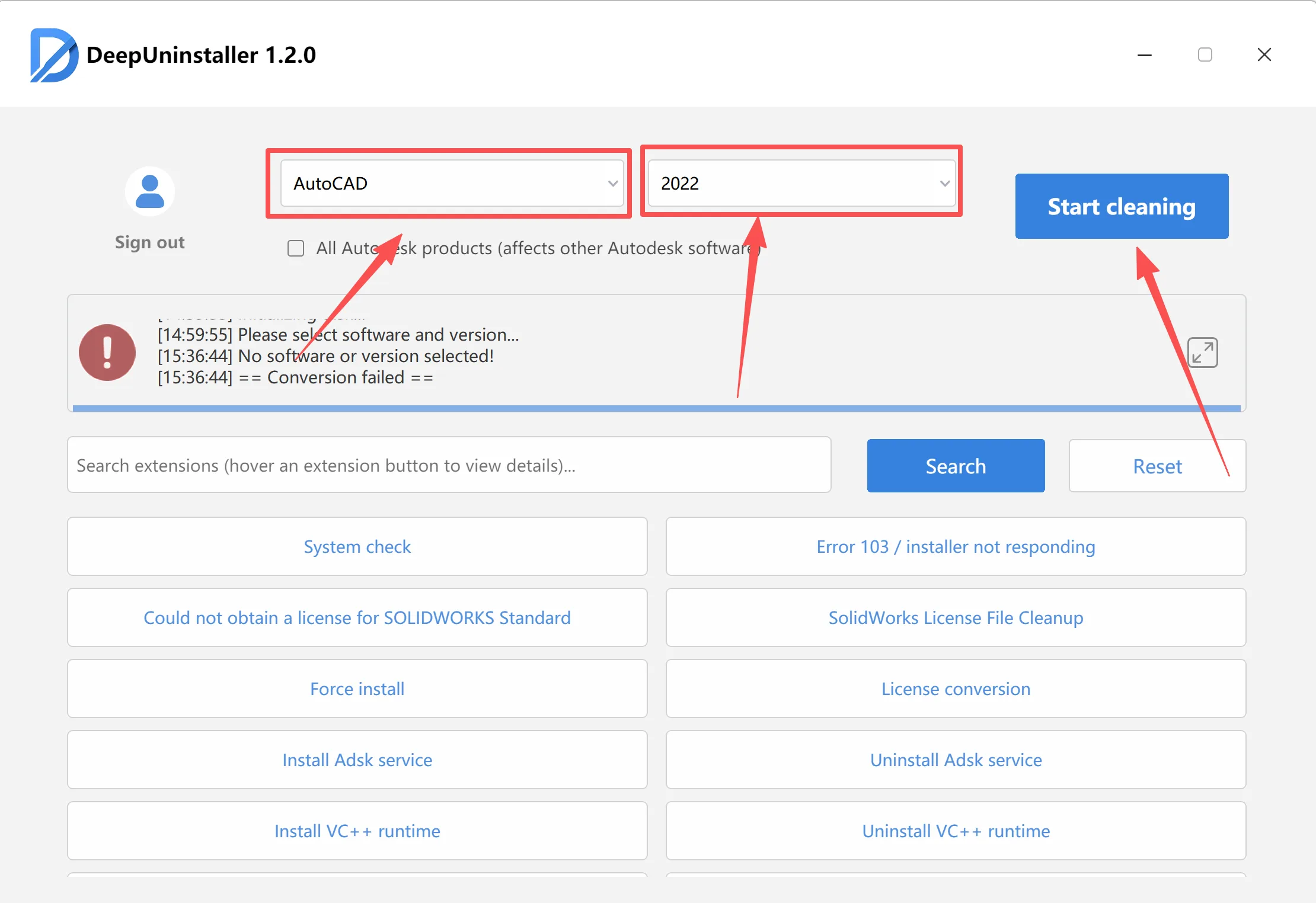
- Download and install the correct AdskLicensing-installer service.
- Go to the AdskLicensing-installer service download page.
- Download the appropriate version of the AdskLicensing-installer service for your specific Autodesk product year:
- For Autodesk 2020 products encountering Error 1603, download installer version
10.2.0.4231. - For Autodesk 2021 products encountering Error 1603, download installer version
11.0.0.4854. - For other Autodesk product versions, select and download the suitable version from the available options on the download page.
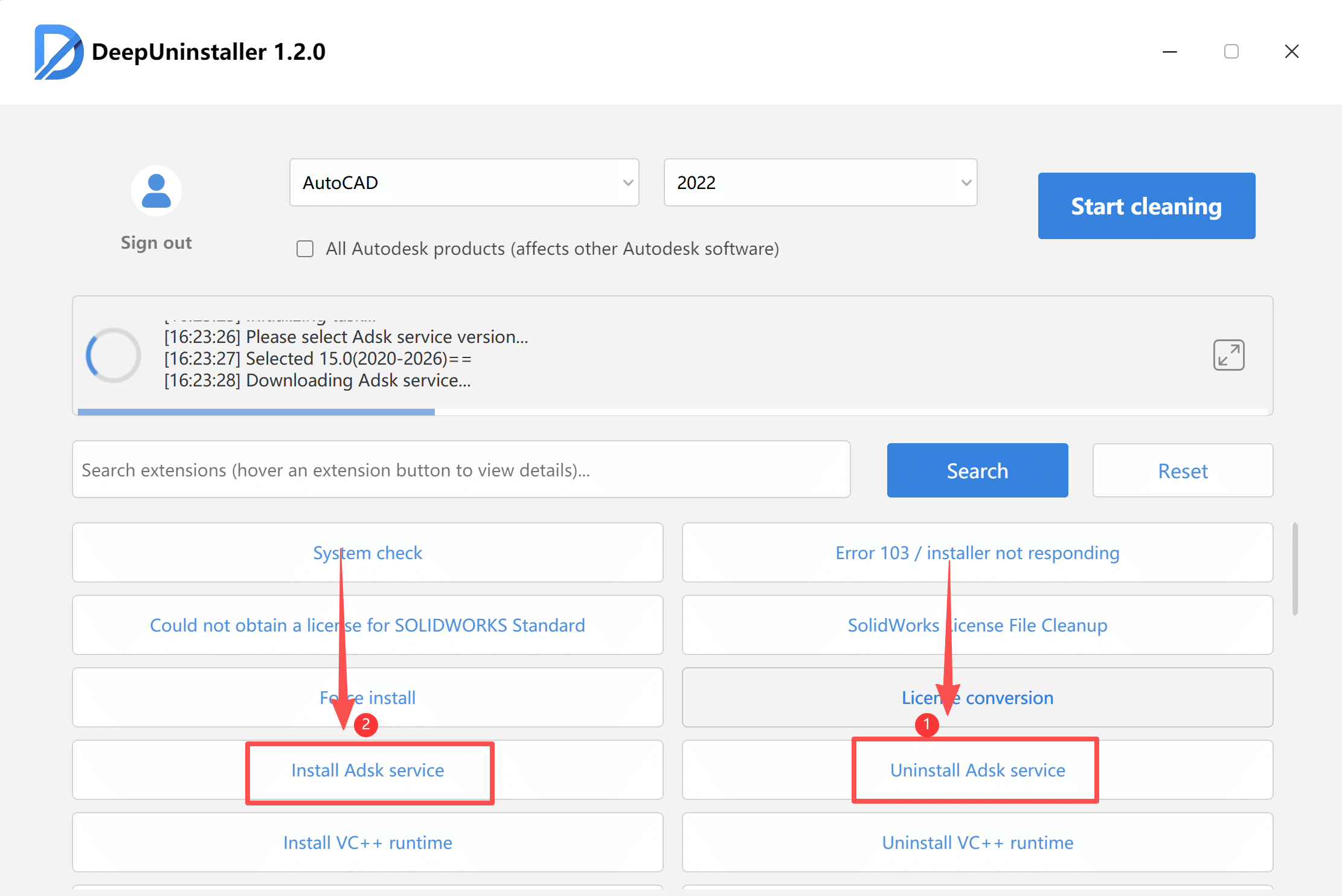
- For Autodesk 2020 products encountering Error 1603, download installer version
- Reattempt the Autodesk software installation.
- After the Licensing Service installer finishes, try installing your Autodesk software again.
Leave a Reply