 English
  Chinese
  Japanese
  Hindi
Hindi  Spanish
  French
  Arabic
  Bengali
  Russian
  Portuguese
  Indonesian
  Korean
  German
 Issue:
You may encounter one of the following error messages:
- Internal Error 2203.
C:\WINDOWS\Installer - Error 2203: Another program has locked a portion of the file.
error2203- The installer has encountered an unexpected error installing thispackage. This may indicate a problem with this package. The error codeis 2203
Solution
To resolve Error 2203, follow these steps:
- Open deepuninstaller.
- Click Administrator has blocked this app.
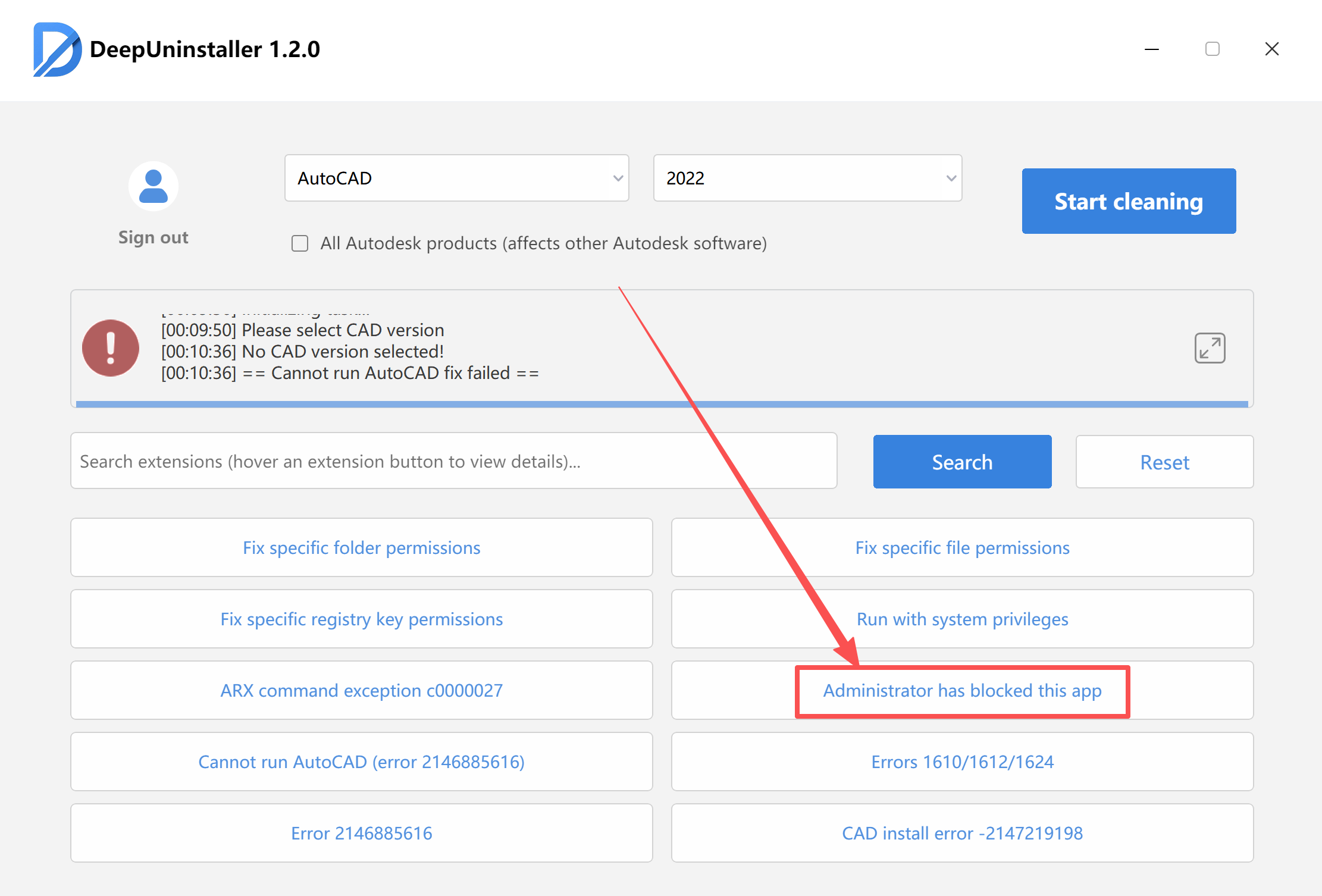
- After receiving a confirmation that the repair was successful, restart your computer.
- Exit all potentially interfering software. This includes, but is not limited to, security software and PC managers such asMcAfee,
- Open System Environment Variables and verify if two specific paths (as shown in the System Environment Variables window) exist.
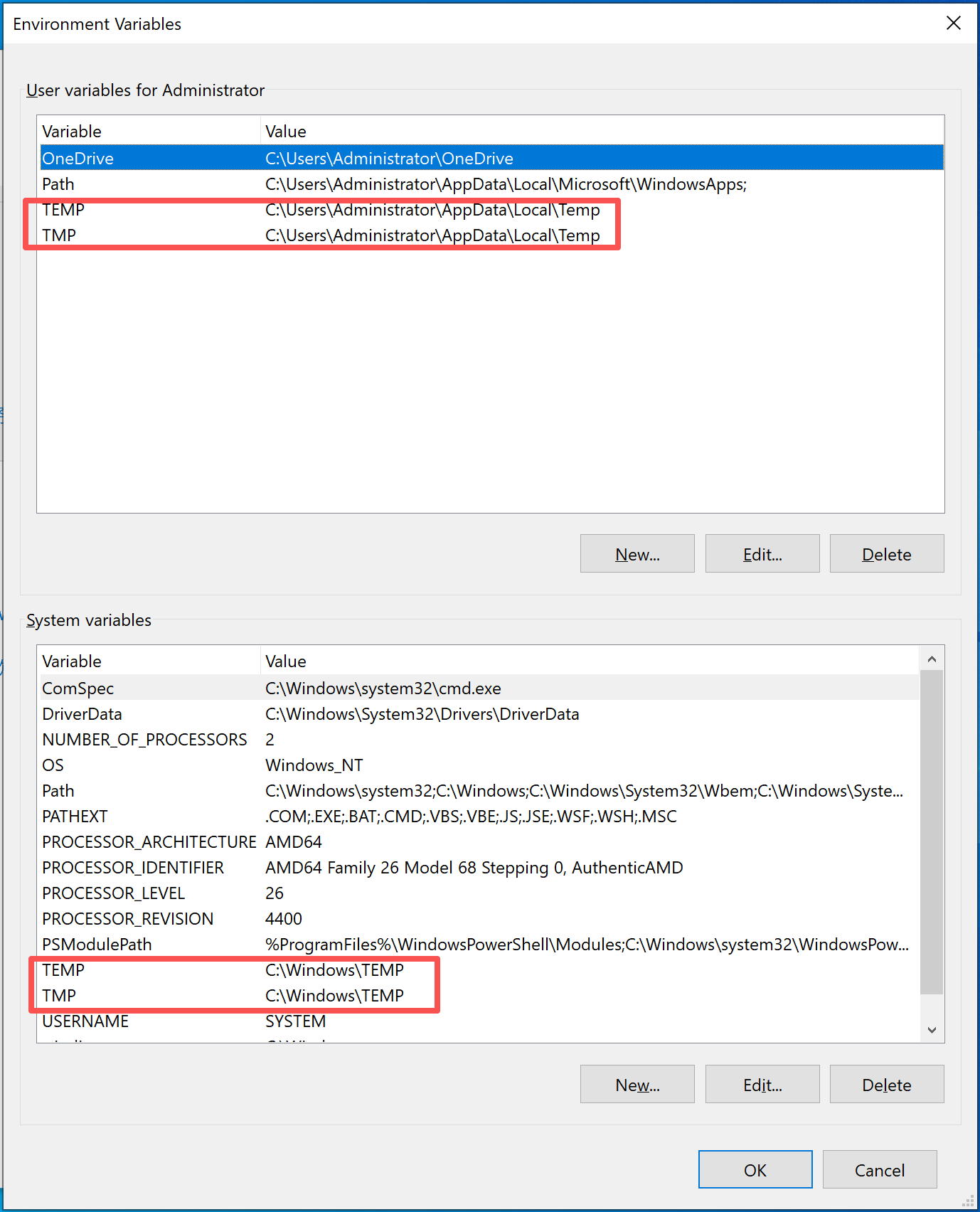
- If the two paths exist:
- Open deepuninstaller.Go to Extended Features.Click the Fix specific folder permissions button.
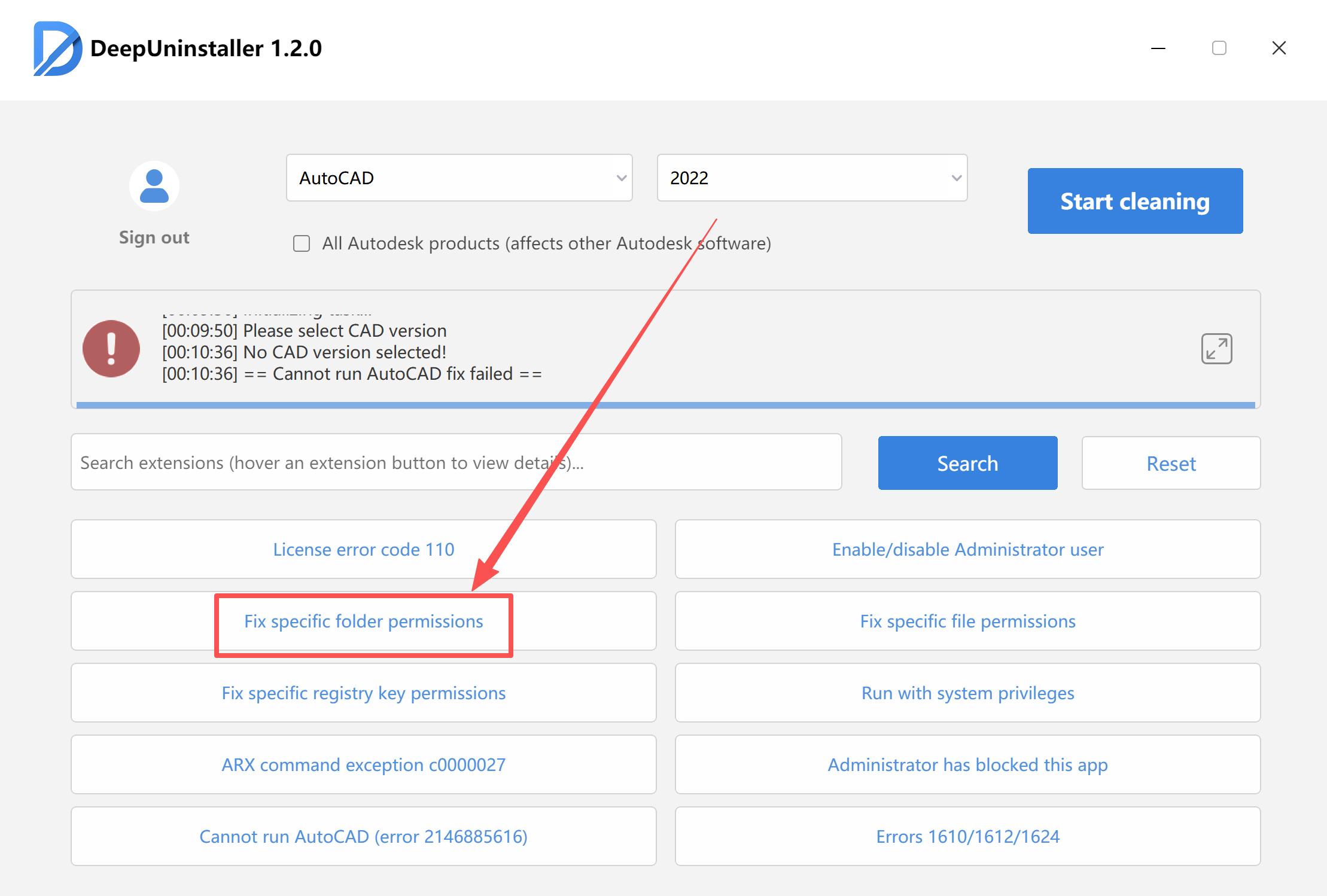
- In the permissions window that appears, navigate to both of the directories identified in Step 6.Grant full permissions to both directories.Click Select Folder.Ensure the same method is applied to both paths.
- If these two directories do not exist or are occupied:
- Recreate the directories.
- Attempt to reinstall the software.
Leave a Reply