 Chinese
  English
  Japanese
  Hindi
Hindi  Spanish
  French
  Arabic
  Bengali
  Russian
  Portuguese
  Indonesian
  Korean
  German
 Issue:
An error message appears indicating an incomplete installation of 3ds Max, specifically mentioning “Revit Interoperability”.
解决方案
To resolve this installation issue, follow these steps:
- In the 深度卸载 interface, click “Advanced Options”.
- Within the “Advanced Options”, locate and click “Error 1402/1406”.
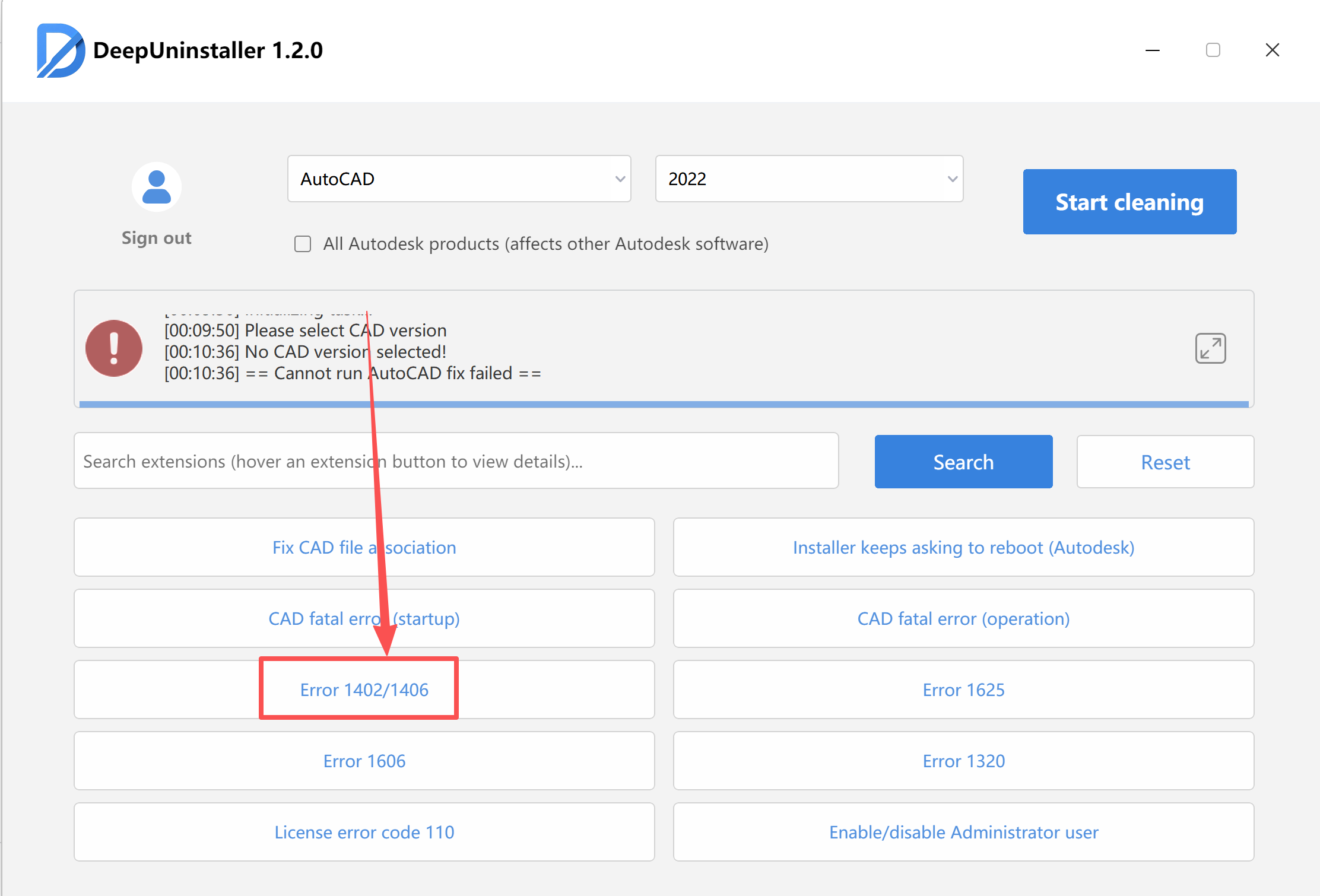
- Follow the software prompts to perform the repair operation. The deepuninstaller will automatically resolve issues preventing registry access.
- Once the repair is complete, restart your computer.
- Attempt to reinstall the software.
发表回复