 Chinese
  English
  Japanese
  Hindi
Hindi  Spanish
  French
  Arabic
  Bengali
  Russian
  Portuguese
  Indonesian
  Korean
  German
 Steps to Resolve
To resolve the issue where opening 3ds Max files triggers a “Requested Operation Requires Elevation” message, follow these steps:
- Open
深度卸载. - Navigate to the “Extended Features” section.
- Within “Extended Features,” locate and click the option or button labeled “Administrator has blocked this app.”
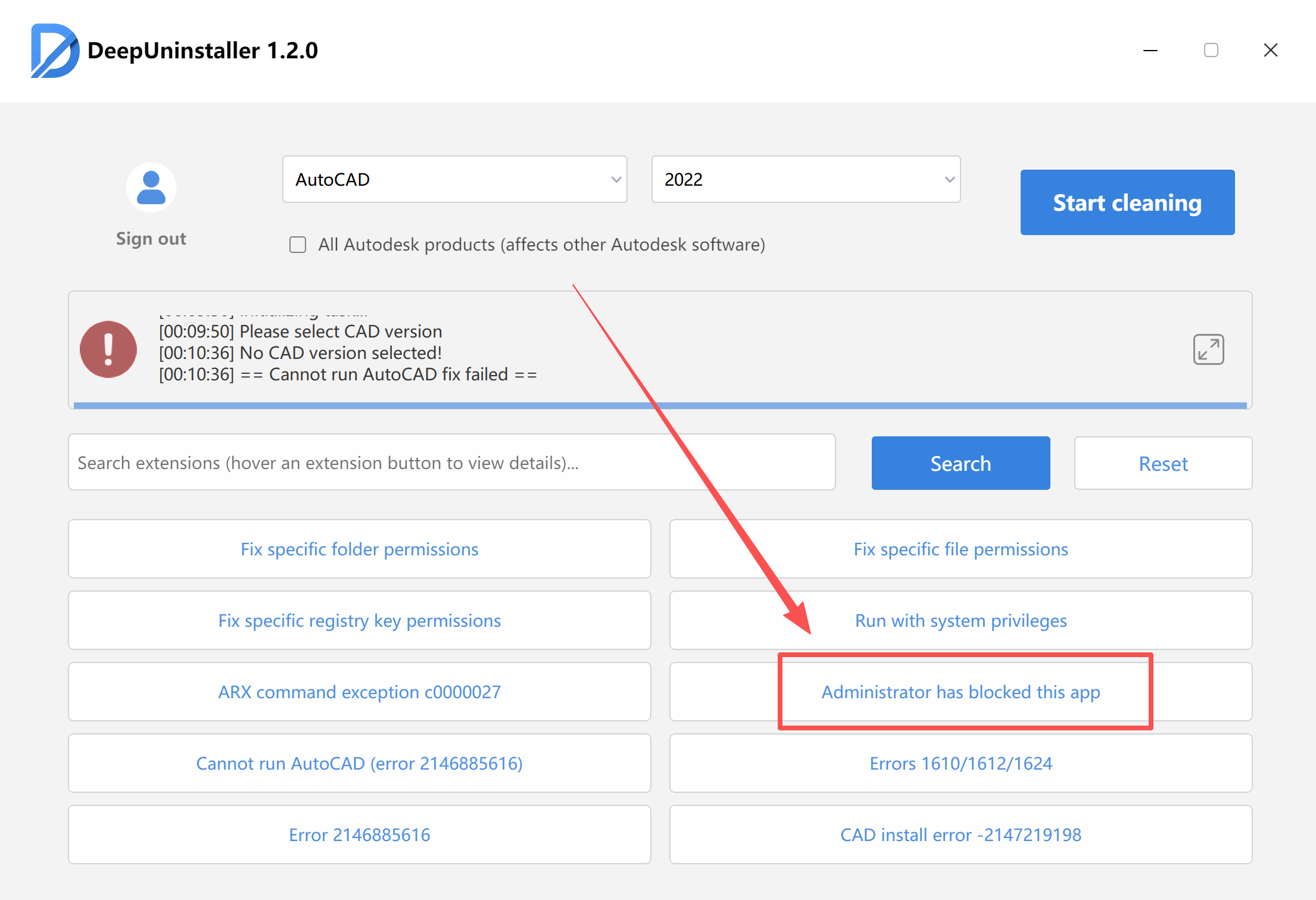
- After the repair process successfully completes and a confirmation message is displayed, restart your computer.
- Once your computer has restarted, attempt to open your 3ds Max files again.
发表回复