 Chinese
  English
  Japanese
  Hindi
Hindi  Spanish
  French
  Arabic
  Bengali
  Russian
  Portuguese
  Indonesian
  Korean
  German
 Issue:
When attempting to install an Autodesk CAD product, the installation fails and presents error code -2147219198.Image PlaceholderIllustrative diagram or screenshot relevant to the symptom.
解决方案
To resolve this issue, follow these steps:
- Launch the deepuninstaller software.
- Within the deepuninstaller application, navigate to the “Extended Features” section.
- Enter the error code
2147219198into the designated input field. - Click the “Search” button.
- Click the button that appears in the search results to initiate the repair process.
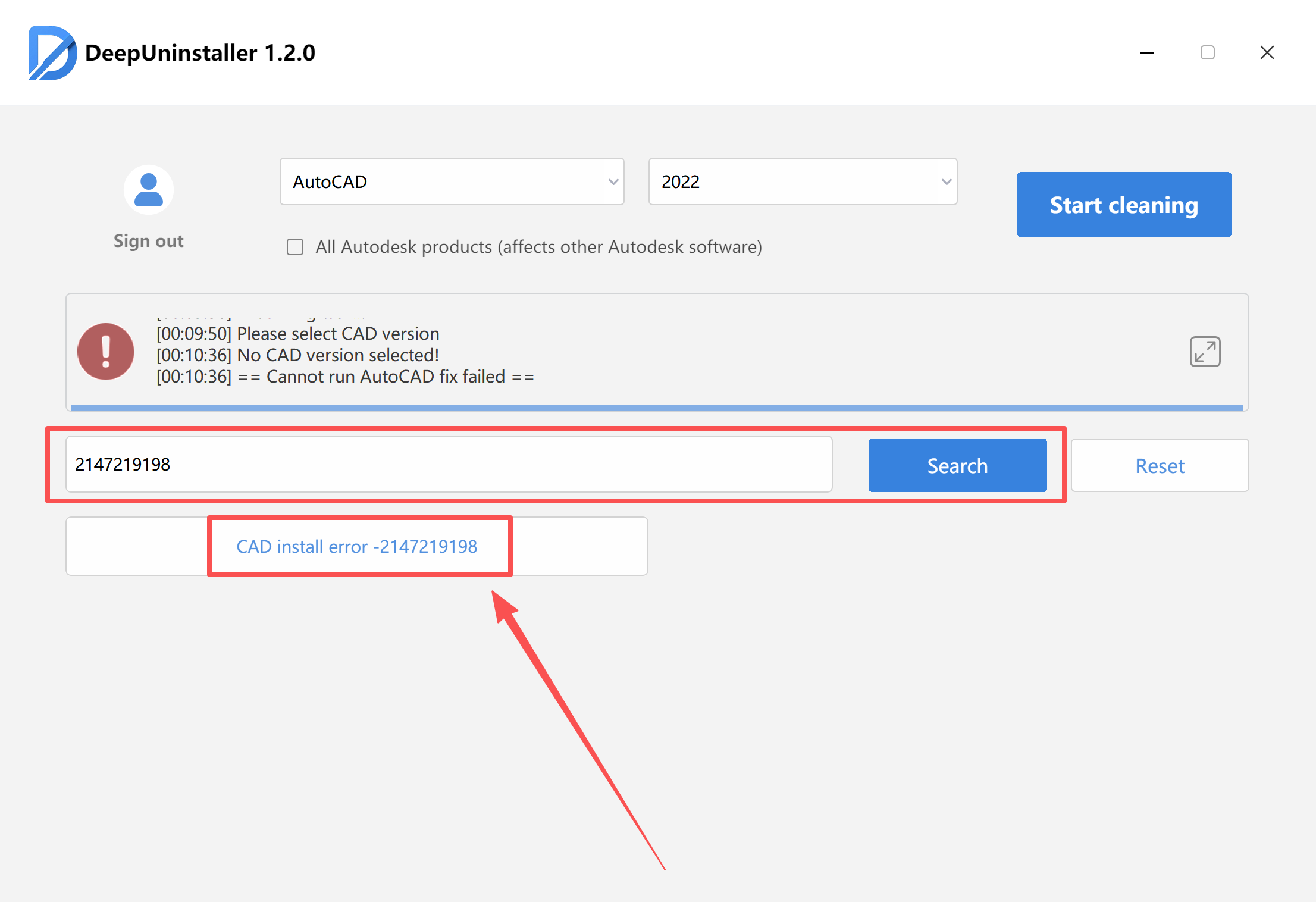
- Once the software indicates that the repair was successful, attempt to reinstall your Autodesk product.
发表回复