 Chinese
  English
  Japanese
  Hindi
Hindi  Spanish
  French
  Arabic
  Bengali
  Russian
  Portuguese
  Indonesian
  Korean
  German
 Issue:
This error typically occurs during the activation of Autodesk software (e.g., Autodesk 3ds Max) using a keygen.
Steps to Resolve
- Verify Administrator Privileges: Ensure that the activation keygen is launched and run with administrator privileges.
- Clear License Information using deepuninstaller: If the error persists even after running the keygen as an administrator, proceed with clearing existing license information:
- Launch deepuninstaller.
- Navigate to the extended options within the deepuninstaller application.
- Execute the ‘Autodesk license file cleanup’ function.
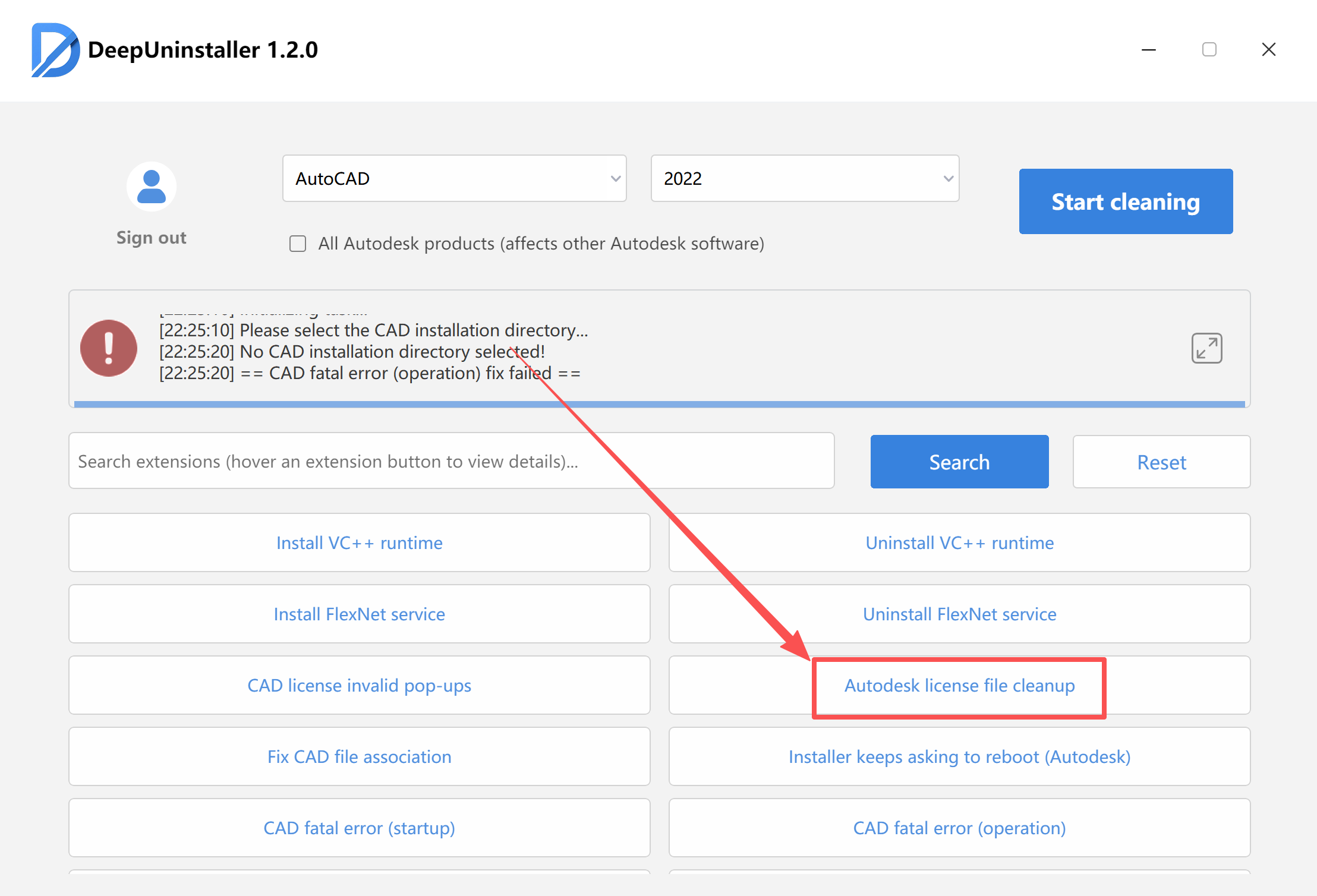
- Note: This process will erase all activation details for every version of Autodesk software installed on your system. Consequently, all Autodesk products will require re-activation after this cleanup.
发表回复