 Chinese
  English
  Japanese
  Hindi
Hindi  Spanish
  French
  Arabic
  Bengali
  Russian
  Portuguese
  Indonesian
  Korean
  German
 Issue:
” Message Persists After Reboot
When installing Autodesk software such as AutoCAD or 3ds Max, the installation process displays a message indicating “An operating system restart is pending.
Please restart your computer to install AutoCAD.” This message continues to appear even after the operating system has been restarted.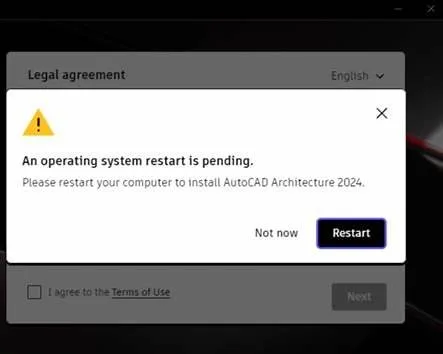
解决方案
- Launch the deepuninstaller software.Image Placeholder
- In the deepuninstaller interface, click on the Extended Options.
- Within the Extended Options, locate and click on the entry labeled “Installer keeps asking to reboot (Autodesk)”.
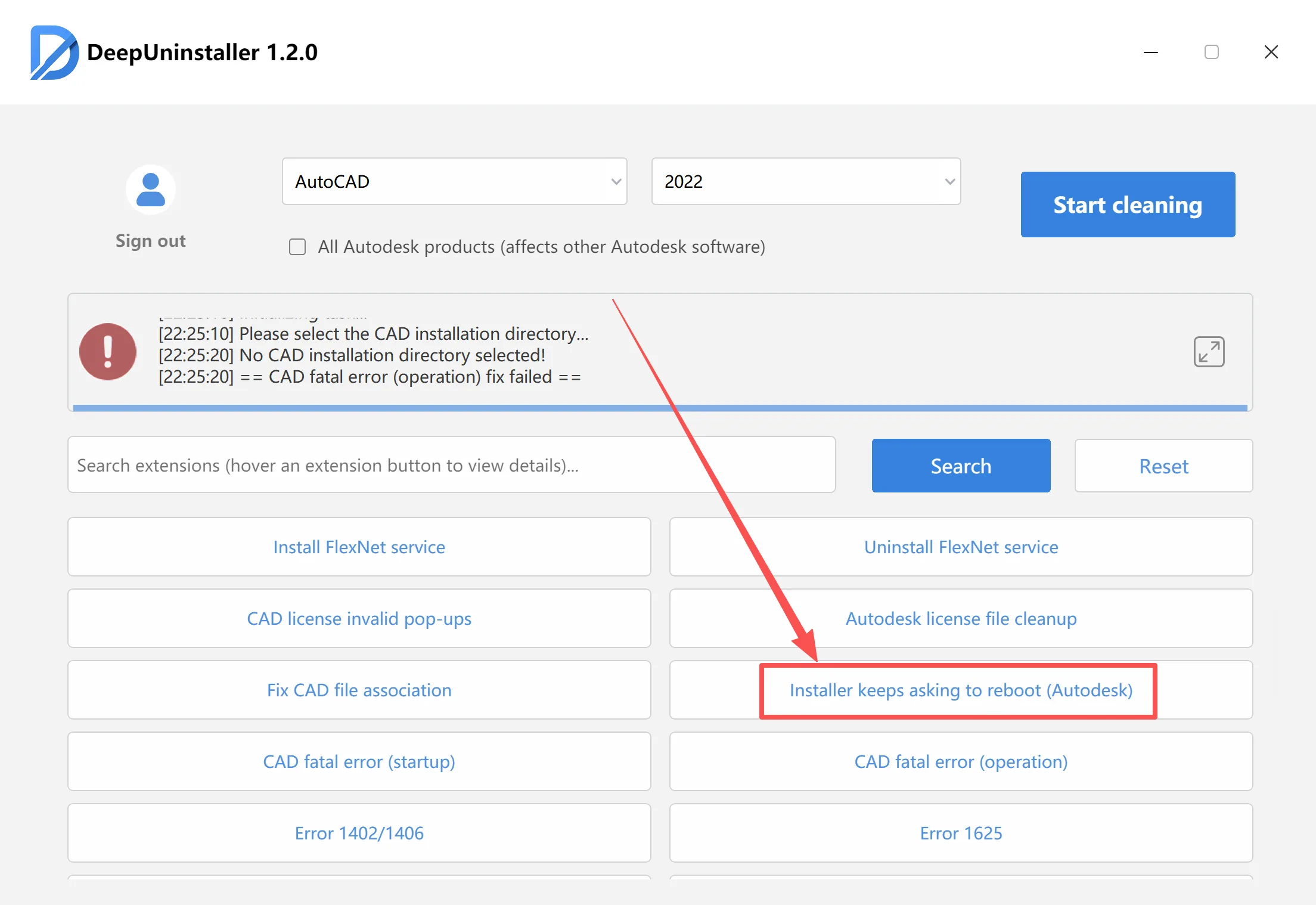
- After completing the above steps, proceed with the software installation as normal.
发表回复