 Portuguese
  English
  Chinese
  Japanese
  Hindi
Hindi  Spanish
  French
  Arabic
  Bengali
  Russian
  Indonesian
  Korean
  German
 Issue:
When you encounter error code 0xc000007b, causing an application to fail to launch correctly, follow these steps to resolve the issue:
Resolution
- Repair C++ Runtime Libraries Using deepuninstaller:
- Open the deepuninstaller software.
- Navigate to the “Extended Options” (or similar advanced settings).
- Locate and click on the “Install VC++ runtime” function (or similar option to repair C++ runtime components) and follow any on-screen instructions or tutorials provided by the tool.
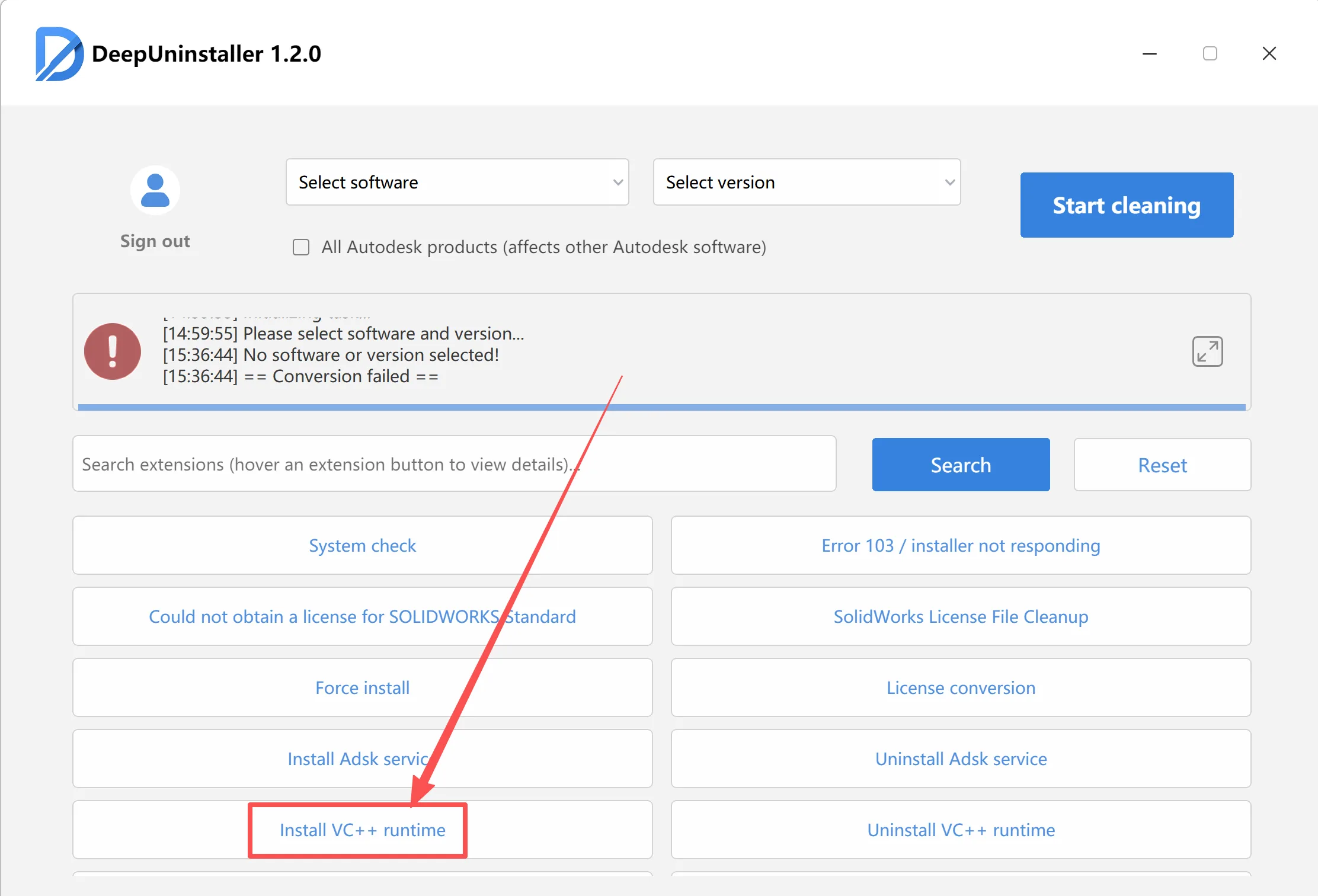
By following these steps, you should be able to resolve the issue where the application fails to start with error code 0xc000007b. Ensure you perform the operations correctly, reinstall the CAD software, and repair the C++ runtime libraries as instructed.
Deixe um comentário