 Portuguese
  English
  Chinese
  Japanese
  Hindi
Hindi  Spanish
  French
  Arabic
  Bengali
  Russian
  Indonesian
  Korean
  German
 Issue:
When launching CAD software, you may encounter the “Unable to initialize ADLM error code 20” message, indicating that the security system (software lock license manager) is not functioning or was not installed correctly. Follow these steps to resolve the issue:
- Launch the deepuninstaller software.
- Within the deepuninstaller interface, clear all Autodesk software licenses. This action will remove all licensing information for Autodesk products.
- Click the “Uninstall Flex Service” option to remove the associated FlexNet services.
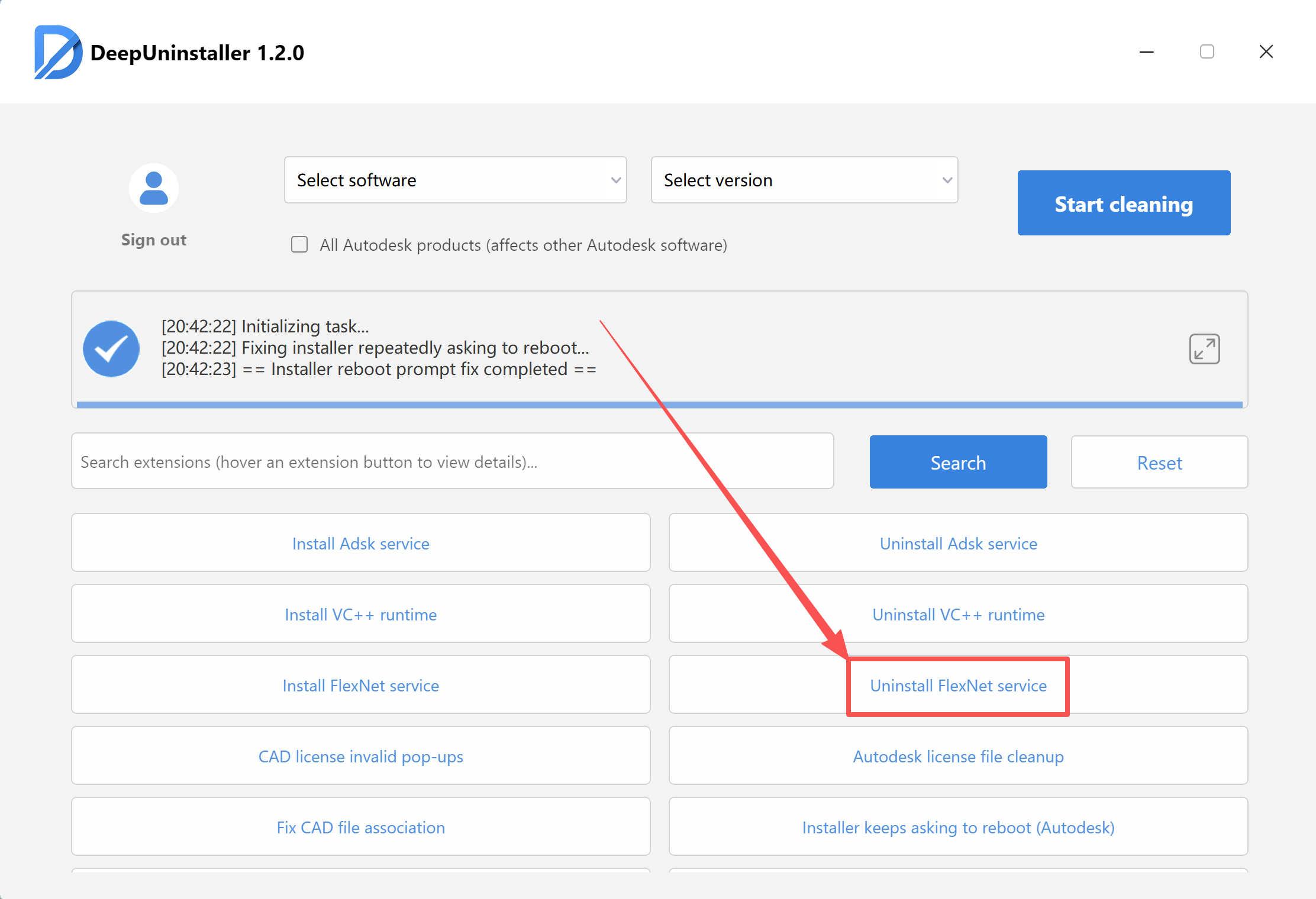
- After the FlexNet services are uninstalled, restart your computer.
- Reinstall your CAD software and proceed with the activation process.
By following these steps, you should be able to resolve the “Unable to initialize ADLM error code 20” issue and ensure the security system (software lock license manager) functions correctly. Make sure to perform all steps as instructed, and then restart your computer before attempting to open and activate your CAD software.
Deixe um comentário