 Portuguese
  English
  Chinese
  Japanese
  Hindi
Hindi  Spanish
  French
  Arabic
  Bengali
  Russian
  Indonesian
  Korean
  German
 This article provides a troubleshooting guide for Autodesk software versions 2020 and later that crash on startup without displaying any error messages. This solution involves utilizing the deepuninstaller extension function.
Issue:
Autodesk software, version 2020 or newer, crashes immediately upon launch or initialization, without providing any error prompts or messages.
Solução
To resolve this issue, you can attempt to use the deepuninstaller extension function. This process involves managing an Autodesk service.
- Launch the deepuninstaller utility and select the specific Autodesk software and version experiencing the issue.
- Attempt to start the relevant Autodesk service.
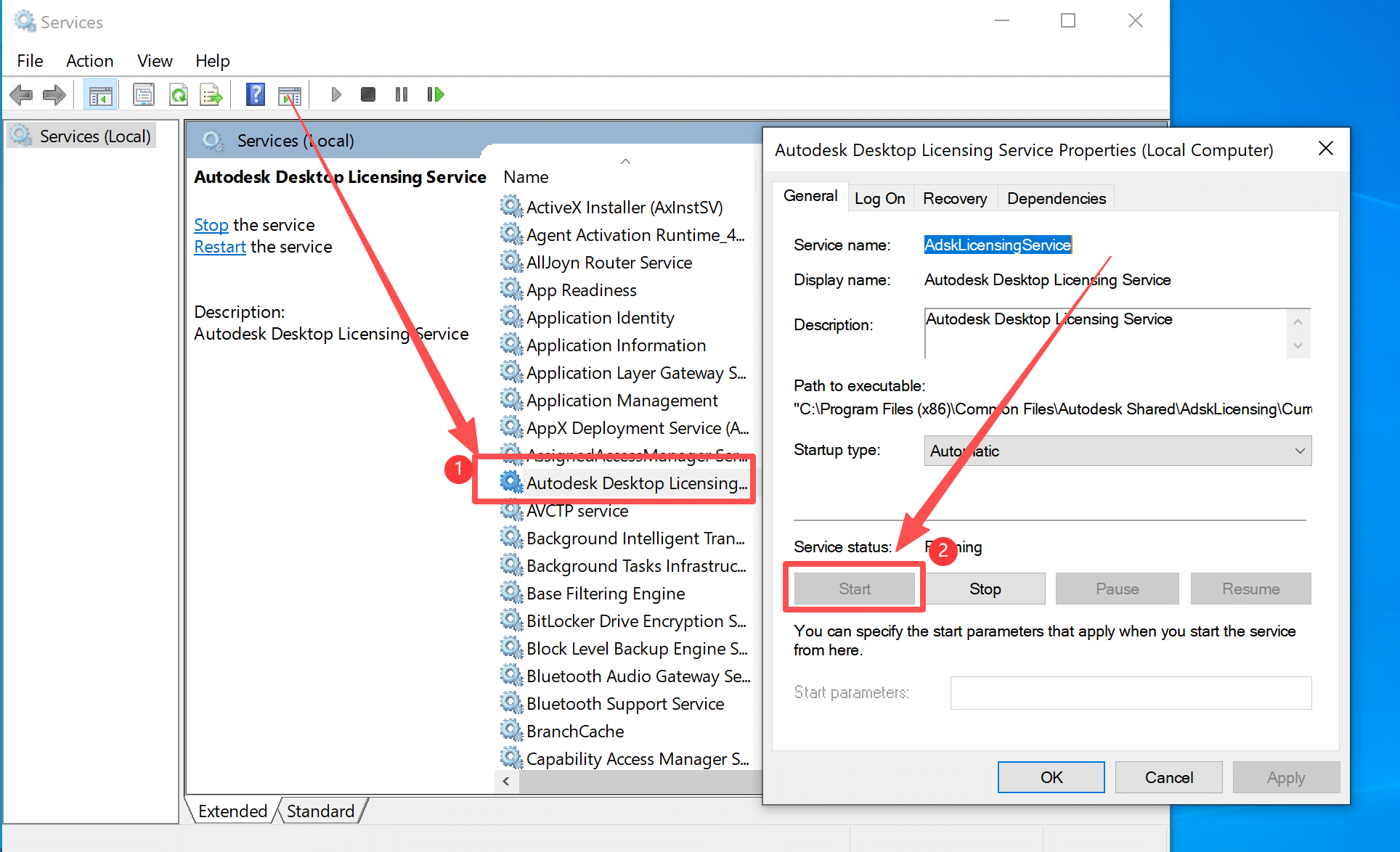
- If error 1053 occurs when starting the service
- First, uninstall the problematic service.
- After uninstalling the service (e.g., by clicking “uninstall adsk service “), proceed to install it again (e.g., by clicking ” install adsk service”).
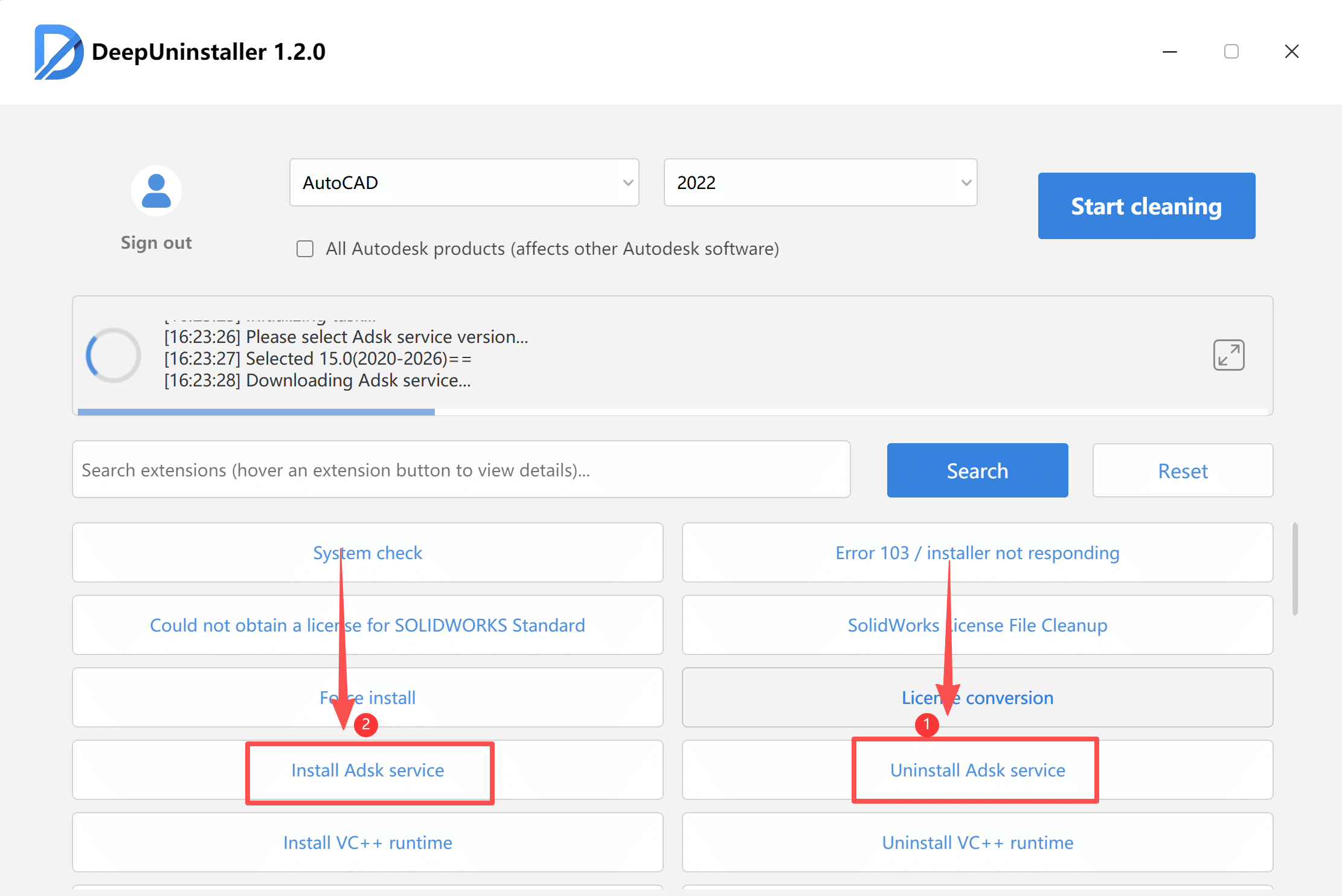
- It is recommended to install the service’s recommended version, though other versions may also be selected.
- Download and install the selected service version. Wait for the installation progress bar to complete.
- After installation, re-open the service to verify it is enabled. Alternatively, directly launch Autodesk Max (or the affected software). If the software opens successfully, it indicates that the service is properly enabled.
Deixe um comentário