 Korean
  English
  Chinese
  Japanese
  Hindi
Hindi  Spanish
  French
  Arabic
  Bengali
  Russian
  Portuguese
  Indonesian
  German
 Issue:
When attempting to open or launch AutoCAD , the application displays an “AutoCAD Error Interruption” or “Fatal Error” message and subsequently enters an infinite loading state.
솔루션
To resolve this issue, perform the following steps:
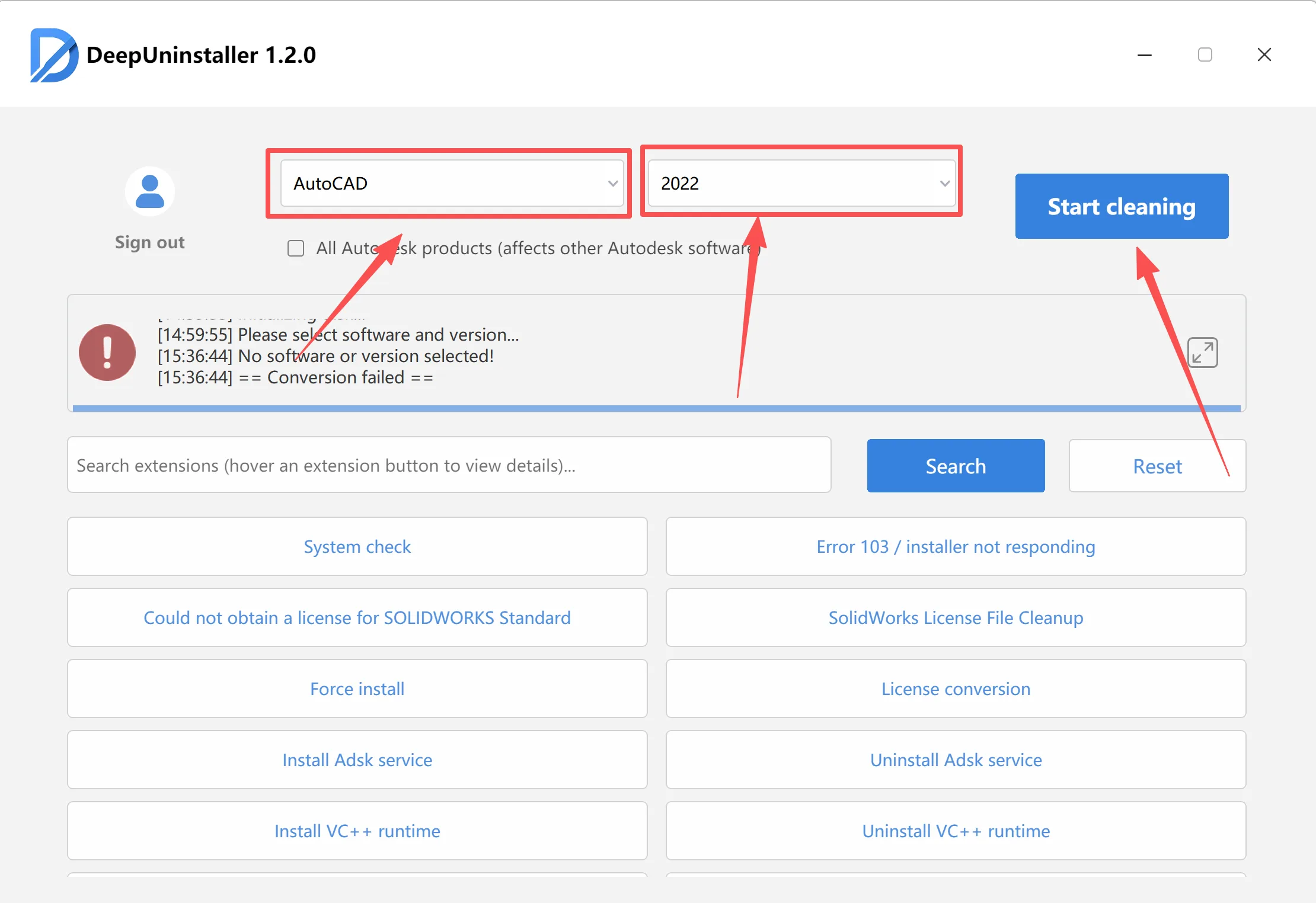
- Clean up Residual Installation Files: Use a specialized deepuninstaller or a system cleanup utility to thoroughly remove any residual files or corrupted components from previous AutoCAD installations.
- Restart System and Verify Services:
- Restart your computer.
- Alternatively, manually check and ensure that all necessary Autodesk services are running in Windows Services (
services.msc).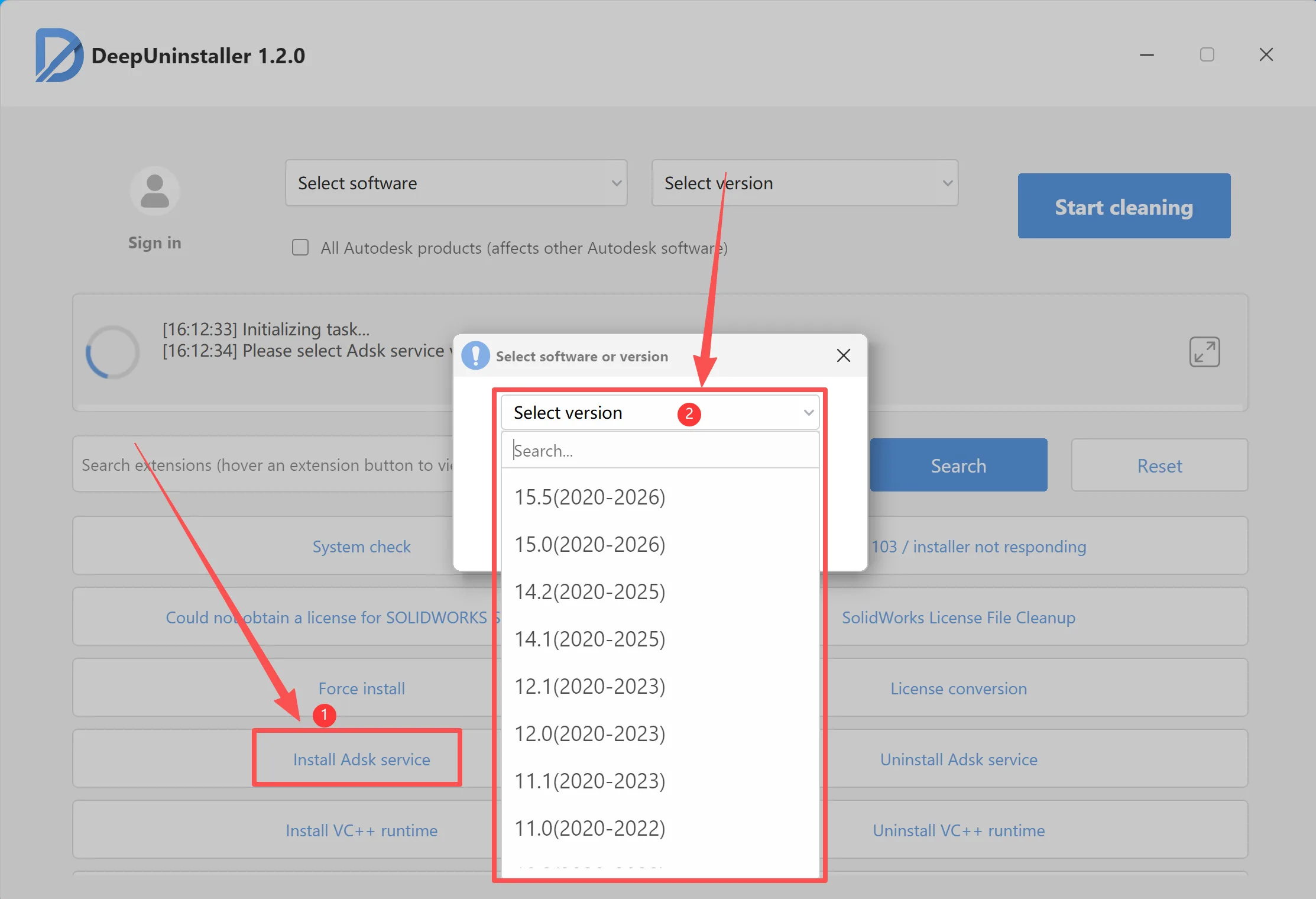
- Reinstall AutoCAD: After completing the cleanup and system restart, attempt to reinstall AutoCAD .
답글 남기기