 Korean
  English
  Chinese
  Japanese
  Hindi
Hindi  Spanish
  French
  Arabic
  Bengali
  Russian
  Portuguese
  Indonesian
  German
 Issue:
This article provides methods to resolve License checkout timed out. What do you want to do?issues or unexpected crashes without prompts in Autodesk software versions 2020 and later. These issues commonly occur in AutoCAD and other Autodesk applications. Reinstallation is typically not required.
Issue:
Autodesk software (2020 or newer) crashes unexpectedly without any error messages.
License checkout timeout errors prevent the software from launching or functioning correctly.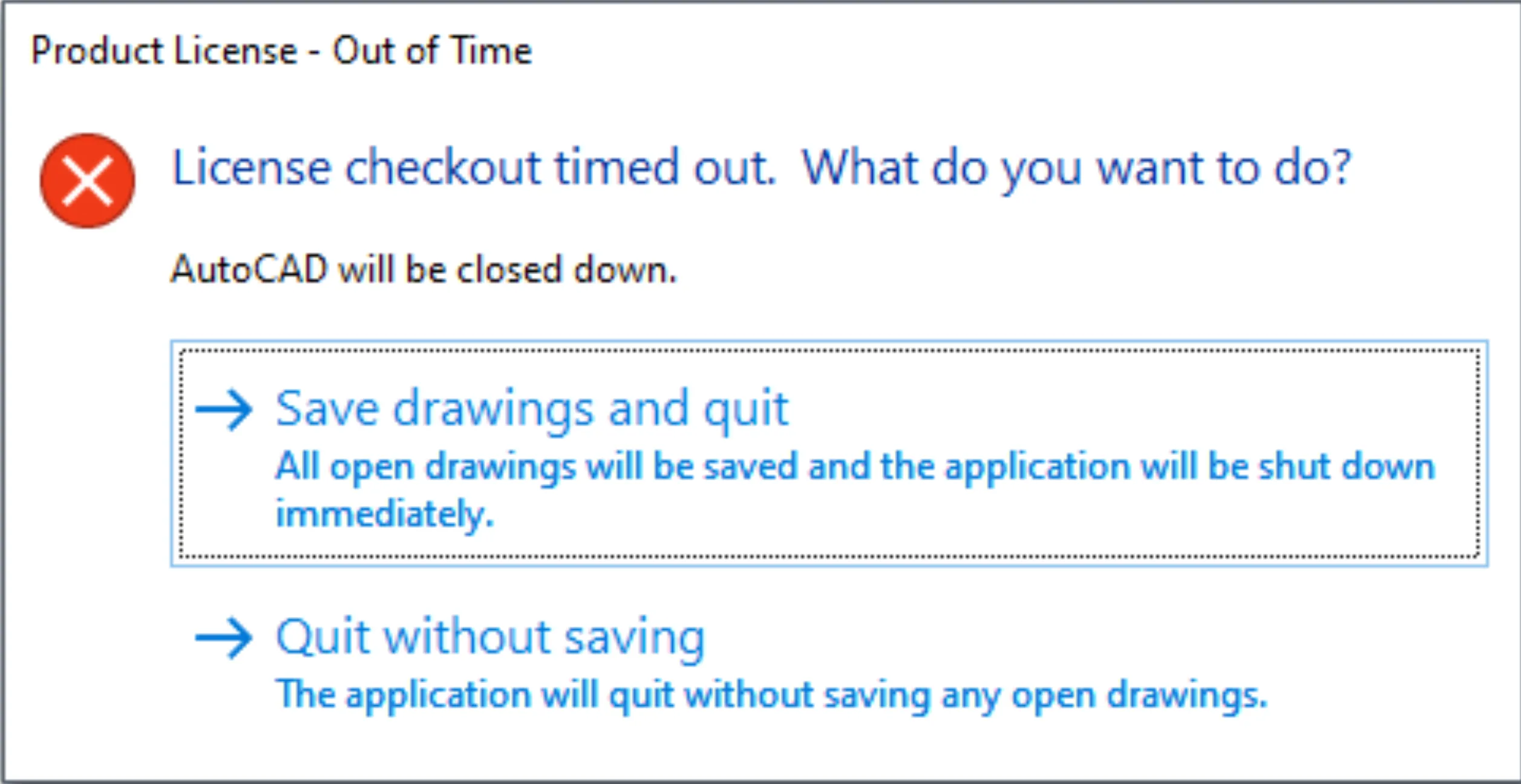
Resolution
Method 1: Use the deepuninstaller Extended Function
The primary solution involves using the “License conversion” extended function within the deepuninstaller tool to reconfigure licensing components.
Steps to Use deepuninstaller Convert:
- Open the deepuninstaller application.
- Click on Extended Functions.
- Click License conversion.
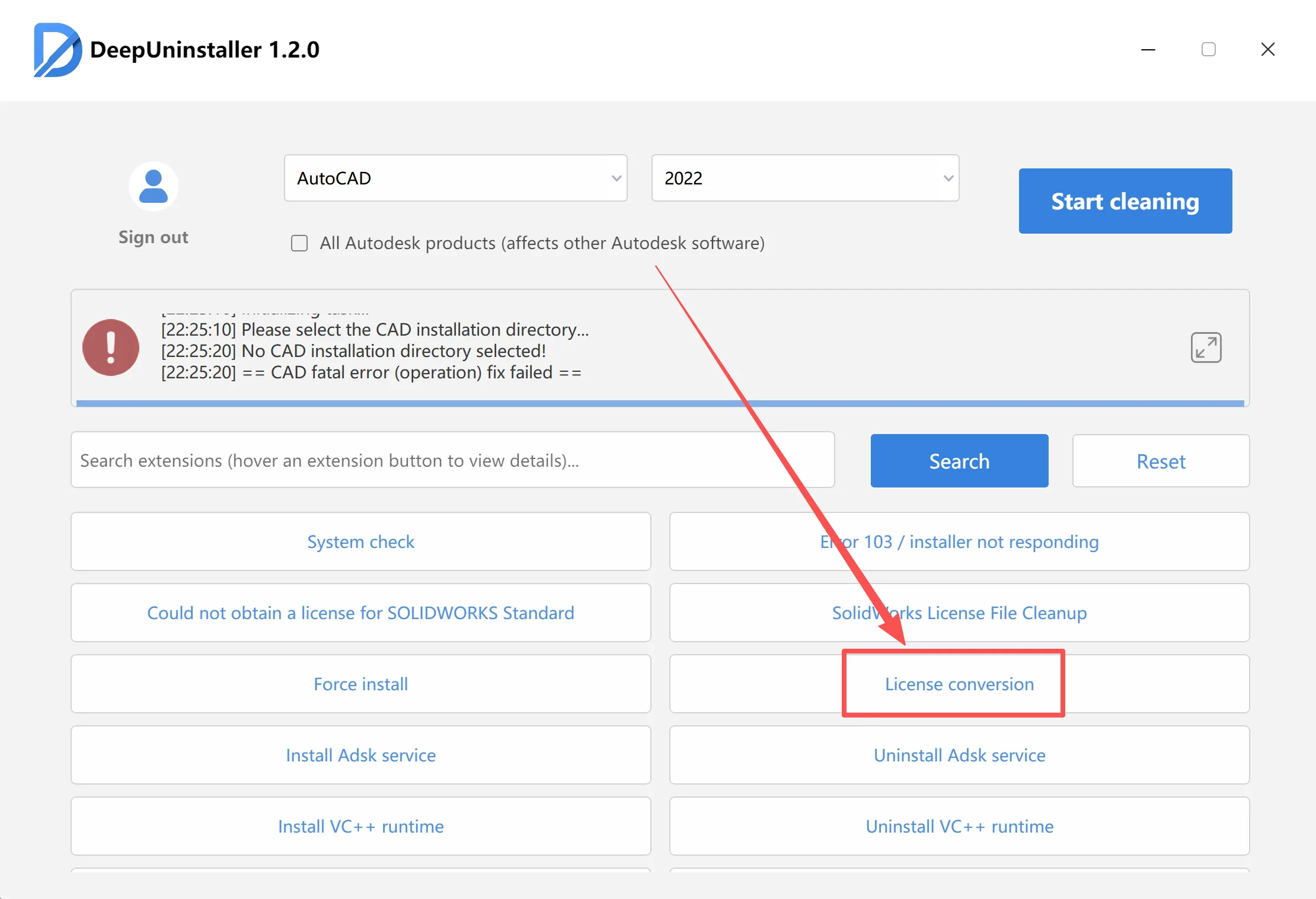
- From the list, select the specific Autodesk software and its version that is experiencing the problem.
- Click Start Conversion.
- A success message should appear upon completion.
Method 2: Manual License Activation (If conversion is successful but license error persists)
Method 3: Troubleshoot Conversion Failure (Firewall Interference)
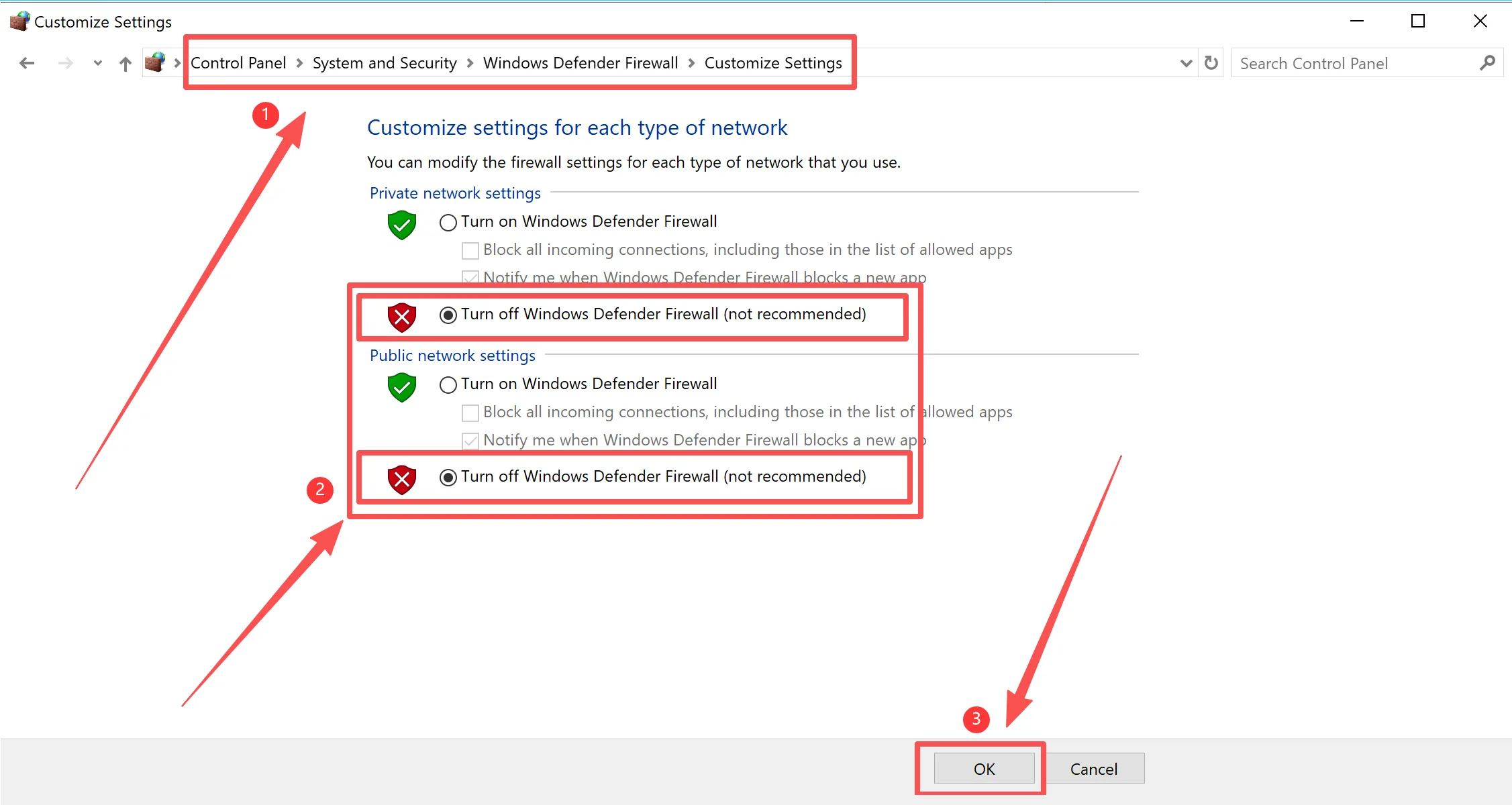
If Autodesk services are running normally but the conversion remains in progress indefinitely or fails, firewall settings might be interfering.
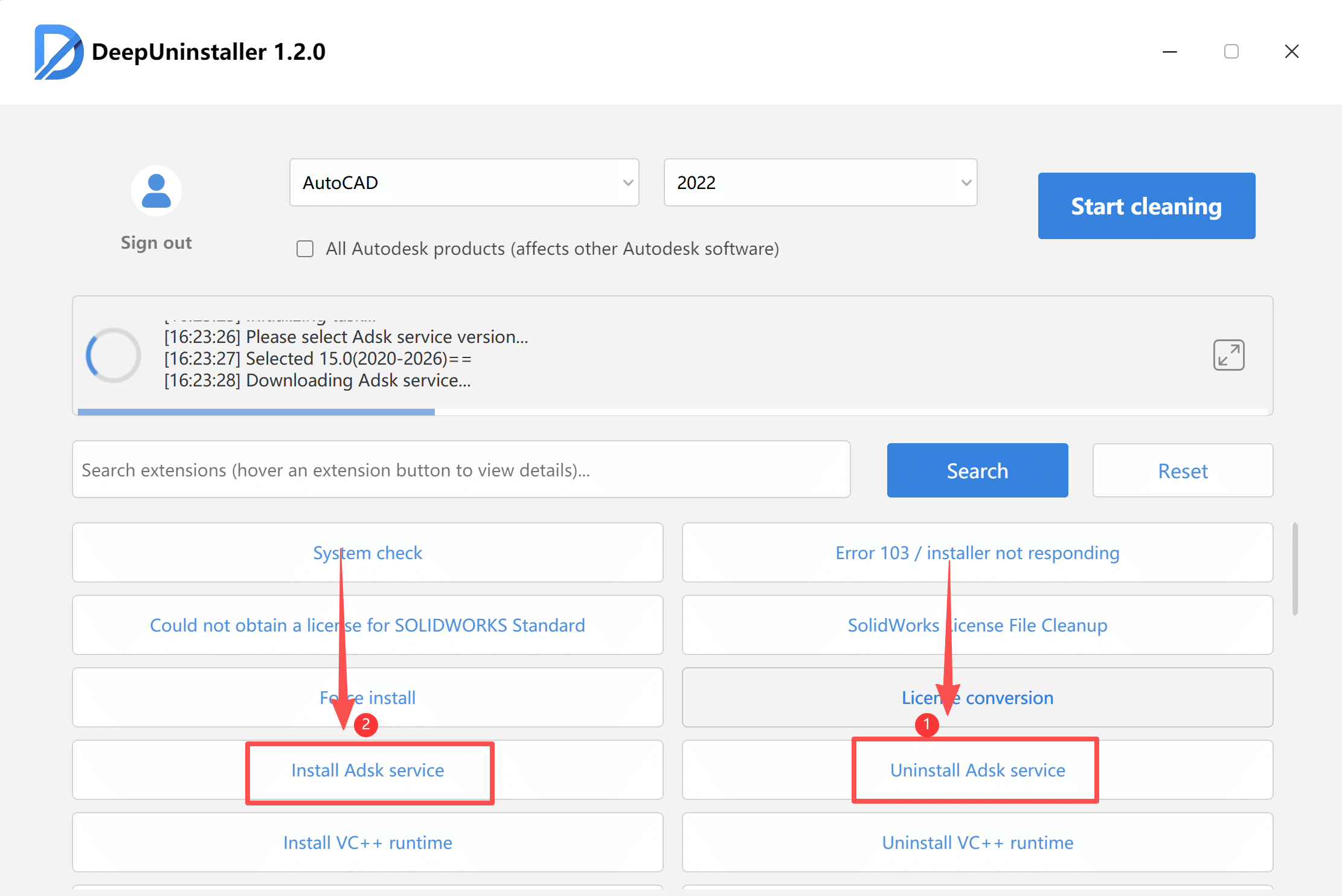
Steps to Address Firewall Interference:
- Temporarily disable all three Windows Defender Firewall profiles (Domain, Private, and Public Networks).Note: Remember to re-enable your firewall settings after troubleshooting to maintain system security.
Method 4: Reset Software to Default Settings (If all other methods fail)
If license errors persist after successful replacement activation and deepuninstaller conversion, resetting the software to its default settings may resolve the issue.
Steps to Reset Default Settings (Example: AutoCAD):
- Navigate to the Autodesk AutoCAD folder within the Start menu.
- Open the folder and select the option to Reset Settings to Default.
답글 남기기