 Japanese
  English
  Chinese
  Hindi
Hindi  Spanish
  French
  Arabic
  Bengali
  Russian
  Portuguese
  Indonesian
  Korean
  German
 Issue:
When launching an application or performing certain operations, the following error message appears:
"vcruntime140.dll not found, unable to continue execution."ソリューション
This issue often indicates missing or corrupted Microsoft Visual C++ Redistributable components.
Steps to Repair Missing vcruntime140.dll
- Use the Install VC++ runtime button in DeepUninstaller
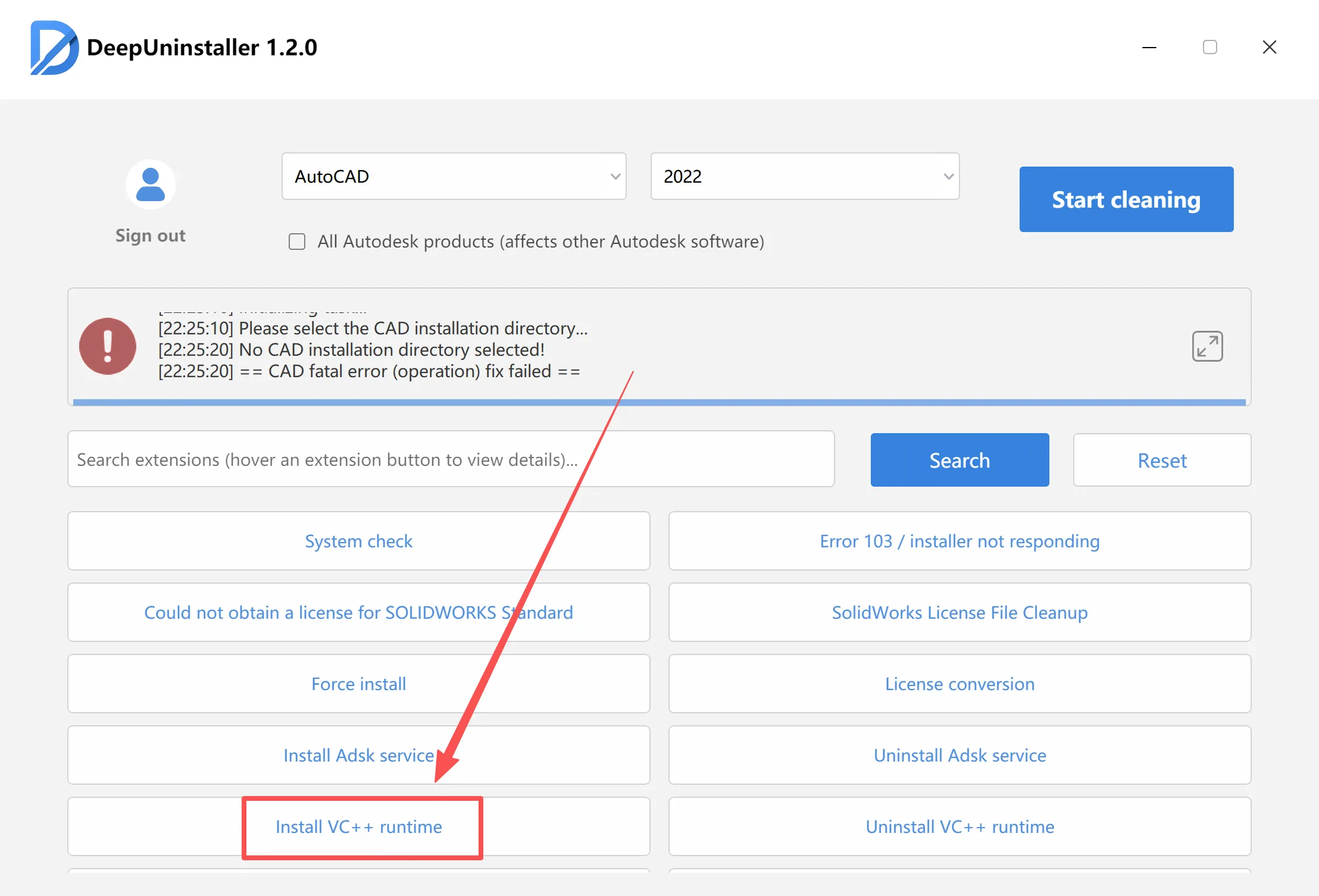
Following these steps should resolve the “vcruntime140.dll not found” error, allowing applications to function correctly. Ensure the instructions are performed accurately for a successful repair.
コメントを残す