 Japanese
  English
  Chinese
  Hindi
Hindi  Spanish
  French
  Arabic
  Bengali
  Russian
  Portuguese
  Indonesian
  Korean
  German
 Issue:
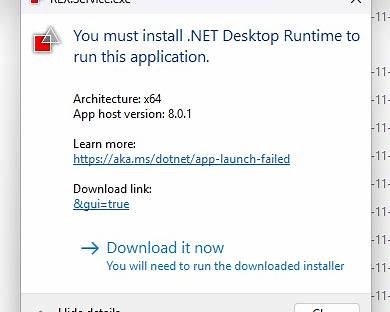
This error typically occurs with AutoCAD 2023, 2024, 2025, or higher versions. The following messages appear:
- First, the message “You must install .NET Desktop Runtime” is displayed.
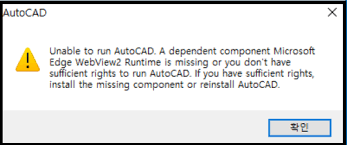
- After clicking “Download” or proceeding, a second error appears: “Unable to run AutoCAD. A dependent component MicrosoftEdge WebView2 Runtime Is missing or you don’t havesufficient rights to run AutoCAD. If you have sufficient rights,install the missing component or reinstall AutoCAD.”
ソリューション
To resolve this issue, use the deepuninstaller tool to repair the missing components.
Steps
- Launch deepuninstaller.
- Navigate to the Extensions section.
- In the search bar, type
"Cannot run AutoCAD"(or similar relevant keywords related to the error) and click 検索. - From the search results, select the repair option that corresponds to your AutoCAD version. For versions 2023 and above, select the “2023 and above” option.
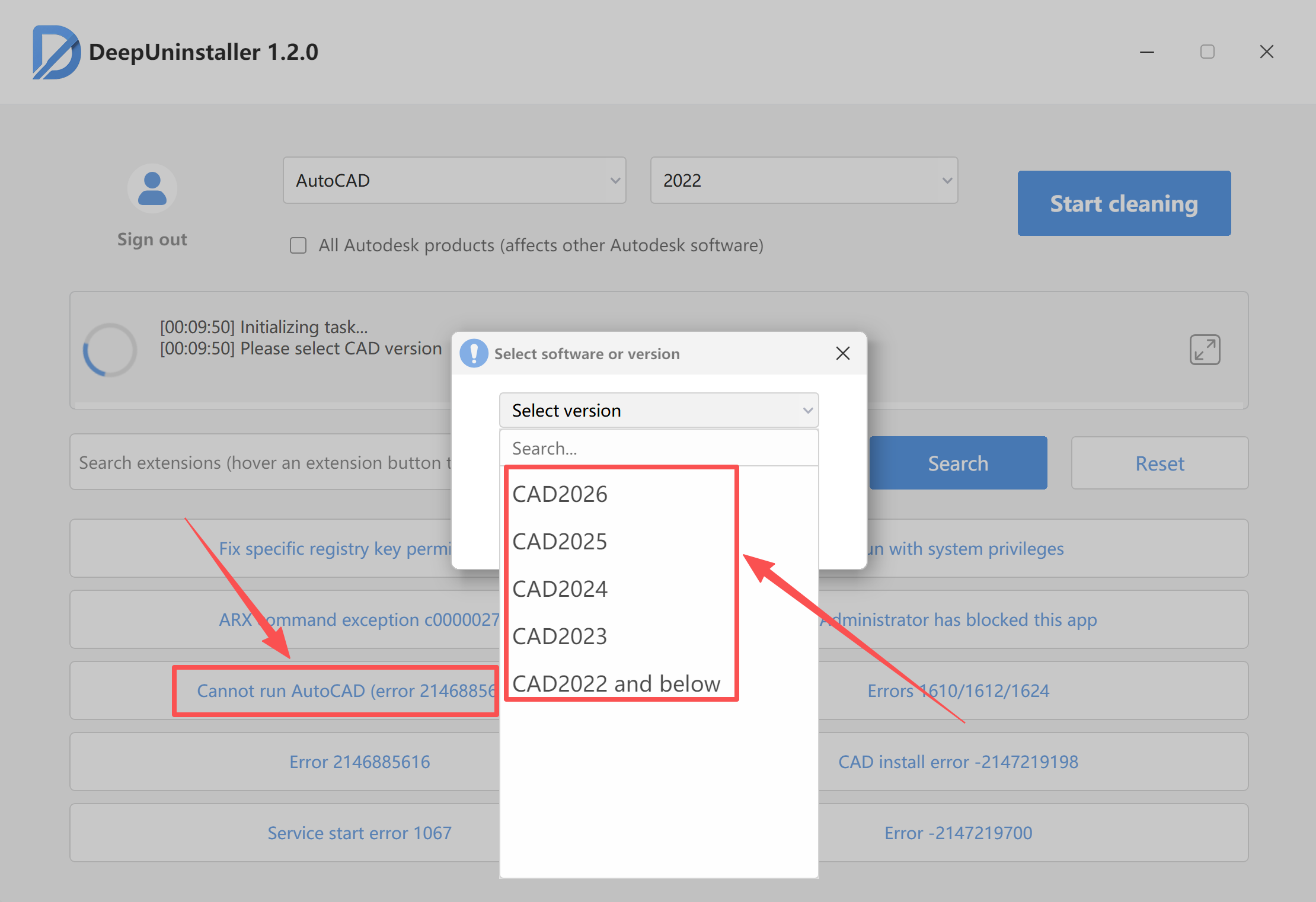
- Click Start Repair and wait for the repair process to complete.
- Once the repair is finished, attempt to restart AutoCAD.
コメントを残す