 Japanese
  English
  Chinese
  Hindi
Hindi  Spanish
  French
  Arabic
  Bengali
  Russian
  Portuguese
  Indonesian
  Korean
  German
 Issue:
- Autodesk software installation fails with “Error 1603” or other related errors.
- After manually installing the Autodesk Desktop Licensing Service, attempting to start the service results in “Error 1067”.
Cause
This issue typically arises when the Autodesk Desktop Licensing Service is either not installed or is not functioning correctly.
ソリューション
Follow these steps to resolve the Error 1067 and related installation issues:
- Open deepuninstaller.
- Navigate to the “Extensions” feature.In the search bar, type “1067” and click the search button.
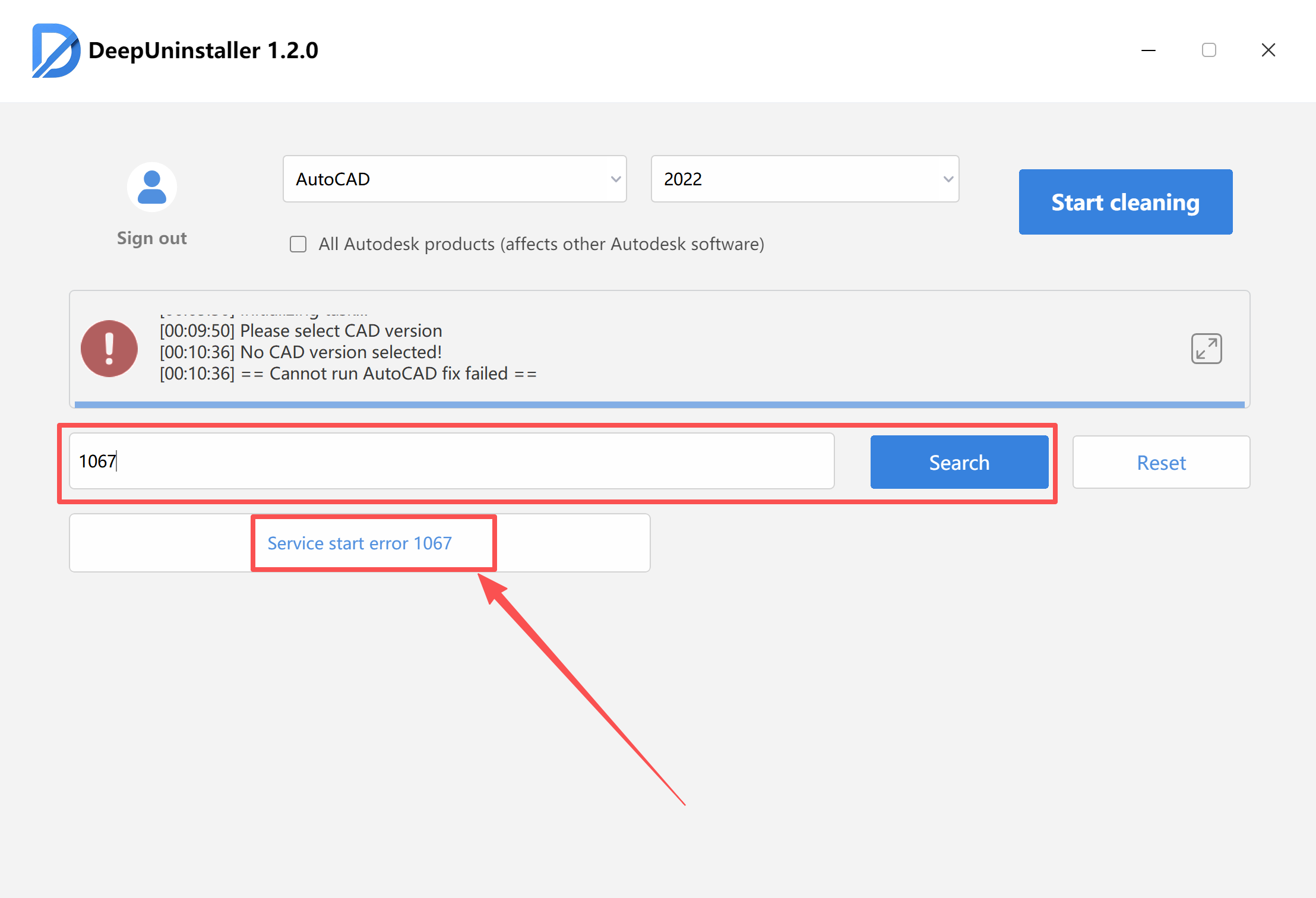
- Click the “1067” button displayed in the results.
- A notification will confirm that the repair was successful.After the repair, attempt to manually start the Autodesk Desktop Licensing Service.Then, try installing your Autodesk software again.
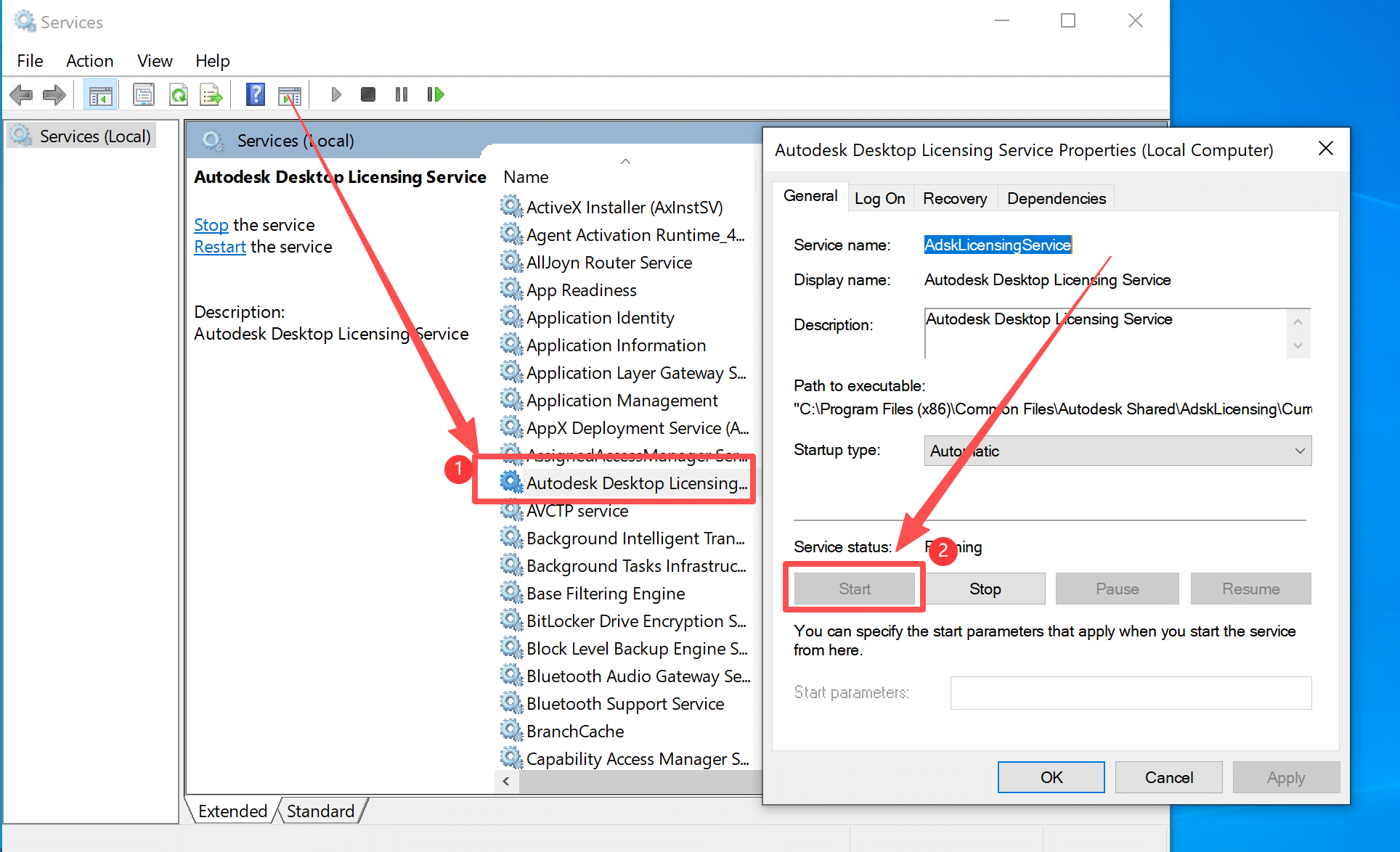
- If the software installs successfully, but a licensing error occurs after opening and activating the software:
- Open deepuninstaller again.
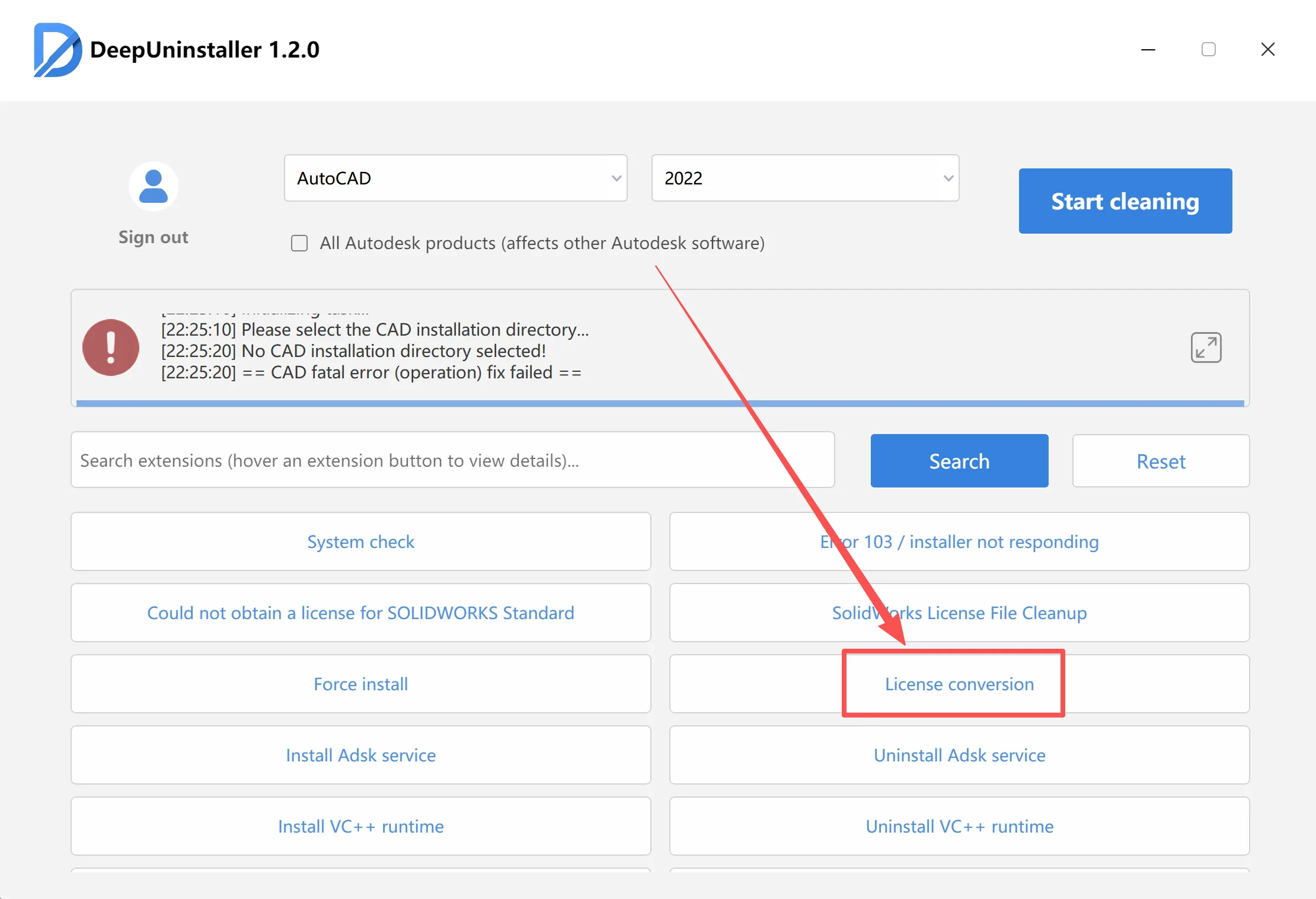
- Go to the “Extensions” feature.
- Click the “License conversion” button to adjust your corresponding software version.
コメントを残す