 Japanese
  English
  Chinese
  Hindi
Hindi  Spanish
  French
  Arabic
  Bengali
  Russian
  Portuguese
  Indonesian
  Korean
  German
 Issue:
User Account Control (UAC) displays the following error message when attempting to run an application:
“This app has been blocked for your protection.
An administrator has blocked you fromrunning this app. For more information,contact the administrator.”
Image Placeholder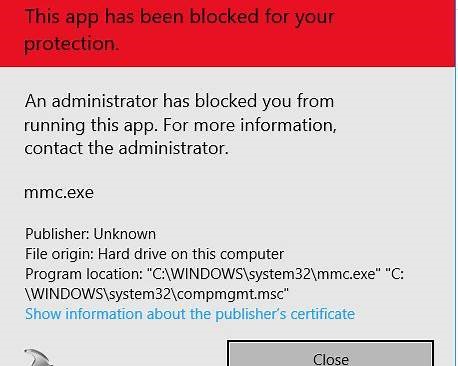
ソリューション
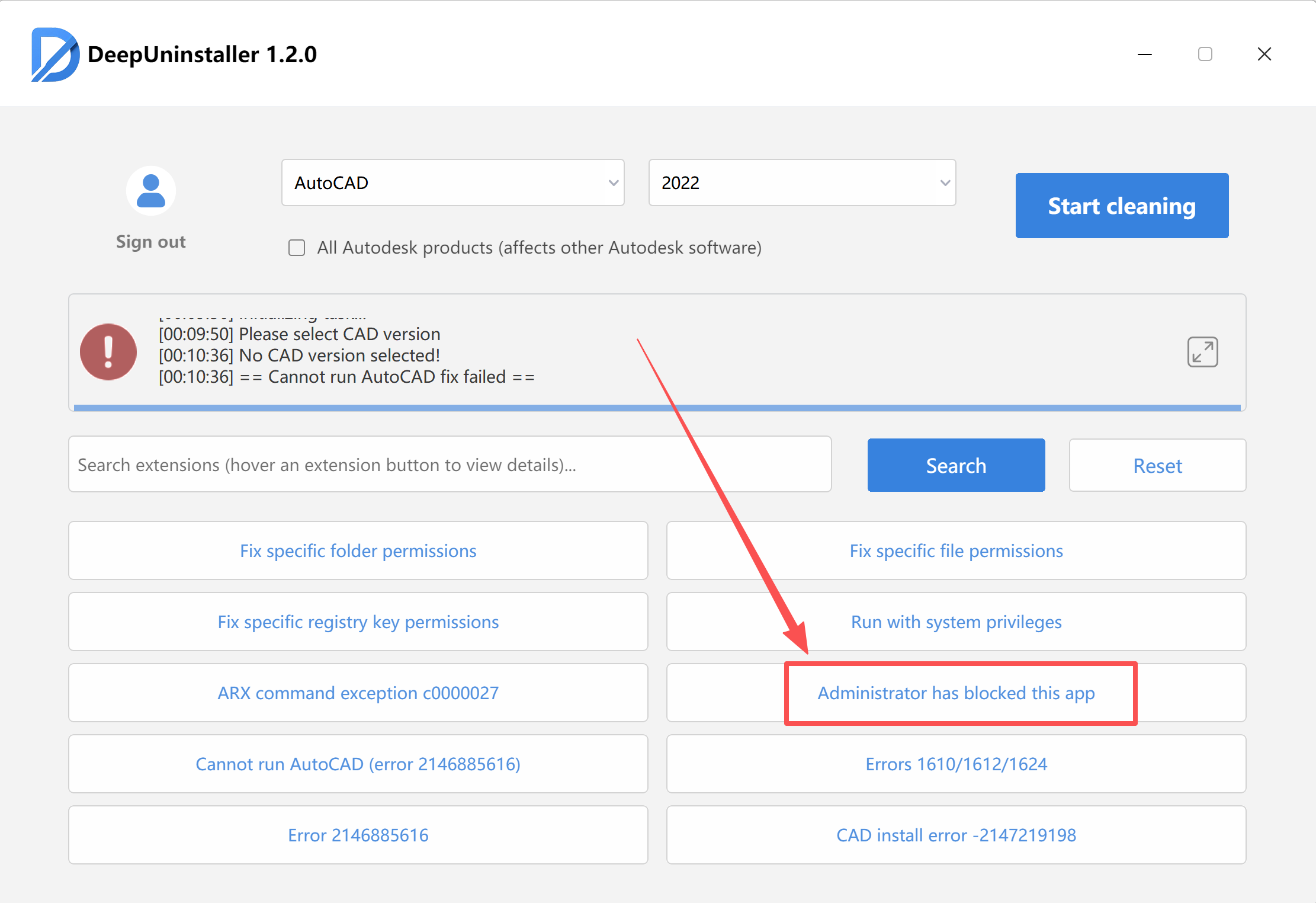
To resolve this issue, use the deepuninstaller tool to adjust the application’s blocked status:
- Open ディープアンインストーラ.
- Click on Extensions.
- Click the Administrator has blocked this app button. The system will display a “Repair successful” prompt, indicating the operation is complete.
- Restart your computer for the changes to take effect.
コメントを残す