 Japanese
  English
  Chinese
  Hindi
Hindi  Spanish
  French
  Arabic
  Bengali
  Russian
  Portuguese
  Indonesian
  Korean
  German
 Issue:
An Autodesk software installation crashes or exits out at “Initializing” stage.
Steps to Resolve
- First, completely uninstall CAD.
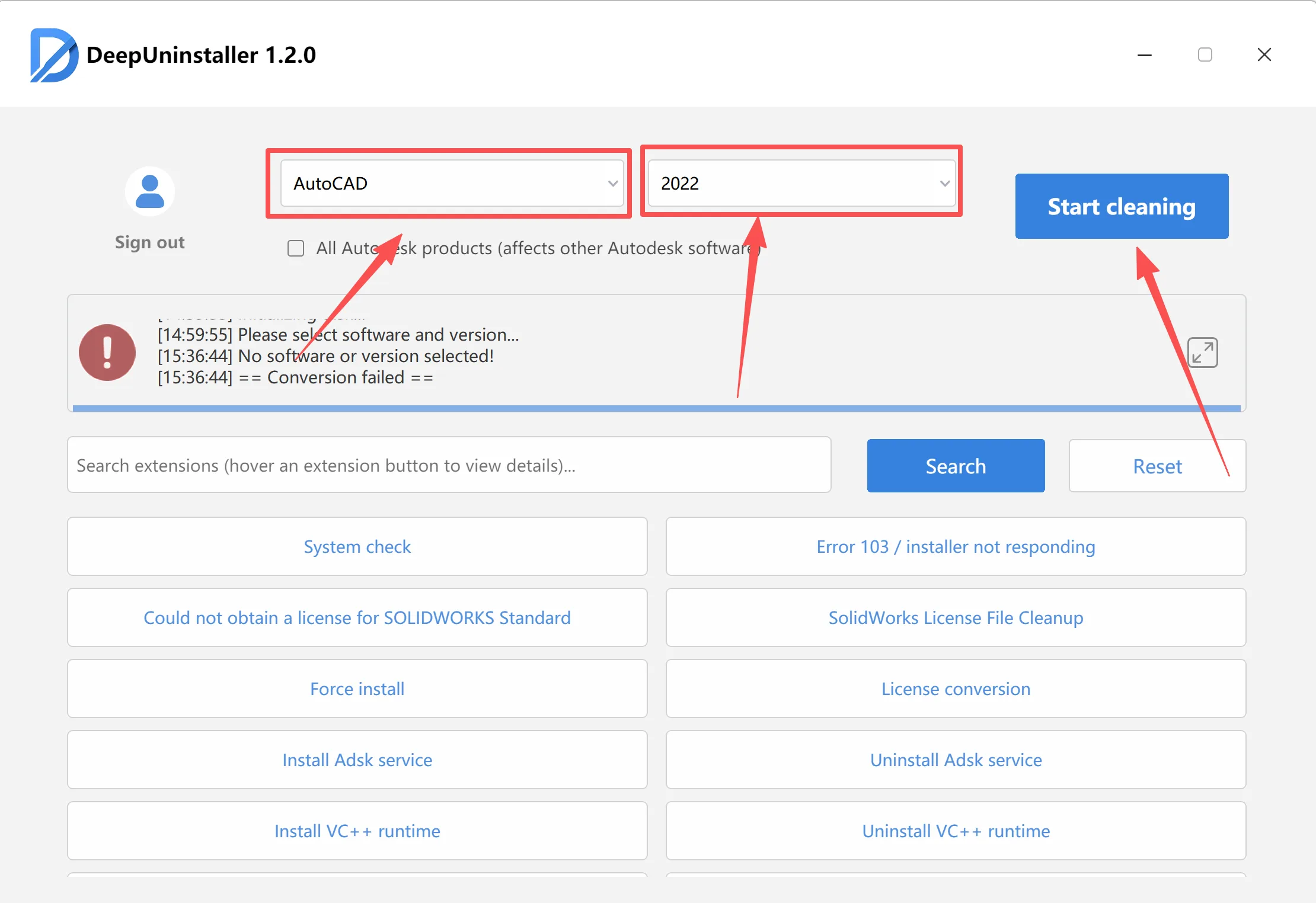
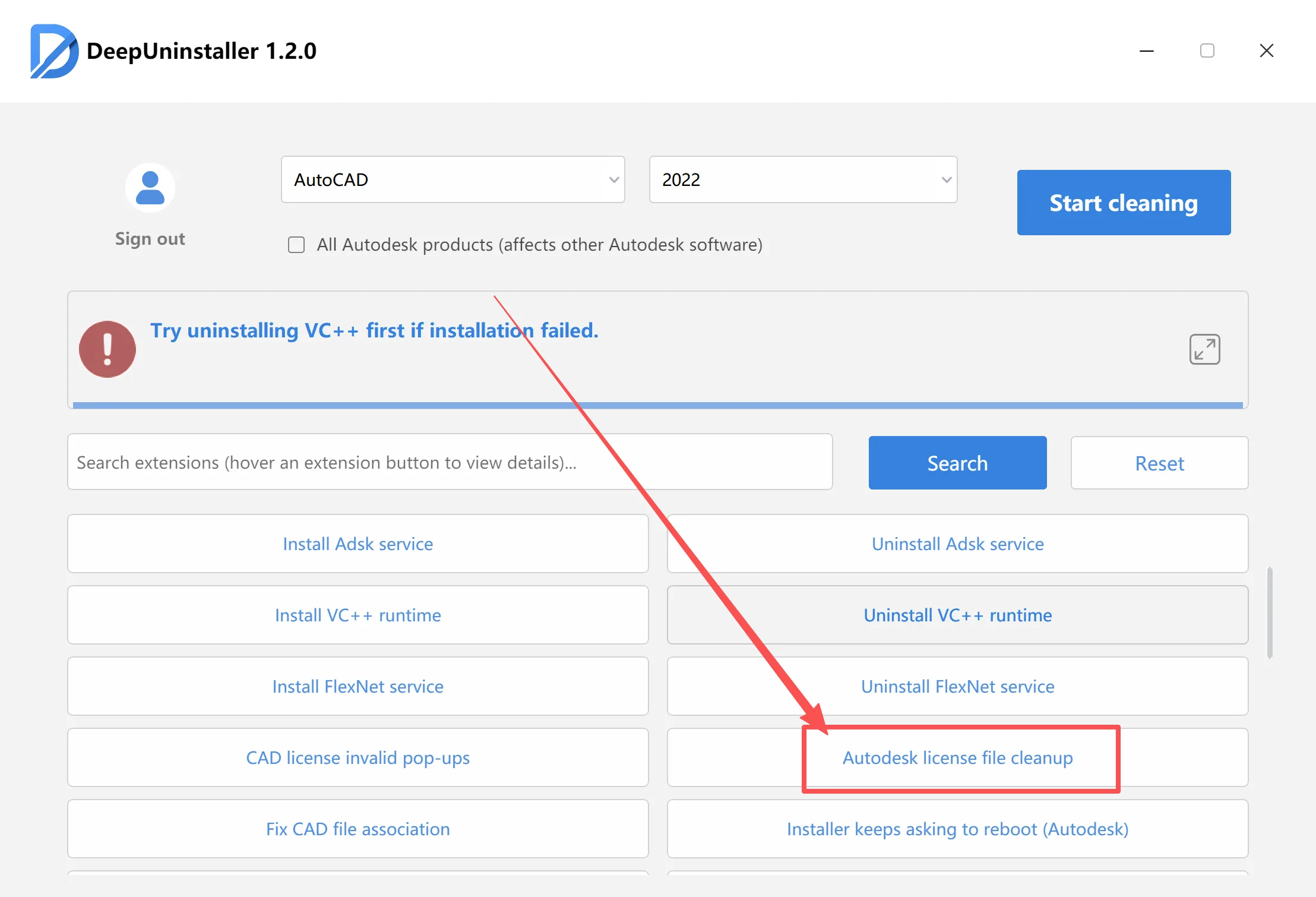
- Clean up the license files.
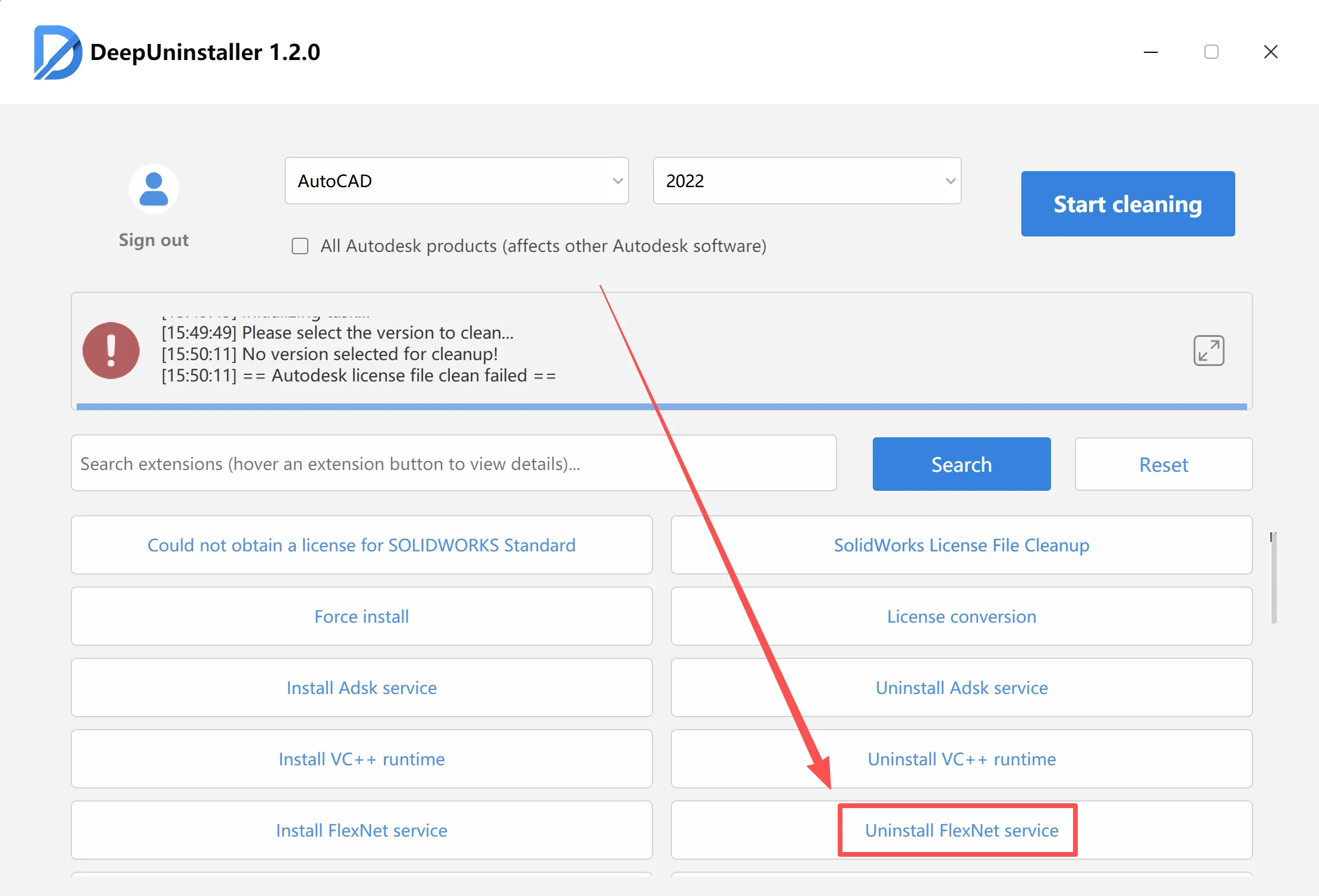
- Click to uninstall Flex, then reinstall the software.
After installation completes, restart your computer. The software will open successfully.
コメントを残す