 Indonesian
  English
  Chinese
  Japanese
  Hindi
Hindi  Spanish
  French
  Arabic
  Bengali
  Russian
  Portuguese
  Korean
  German
 Masalah:
Install on this computer (A later version is already installed. To check for updates, go to Start/All Programs/SOLIDWORKS
Installation Manager/check for Updates,)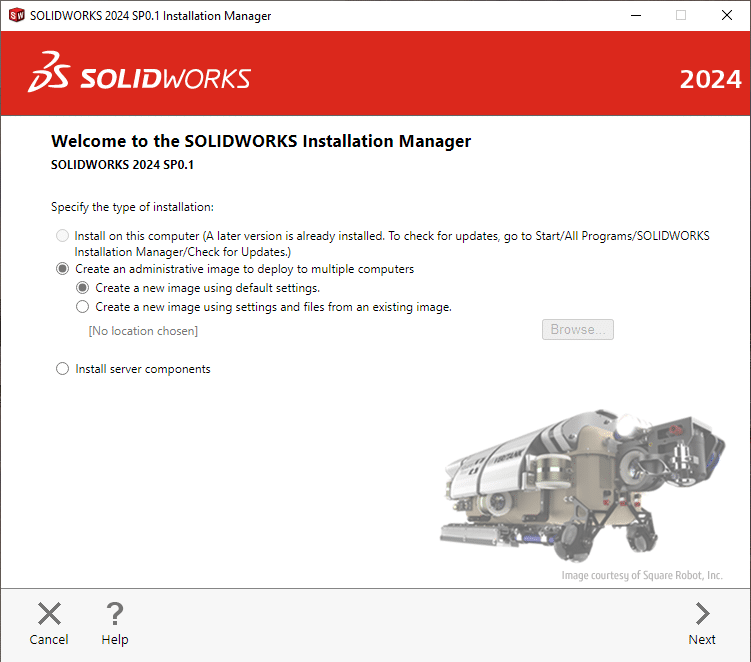
Solusi:
Langkah 1
Unduh versi terbaru DeepUninstaller dari situs web resmi dan masuk.
Tautan unduhan: deepuninstaller.com
Langkah 2
Klik pada "Copot pemasangan," pilih SolidWorks dan versinya, lalu klik Start Cleanup.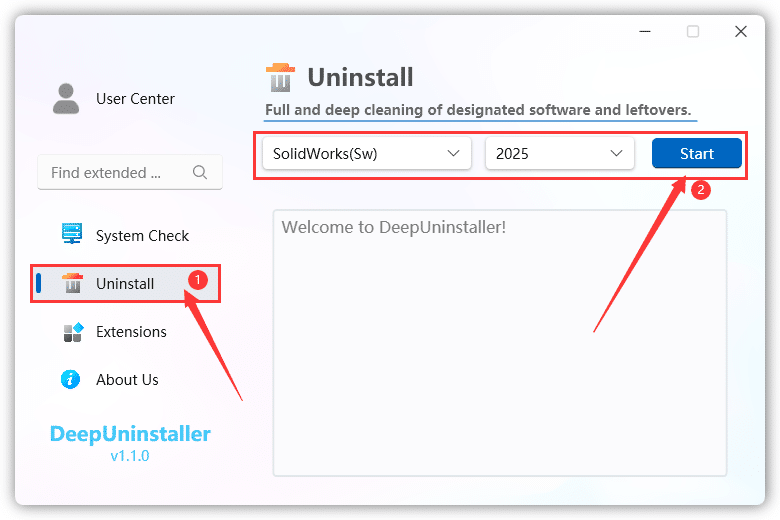
You can restart the computer and install SolidWorks in a new installation directory.
Tinggalkan Balasan