 Indonesian
  English
  Chinese
  Japanese
  Hindi
Hindi  Spanish
  French
  Arabic
  Bengali
  Russian
  Portuguese
  Korean
  German
 This article provides steps to resolve Installation Error 1320 that may occur during the installation of Autodesk products.
Solusi
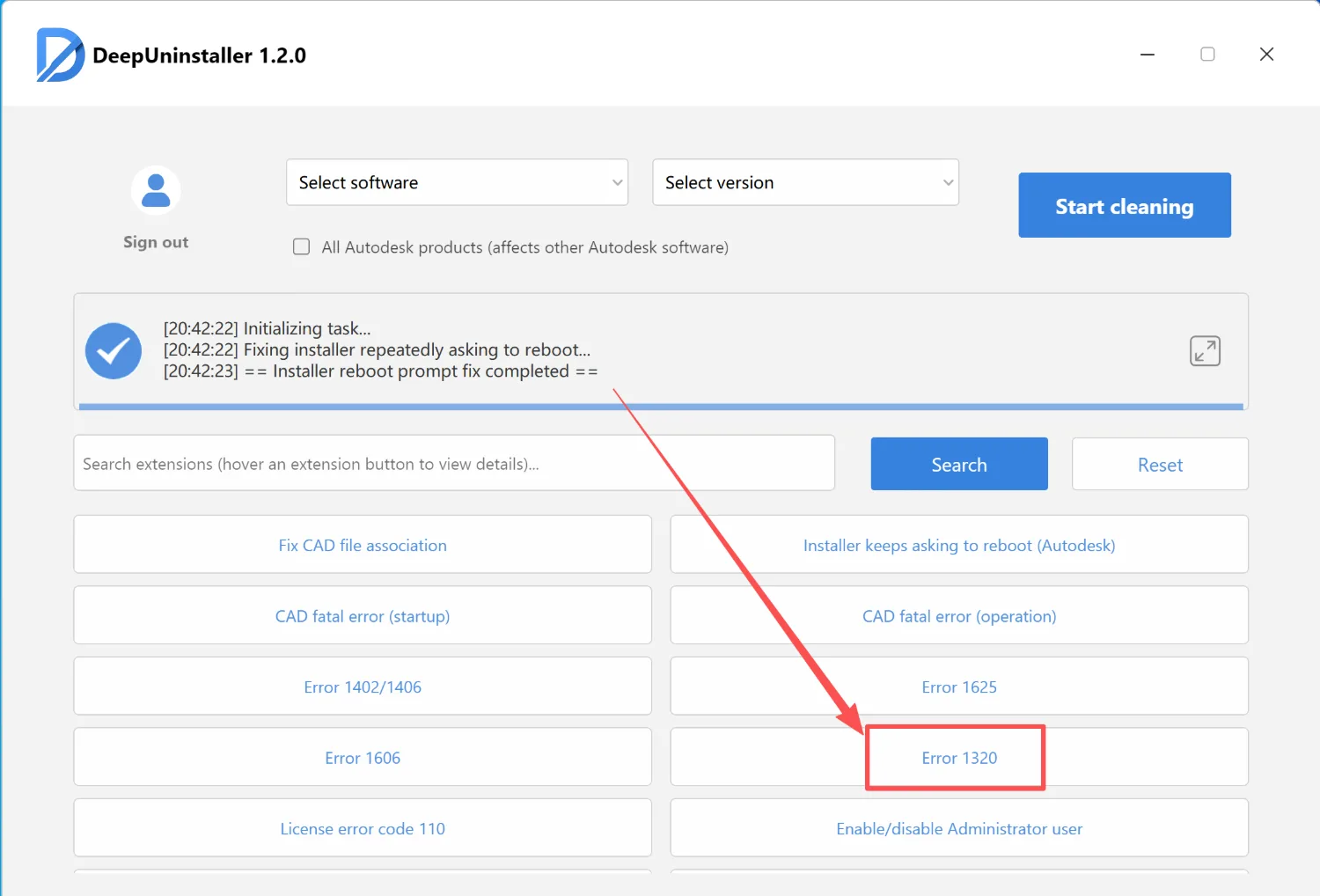
To resolve Installation Error 1320, follow these steps:
- Obtain the deepuninstaller tool
- Launch the deepuninstaller application.
- Within the deepuninstaller interface, navigate to the ‘Extensions’ section.
- Select and activate the ‘Error 1320’ option.
Tinggalkan Balasan