 Indonesian
  English
  Chinese
  Japanese
  Hindi
Hindi  Spanish
  French
  Arabic
  Bengali
  Russian
  Portuguese
  Korean
  German
 Issue:
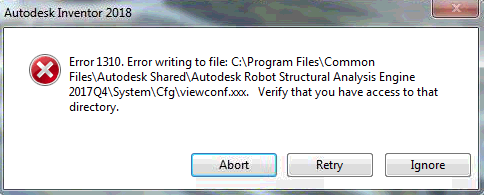
During software installation, one of the following error messages may appear:
Error 1310: Error writing to file. Verify that you have access to that directory.Error 1304: Error writing to file. Verify that you have access to that directory.- Error 1310. Error writing to file: C:\Program Files\CommonFiles\Autodesk Shared\Autodesk Robot Structural Analysis Engine2017Q4\System\Cfg \viewconf.oo. Verify that you have access to thatdirectory.
Cause
This issue typically occurs due to insufficient write permissions for specific directories or files during the installation process, or interference from security software or malware.
Solusi
To resolve this issue, try the following solutions in order:
1. Close Background Applications
Exit all software that might affect file permissions, such as antivirus programs (McAfee).
2. Repair Folder Permissions Using deepuninstaller
- Open deepuninstaller.
- Click on Extended Functions (or Advanced Features).
- Select the Fix specific folder permissions button.
- Navigate to the folder path indicated in the error message and click Select Folder.Image PlaceholderFor example, if the error refers to a file named
viewconf.xxx, navigate to the parentcfgfolder.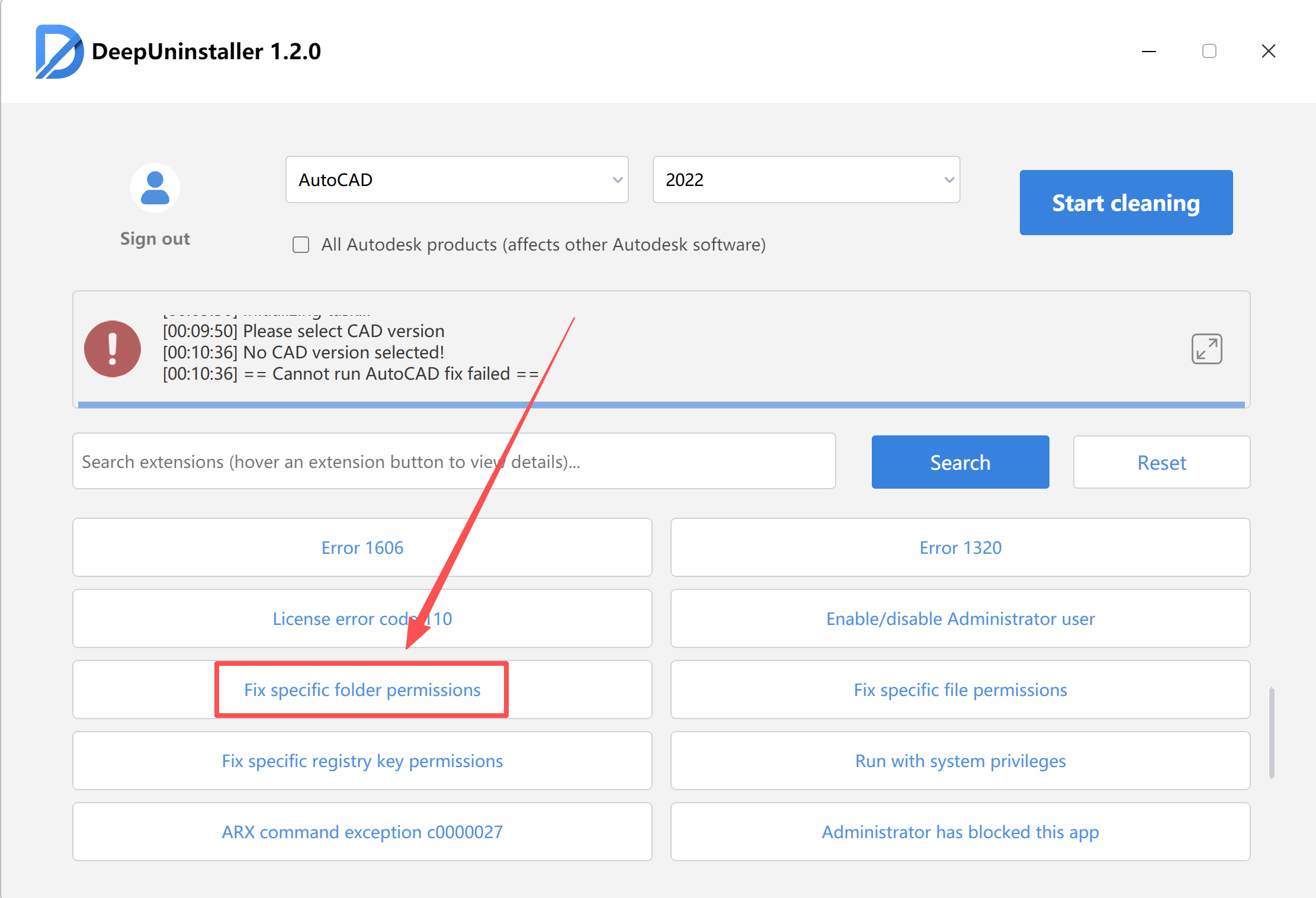
- After successfully repairing permissions, attempt to install the software again.
3. Scan for Viruses
If the error persists after confirming that permissions were granted to the specified folder:
- Use antivirus software to scan for viruses.
- Finally, attempt to install the software.
Tinggalkan Balasan