 Indonesian
  English
  Chinese
  Japanese
  Hindi
Hindi  Spanish
  French
  Arabic
  Bengali
  Russian
  Portuguese
  Korean
  German
 Issue:
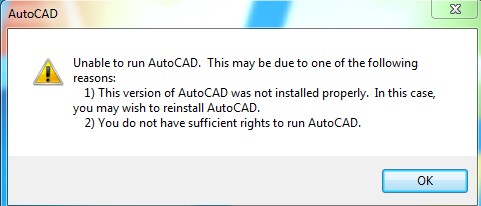
When attempting to launch AutoCAD, the following error message is displayed:
Unable to run AutoCAD. This may be due to one of the followingreasons:
1) This version of AutoCAD was not installed properly. In this case,you may wish to reinstall AutoCAD.2) You do not have sufficient rights to run AutoCAD.
Solusi
To resolve this issue, use the deepuninstaller tool to repair your AutoCAD installation:
- Launch
deepuninstaller. - Navigate to the Extensions section.
- Click the “Cannot run AutoCAD (error 2146885616)” button.
- If you are using an older version (pre-2023), prompts will appear. After these prompts are displayed, restart your computer. Then, click the same button again, ensuring the older version option is still selected.
- A “Repair successful” message should appear upon completion.
- If the error occurs in AutoCAD 2023 or newer versions, select the 2023 and above button.
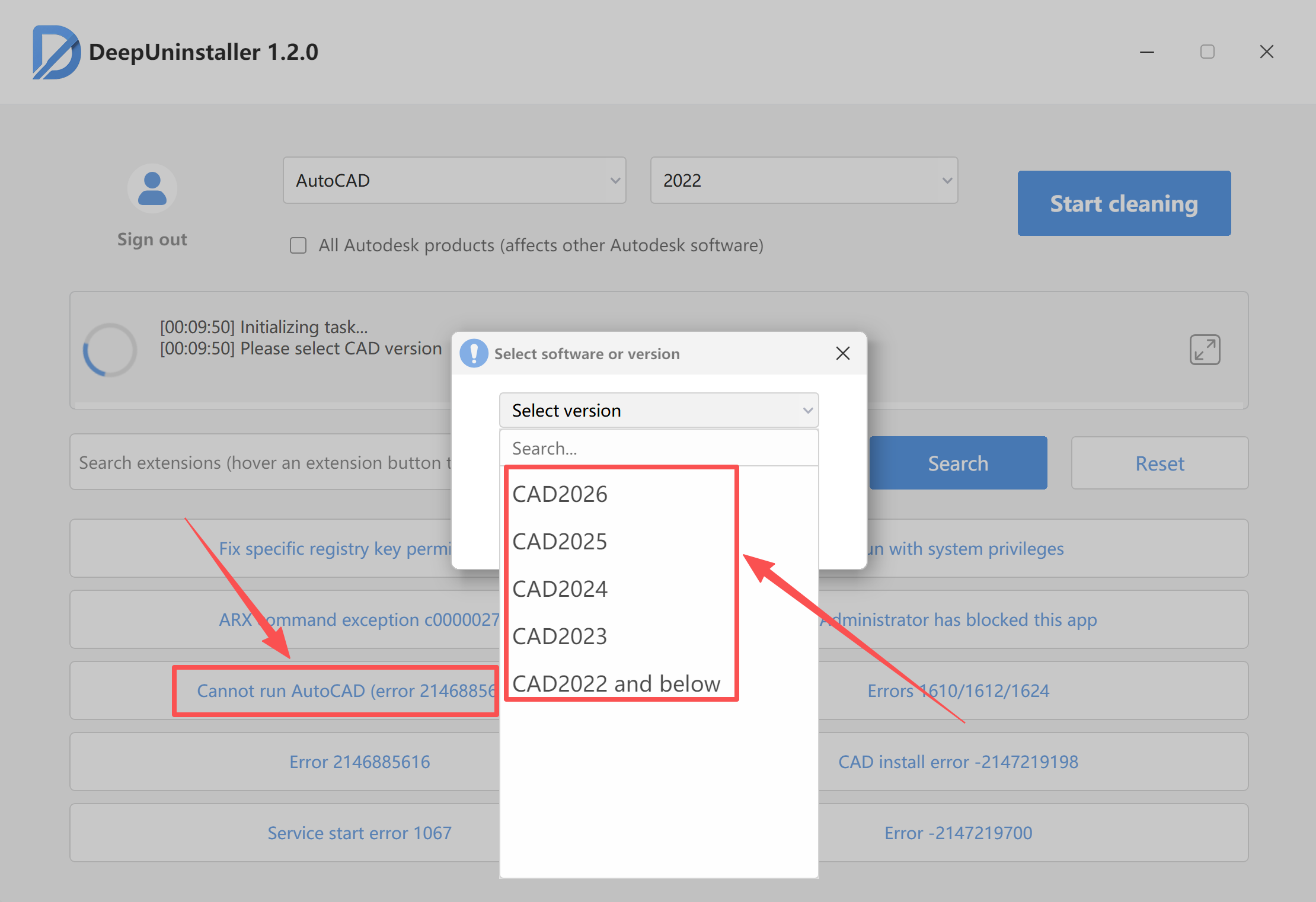
- Click Start Repair and wait for the repair process to complete.
- Once the repair is successful, attempt to reopen AutoCAD.
Tinggalkan Balasan