 Spanish
  English
  Chinese
  Japanese
  Hindi
Hindi  French
  Arabic
  Bengali
  Russian
  Portuguese
  Indonesian
  Korean
  German
 Issue:
- Autodesk Inventor 2020 closes unexpectedly shortly after launch.
- Attempts to reinstall Inventor 2020 result in “Error 1603”.
Cause
This issue typically arises from corrupted or incomplete uninstallation of previous Autodesk software components, or problems with the Autodesk Desktop Licensing Service (ADLS).
Solución
Follow these steps to resolve the issue:
- Perform a Clean Uninstall of Inventor 2020:Completely uninstall Inventor 2020 from your system. It is recommended to use the Autodesk Uninstall Tool or follow the Autodesk Clean Uninstall instructions to ensure all residual files and registry entries are removed.
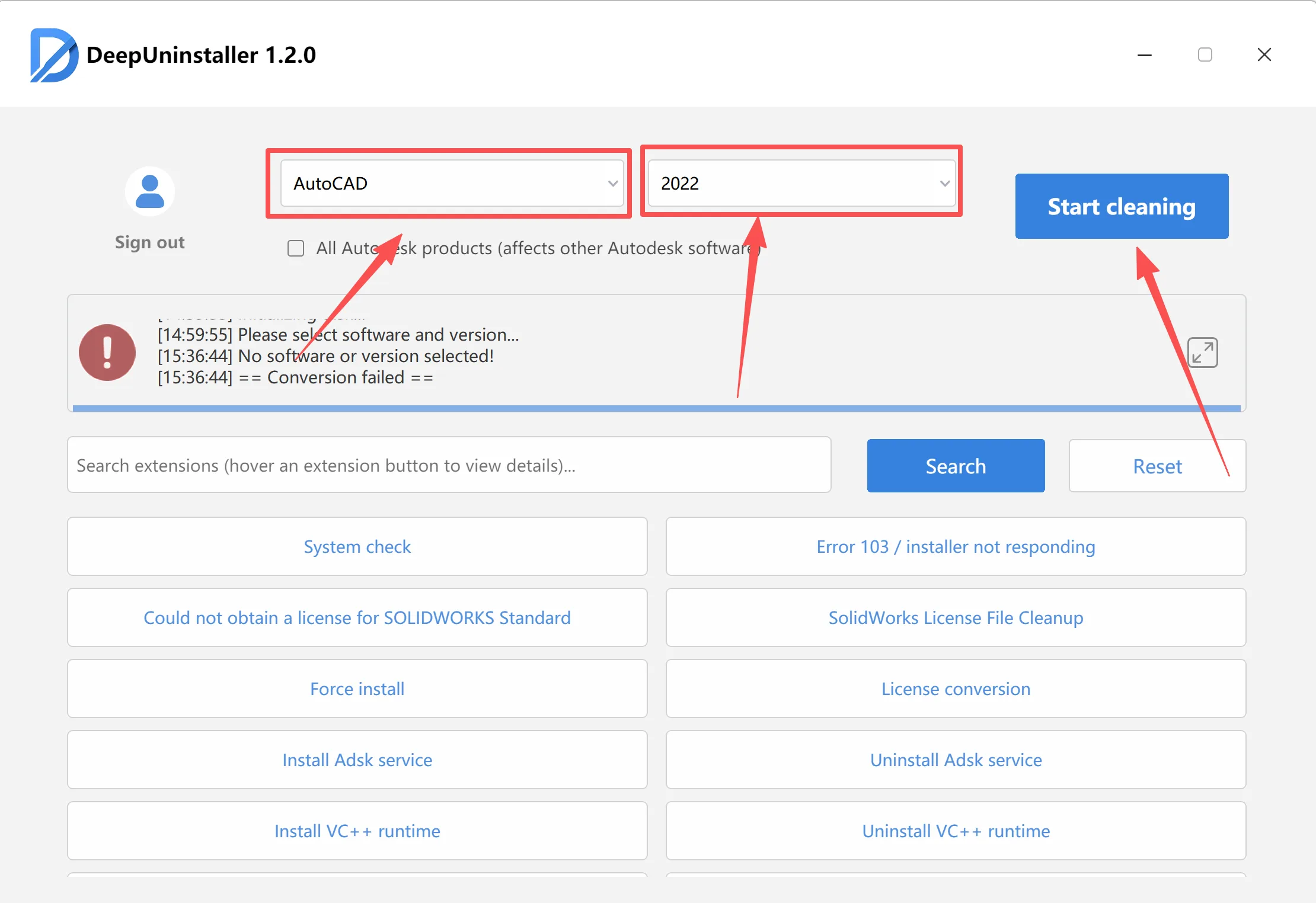
- Restart Computer and Configure ADLS Service:Restart your computer.Navigate to Windows Services (type
services.mscin the Run dialog and press Enter).Locate the “Autodesk Desktop Licensing Service” (ADLS).Right-click on the service, select “Properties,” go to the “Log On” tab, and change the “Log on as” option to “Local System account.”Image PlaceholderClick “Apply” and “OK.”Ensure the service is running. If not, start it. 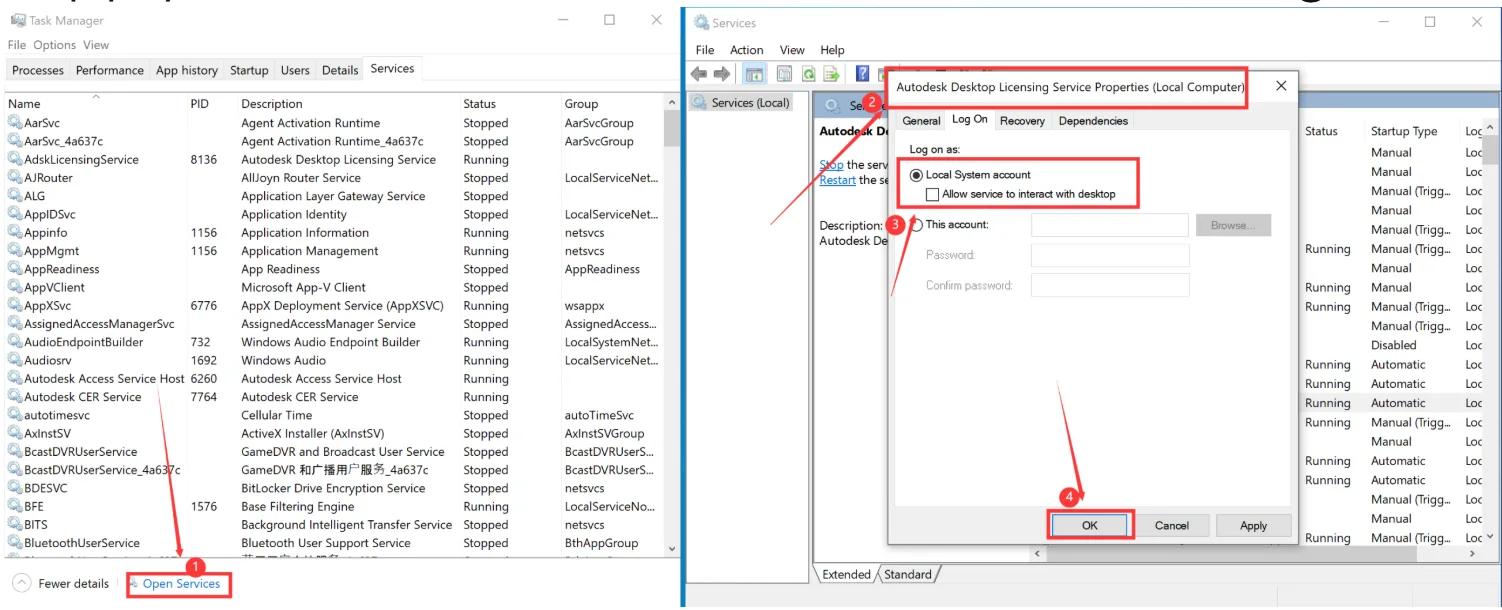

- Attempt Reinstallation of Inventor 2020:Try to install Inventor 2020 again.If the ADLS service is not found or the installer indicates missing components, ensure you have complete installation media. You may need to repair the existing Autodesk installation or reinstall the Autodesk Desktop Licensing Service separately if available.
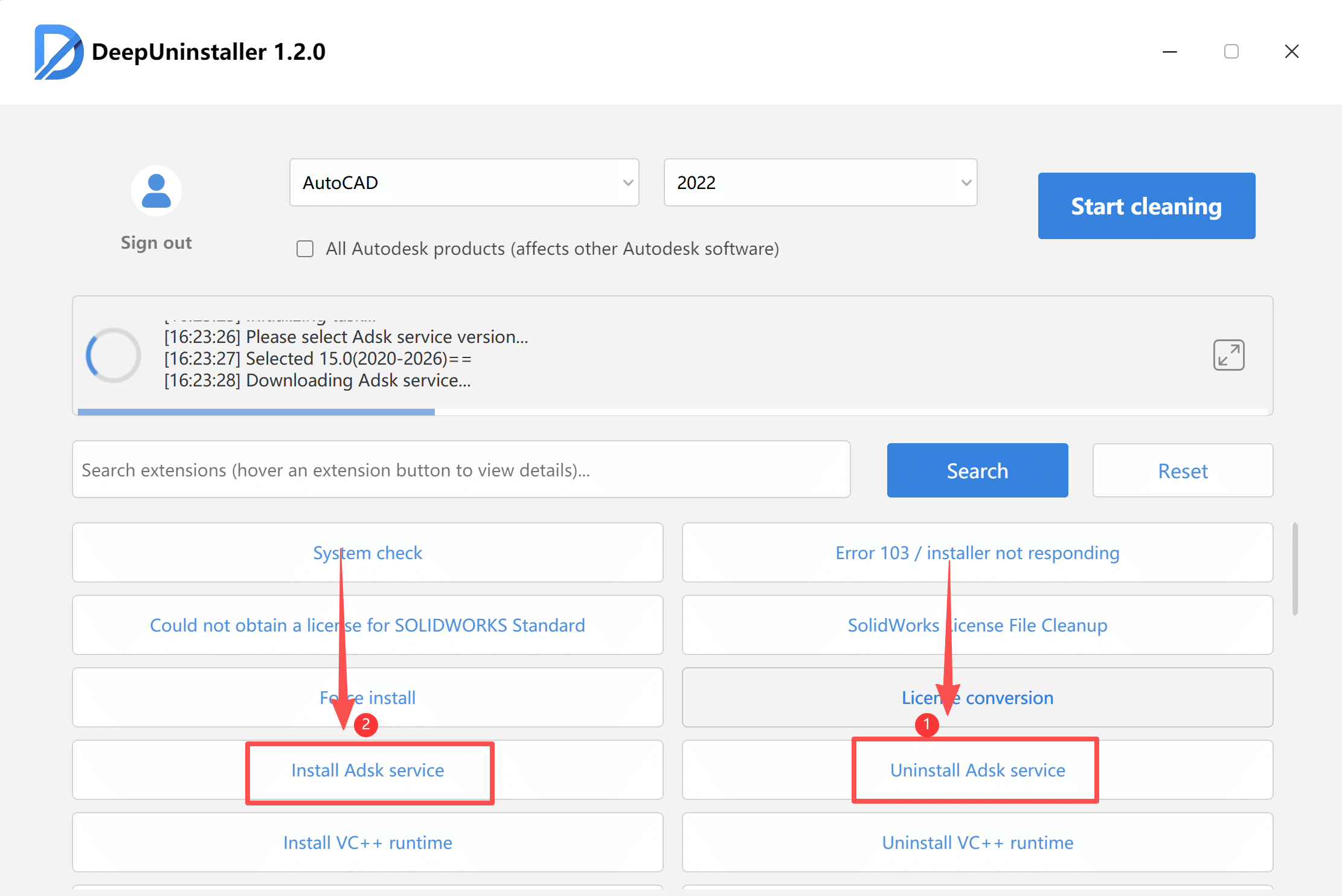
Additional Troubleshooting for Crashes Without Specific Errors
If an Autodesk software (version 2020 or newer) crashes without any explicit error messages or prompts:
- Utilize a
deepuninstallertool. - Within the
deepuninstallertool, select the specific Autodesk software and its version that is experiencing the crash. - Employ the tool’s advanced or “extended” features (often referred to as ‘License conversion‘ or specialized cleaning options) to thoroughly remove hidden conflicts or corrupted files.
Deja una respuesta