 English
  Chinese
  Japanese
  Hindi
Hindi  Spanish
  French
  Arabic
  Bengali
  Russian
  Portuguese
  Indonesian
  Korean
  German
 Issue:
When installing Maya 2024, if you encounter an issue where the installation crashes and closes prematurely, follow these steps to resolve it.
Solution
- First, locate and open the
Setup.logfile in the installation directory. - Check if the file content matches the following log information:
[Bootstrap: 1492, single] [Bootstrap INFO] [ wWinMain ] Bootstrap exit code: 703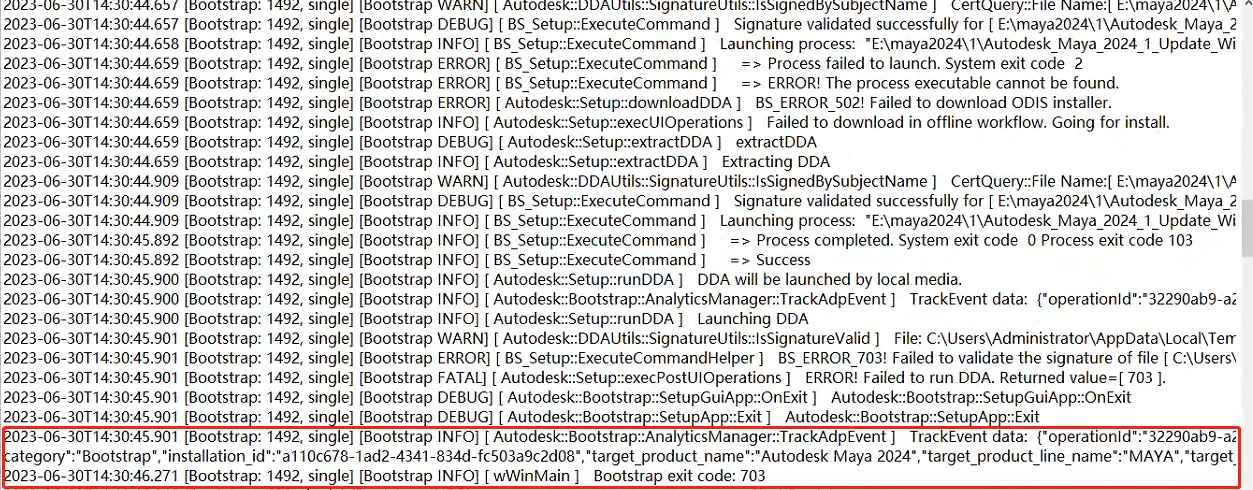
- If the content matches, proceed with the following steps; if not, refer to other troubleshooting methods.
- Open the deepuninstaller software.
- In the deepuninstaller interface, select “maya-version 2024” software and click “Start Cleaning.”
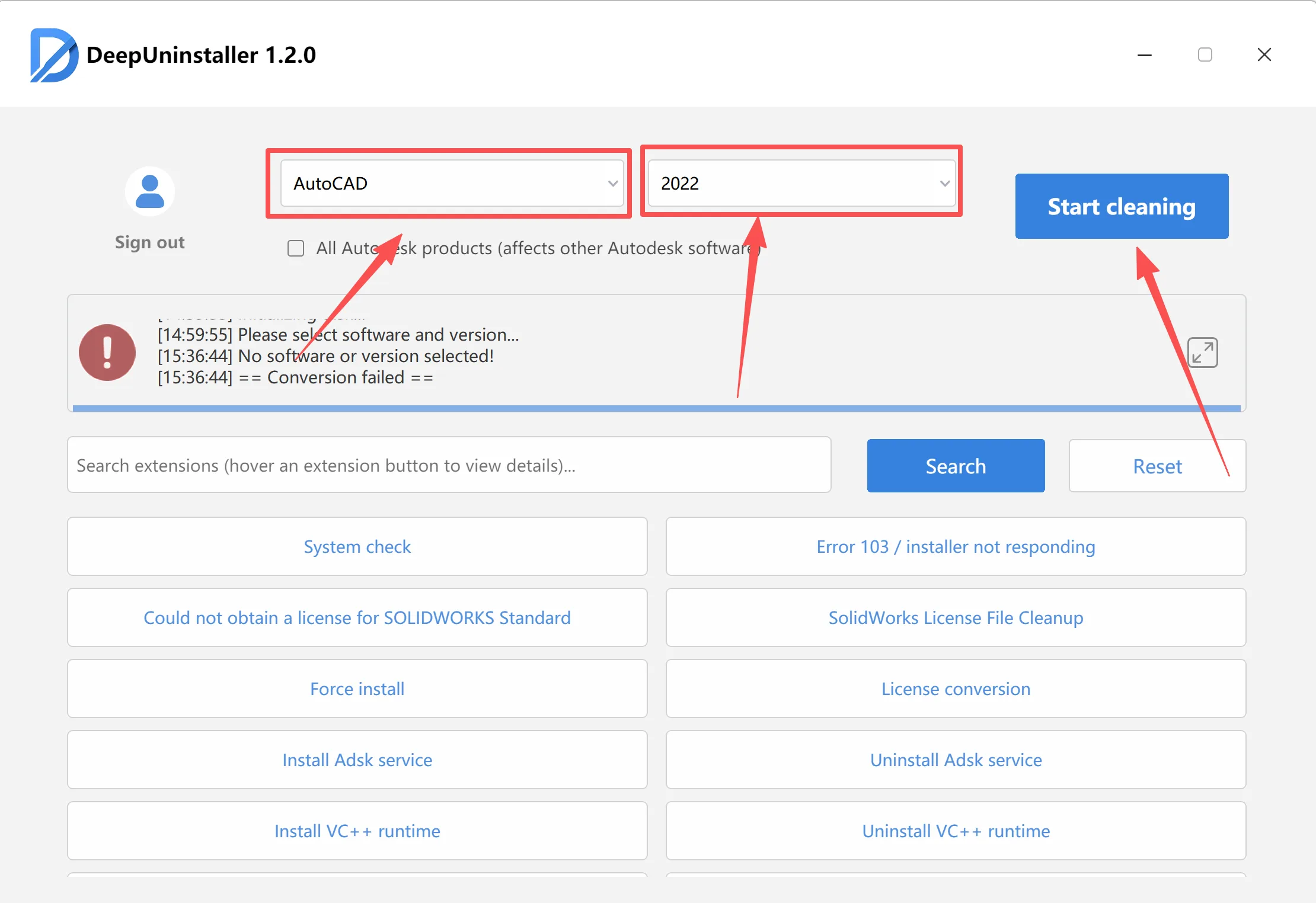
- After the cleanup is complete, attempt the installation again.
By following the steps above, you should be able to resolve the Maya 2024 installation crash issue. Ensure you follow the instructions correctly.
Leave a Reply