 English
  Chinese
  Japanese
  Hindi
Hindi  Spanish
  French
  Arabic
  Bengali
  Russian
  Portuguese
  Indonesian
  Korean
  German
 Issue:
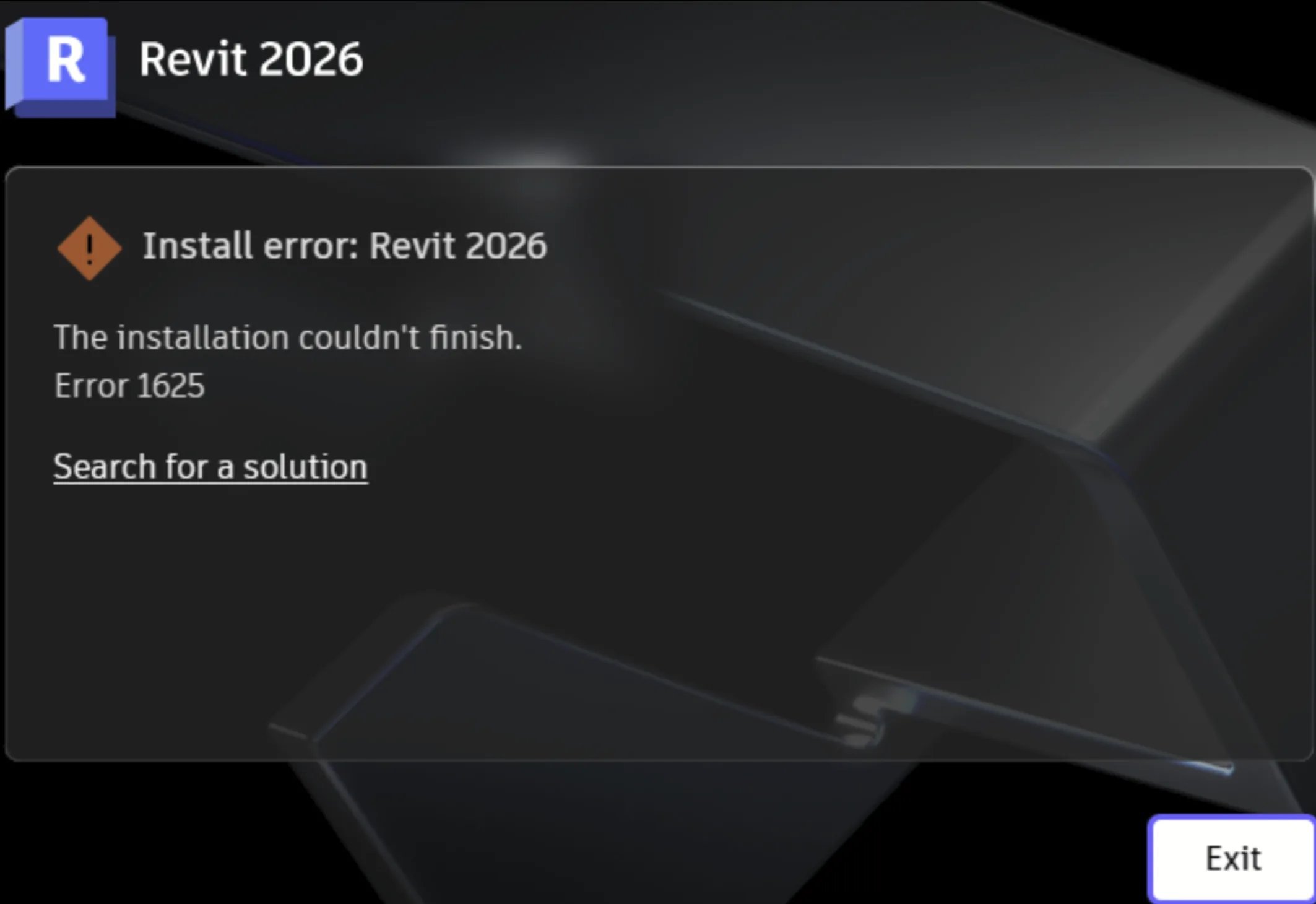
When installing Autodesk software: “The installation couldn’t finish. Error 1625”
In the installation Summary.log file there are additional message related to:
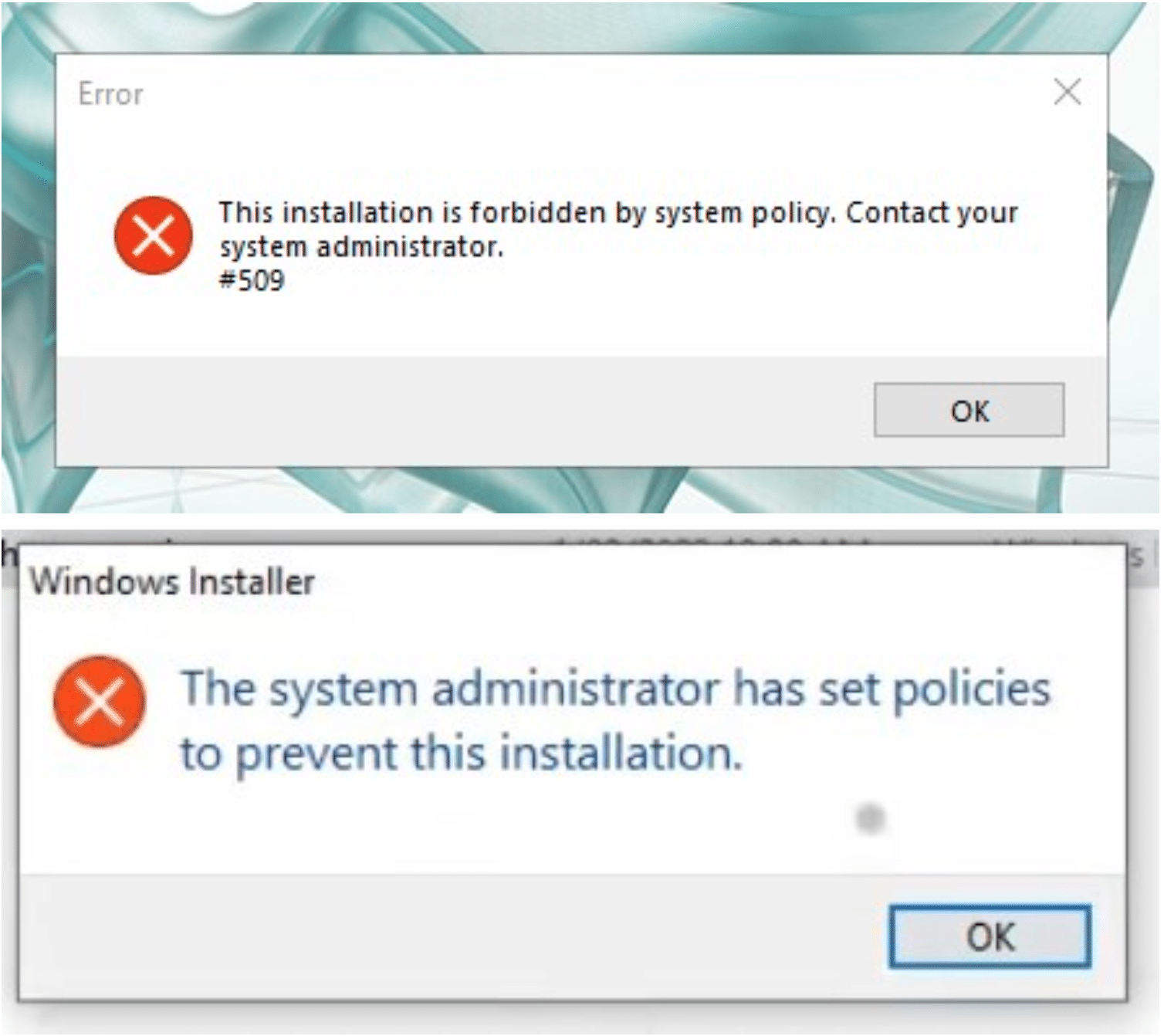
The system administrator has set policies to prevent this installation.
This installation is forbidden by system policy. Contact your system administrator.
Cause
This error occurs when system policies, typically configured by a system administrator, prevent the installation of new software or specific software components on the machine.
Resolution
To resolve this issue, use the deepuninstaller tool to perform a thorough cleanup of any previous Autodesk software installations or residual components before attempting a fresh installation.
Steps
- Launch the deepuninstaller application.
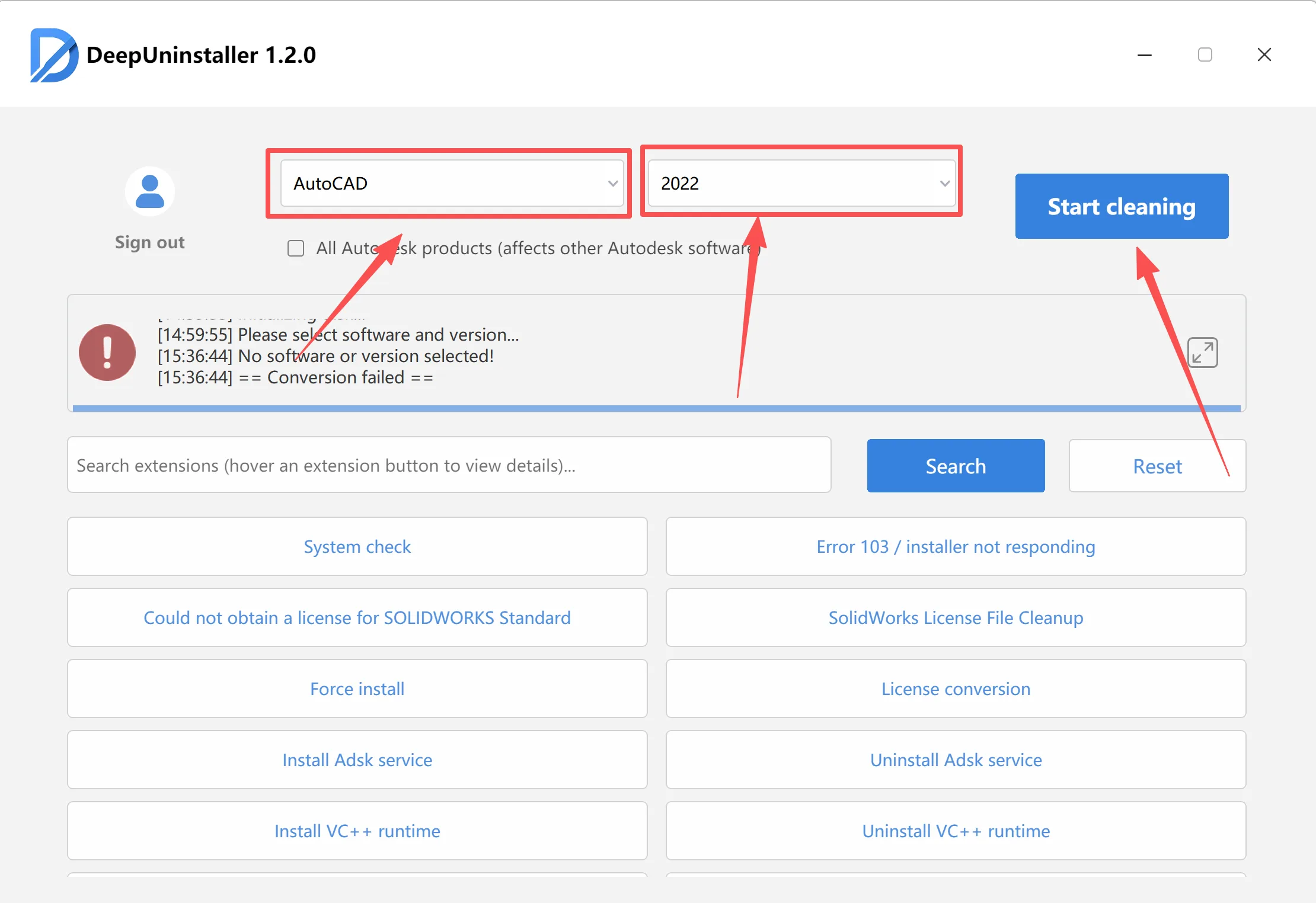
- In the deepuninstaller interface, select the specific Autodesk software you wish to clean.
- Choose the relevant version number for the selected software.
- Click the Clean button to initiate the cleanup process.
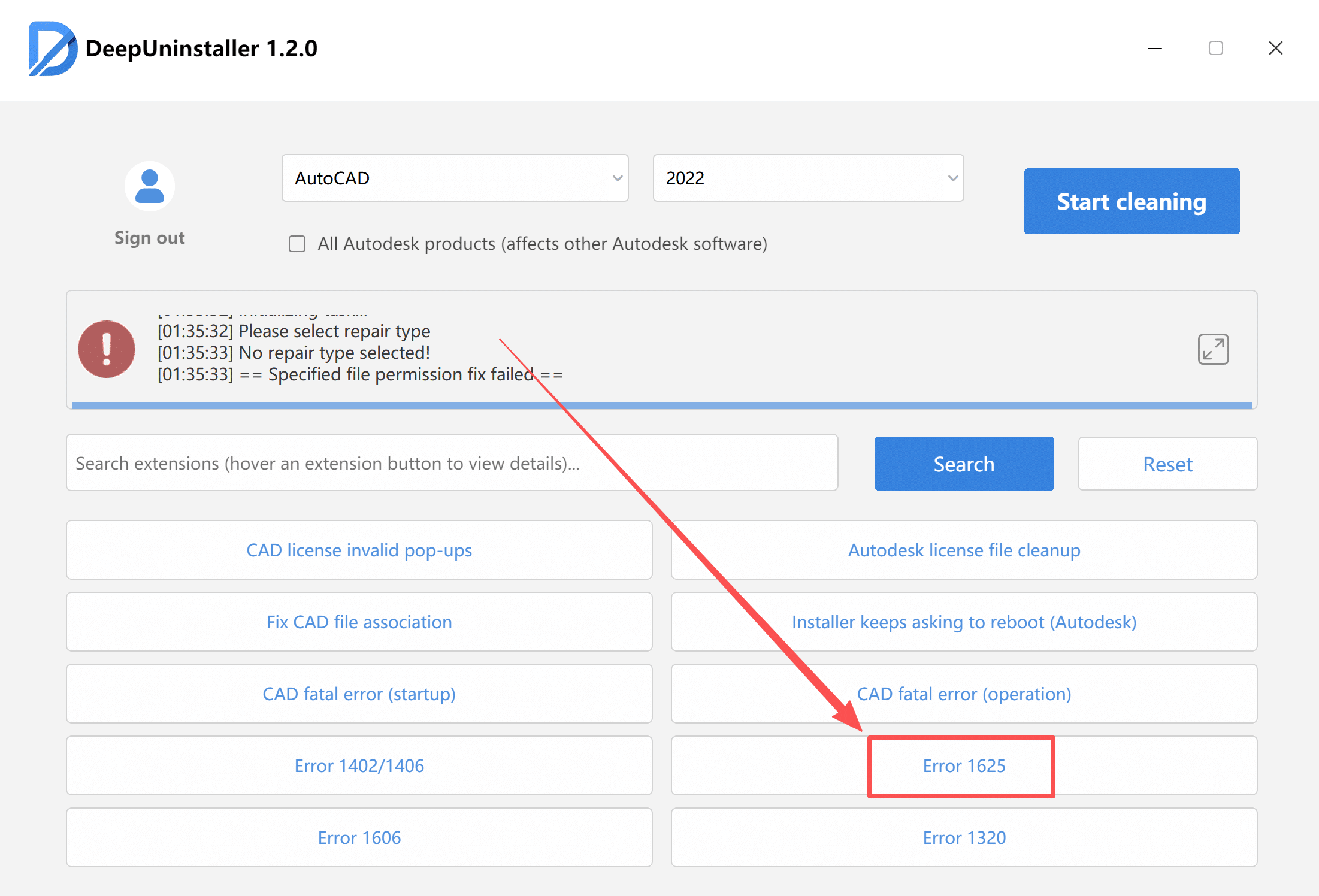
- After the initial cleaning, click the Extend option (or similar button for advanced features).
- Locate and click the option related to “Error 1625” to resolve policy-related installation blocking issues.
- Once the deepuninstaller has completed all specified cleaning tasks, attempt to reinstall your Autodesk software. The installation should now proceed without the Error 1625 message.
Leave a Reply