 English
  Chinese
  Japanese
  Hindi
Hindi  Spanish
  French
  Arabic
  Bengali
  Russian
  Portuguese
  Indonesian
  Korean
  German
 Issue:
When attempting to activate Autodesk 3ds Max 2020 by entering a serial number, the system repeatedly displays an “Invalid Serial Number” message, preventing progression to the next step.
Cause
This issue can occur due to corrupted or improperly installed Autodesk Licensing Services.
Solution
Follow these steps to resolve the issue by reinstalling Autodesk services using the deepuninstaller tool:
- Open the deepuninstaller software.
- In the deepuninstaller interface, click Extended Options.
- In the Extended Options, select unInstall Adsk service.
- Wait for the uninstallation process to complete. After the uninstallation is finished, wait an additional 2 minutes before proceeding.
- Click Install Adsk service.
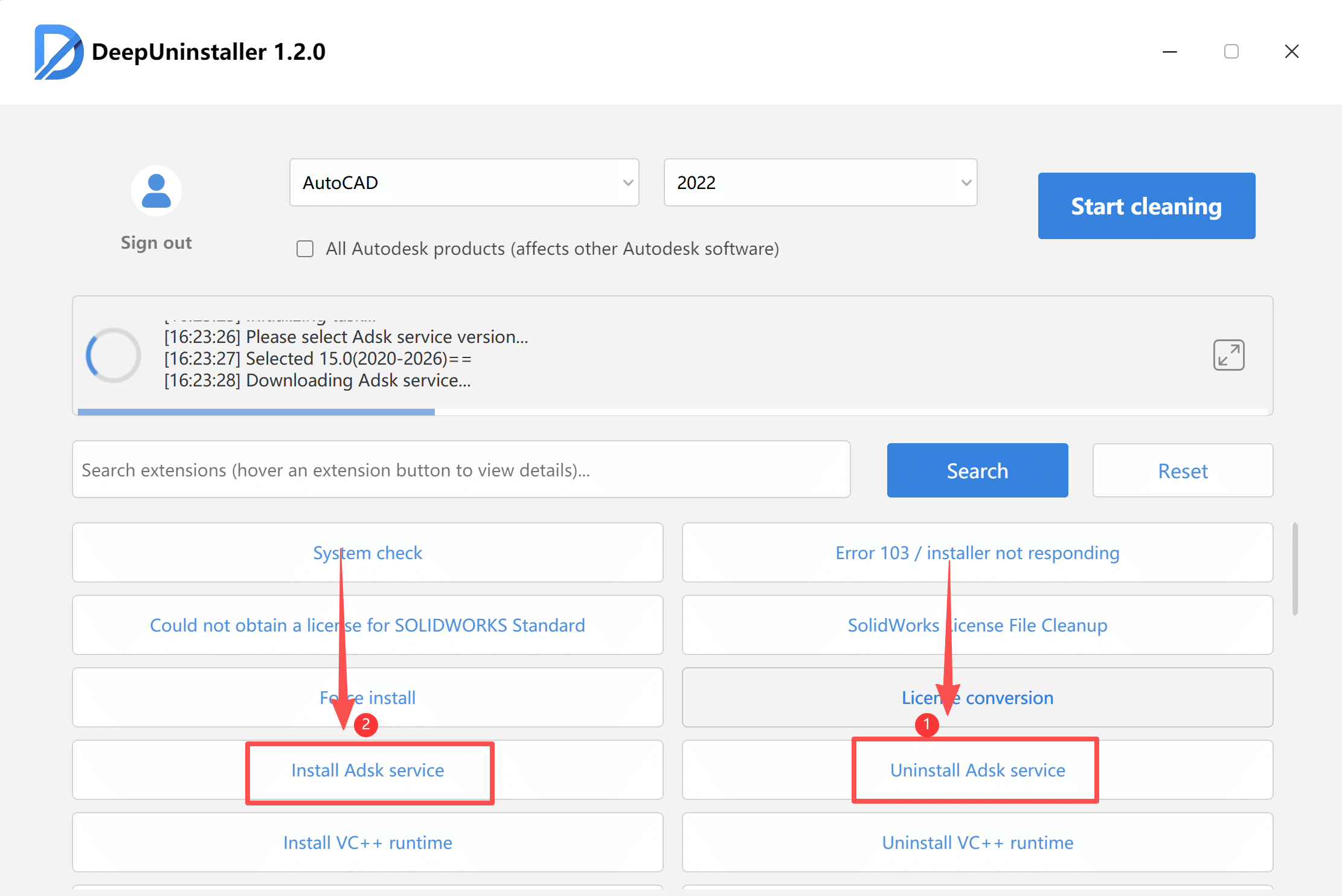
- From the provided download list, Select and install one of the smallest available ADSK services.
- After downloading the selected service, double-click to run the installer and wait for the progress bar to complete.
- Open the Windows Services console (type
services.mscin the Run dialog or Windows Search) and confirm that the newly installed ADSK service is running.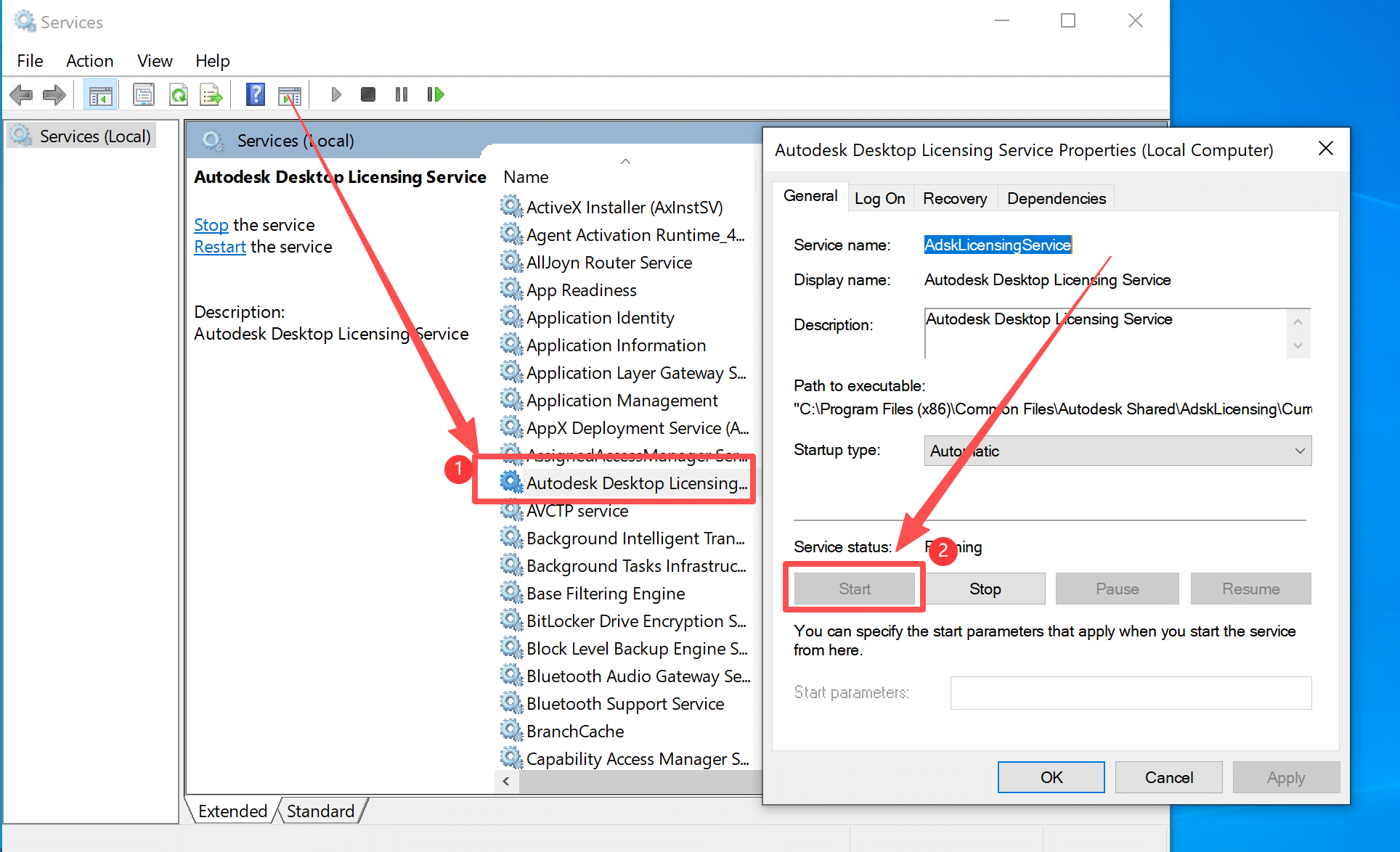
- Relaunch 3ds Max 2020 and attempt to enter the serial number again.
- If you cannot proceed after the first serial number input attempt, click the Retry button. You may retry a maximum of two times.
Leave a Reply