 German
  English
  Chinese
  Japanese
  Hindi
Hindi  Spanish
  French
  Arabic
  Bengali
  Russian
  Portuguese
  Indonesian
  Korean
 Issue:
When you encounter error c0000027h while opening Autodesk CAD software, you can try the following steps to resolve the issue:
Lösung
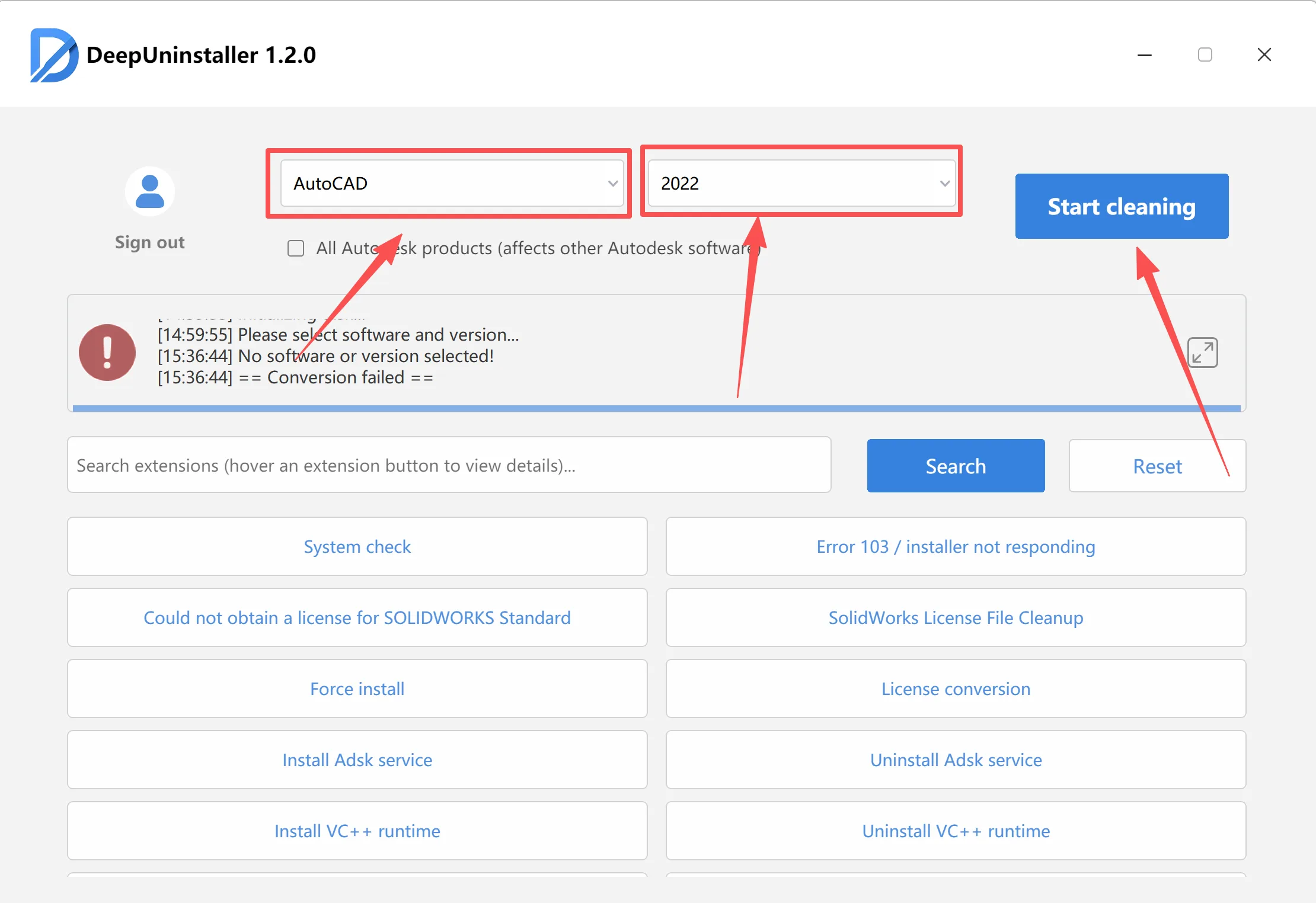
- Thoroughly Uninstall CAD Software:Use a deepuninstaller utility to completely remove the problematic CAD version that is generating the error.Note: If you are uninstalling CAD versions 2020 or later, restart your computer or manually ensure all Autodesk services (ADSK services) are stopped and reset after the uninstallation process.
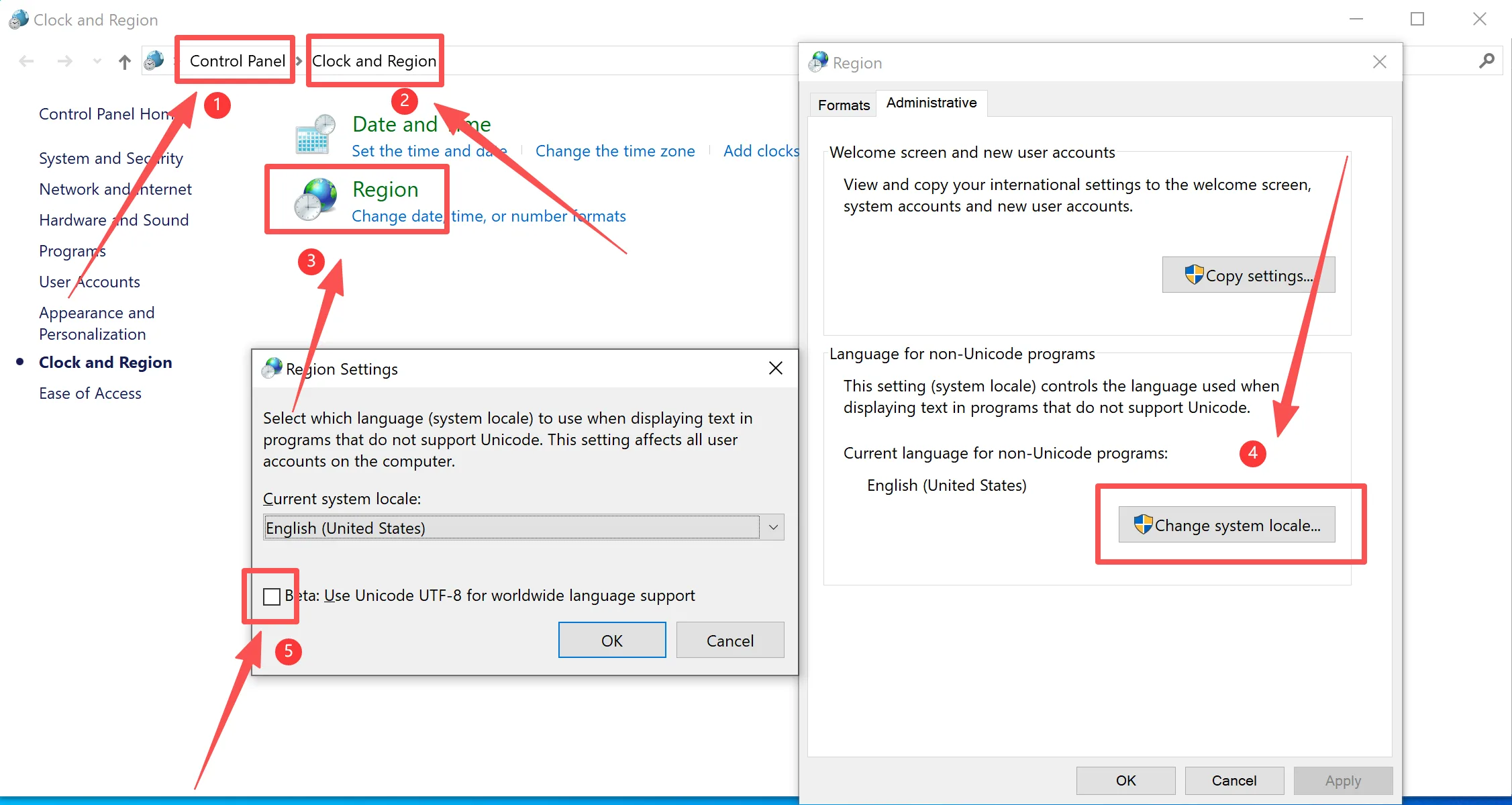
- Adjust Regional Settings:After restarting your computer, open the WindowsSettingsinterface.Image PlaceholderNavigate toTime & Language.Image PlaceholderIn the “Date & Time” section, select theRegionoption.Image PlaceholderUnder “Regional format data”, uncheck the option“Use Unicode UTF-8 for worldwide language support”.Image PlaceholderConfirm these changes.
- Restart and Reinstall CAD:Restart your computer.Attempt to reinstall the CAD software.
By following the steps above, you should be able to resolve the CAD opening error c0000027h. Ensure that you perform the operations correctly as instructed, and always restart your computer before attempting to reinstall the CAD software.
Schreiben Sie einen Kommentar