 German
  English
  Chinese
  Japanese
  Hindi
Hindi  Spanish
  French
  Arabic
  Bengali
  Russian
  Portuguese
  Indonesian
  Korean
 This issue typically affects Autodesk software, such as AutoCAD or Revit, version 2020 and later. A full uninstall and reinstall is usually not required.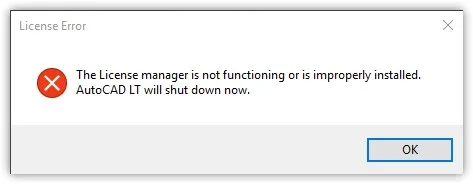
Lösung
Follow these steps to resolve the issue:
- Open
deepuninstaller. - Navigate to “Extended Features” and click “License conversion”.
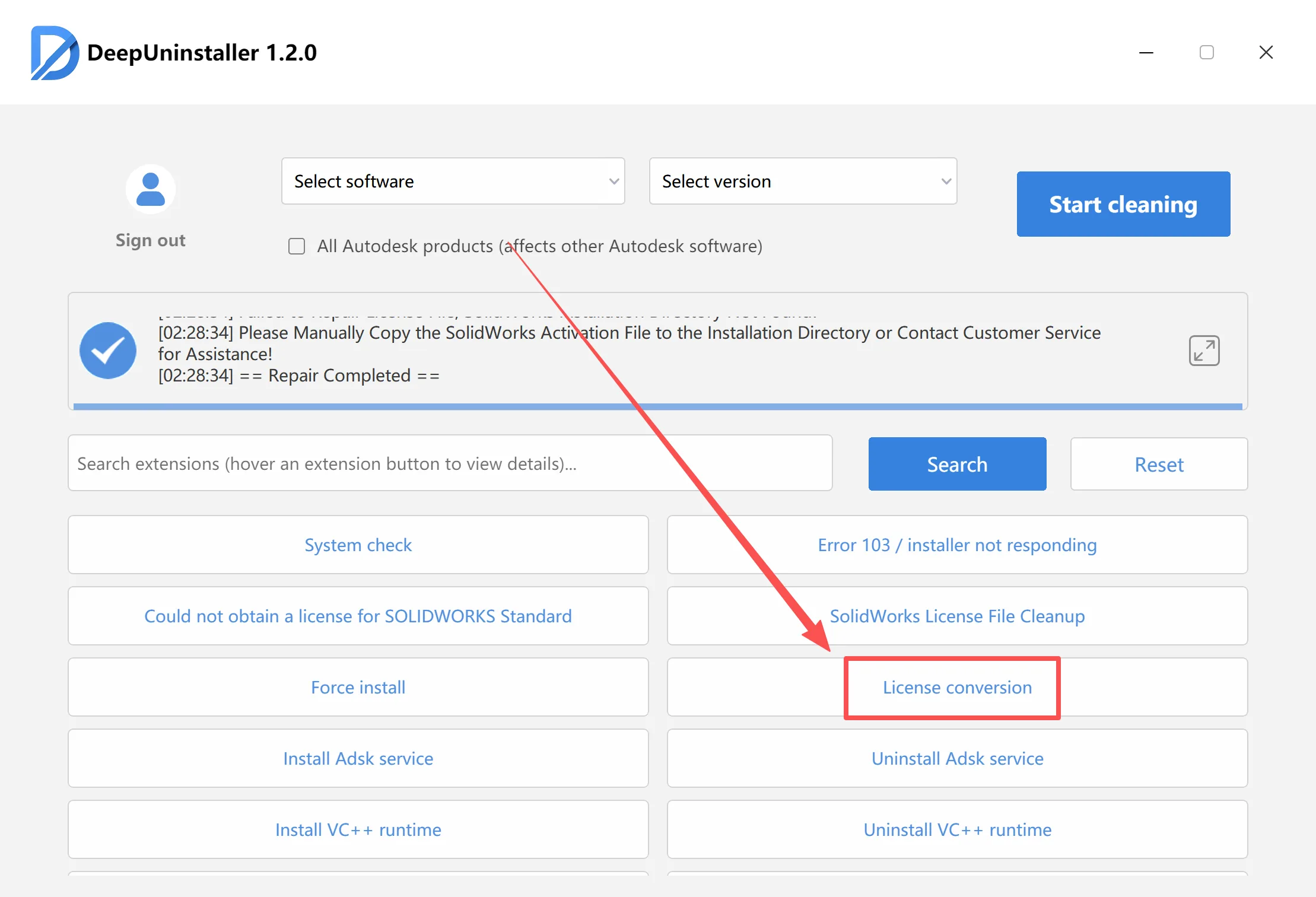
- In the conversion tool, select the problematic Autodesk software and its specific version.
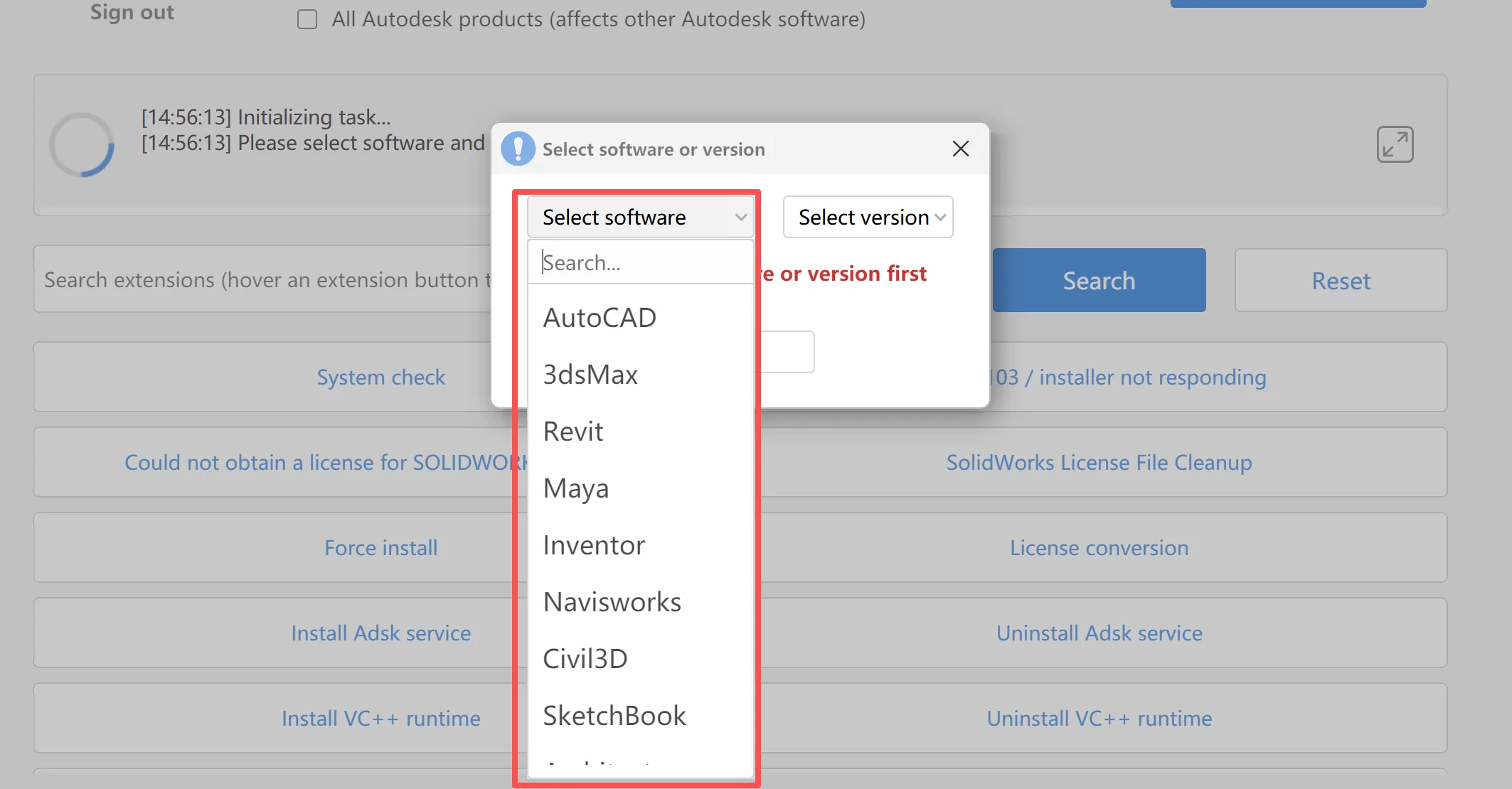
- Click “OK”.A success message should appear upon completion.
If Conversion Fails
If the conversion process fails, it may be due to the relevant service not being started or not being installed. Follow these steps:
Disable the system firewall 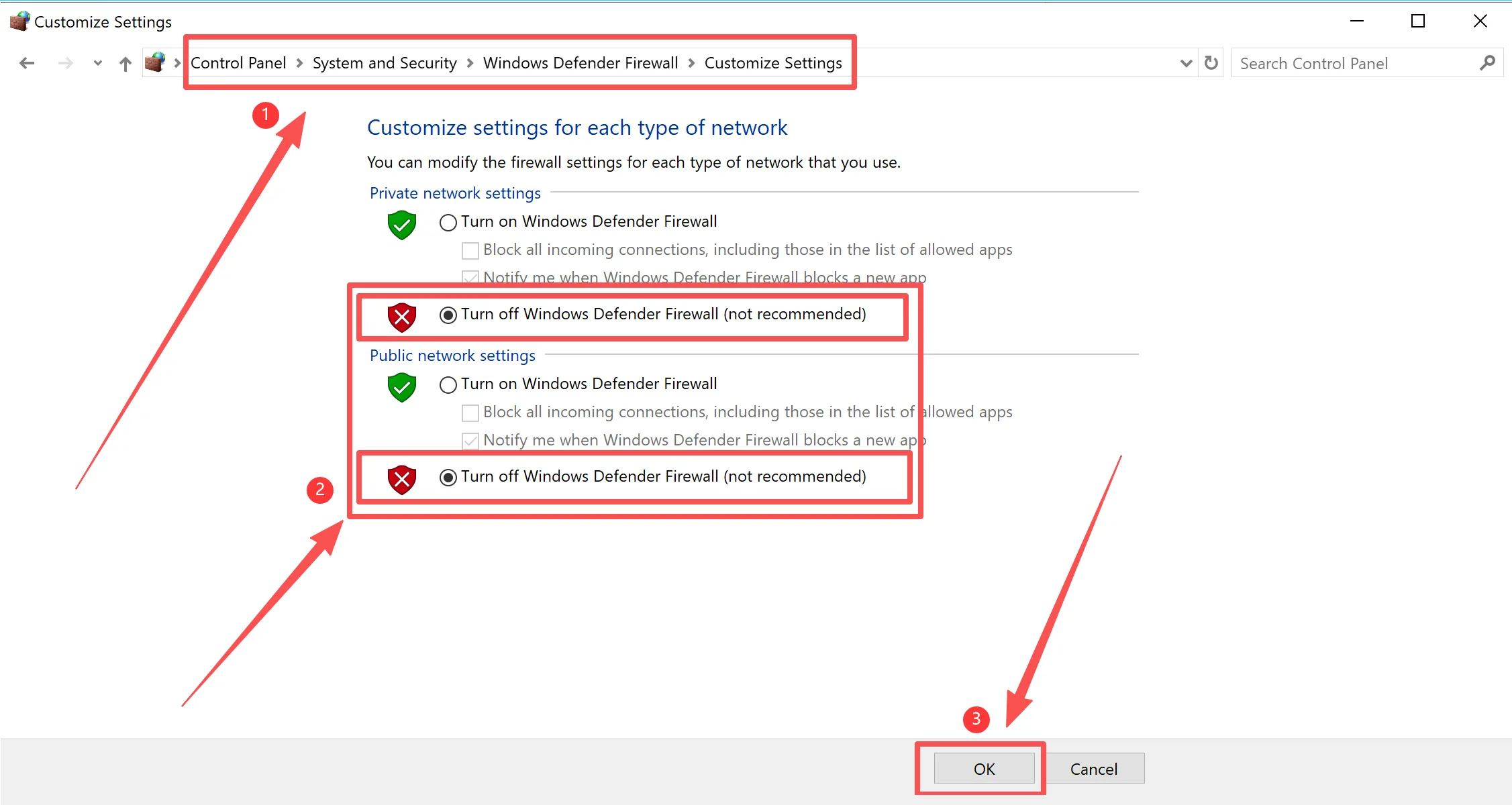
- Install the service corresponding to your Autodesk software version.
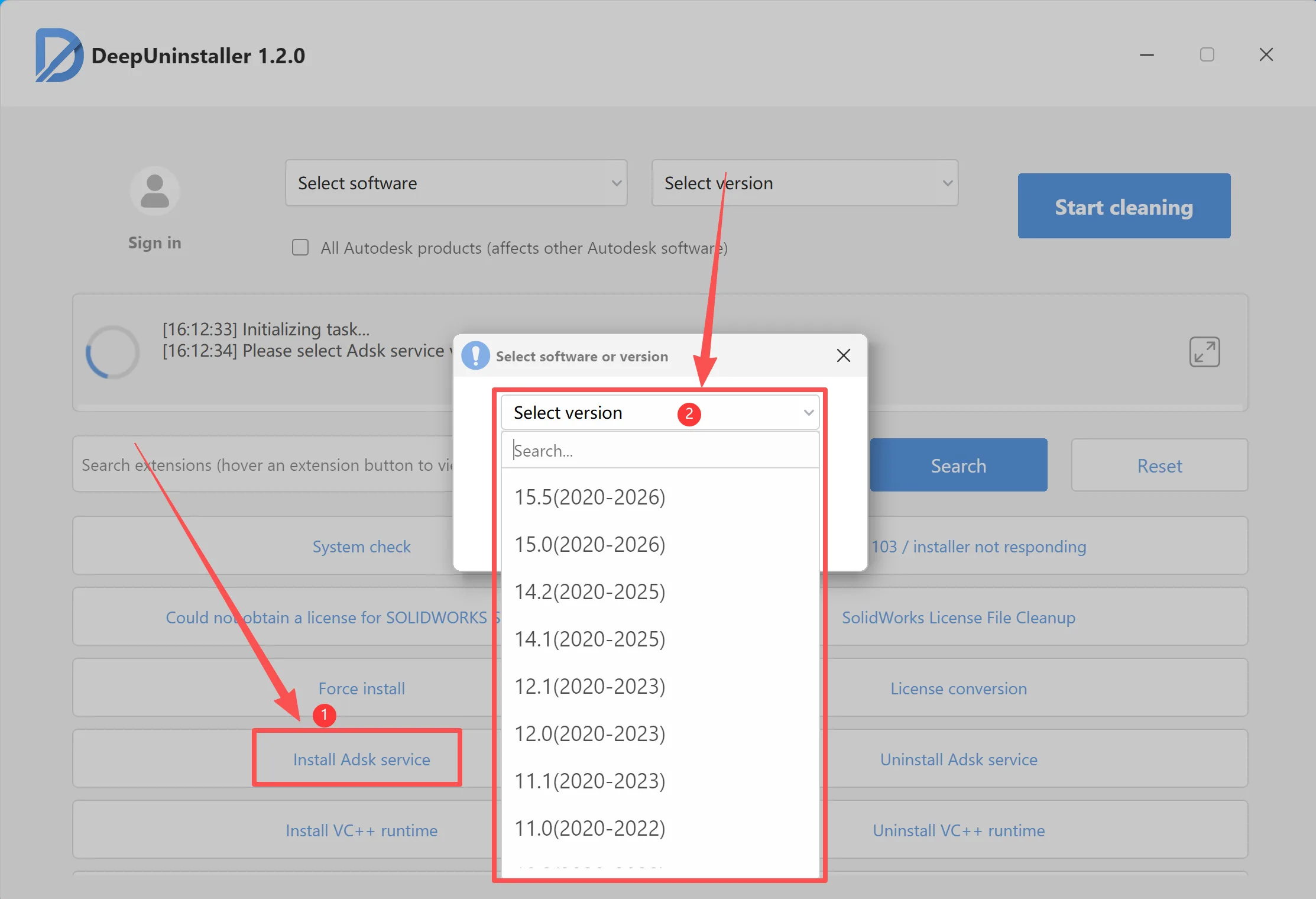
- After installation, verify that the service is running.
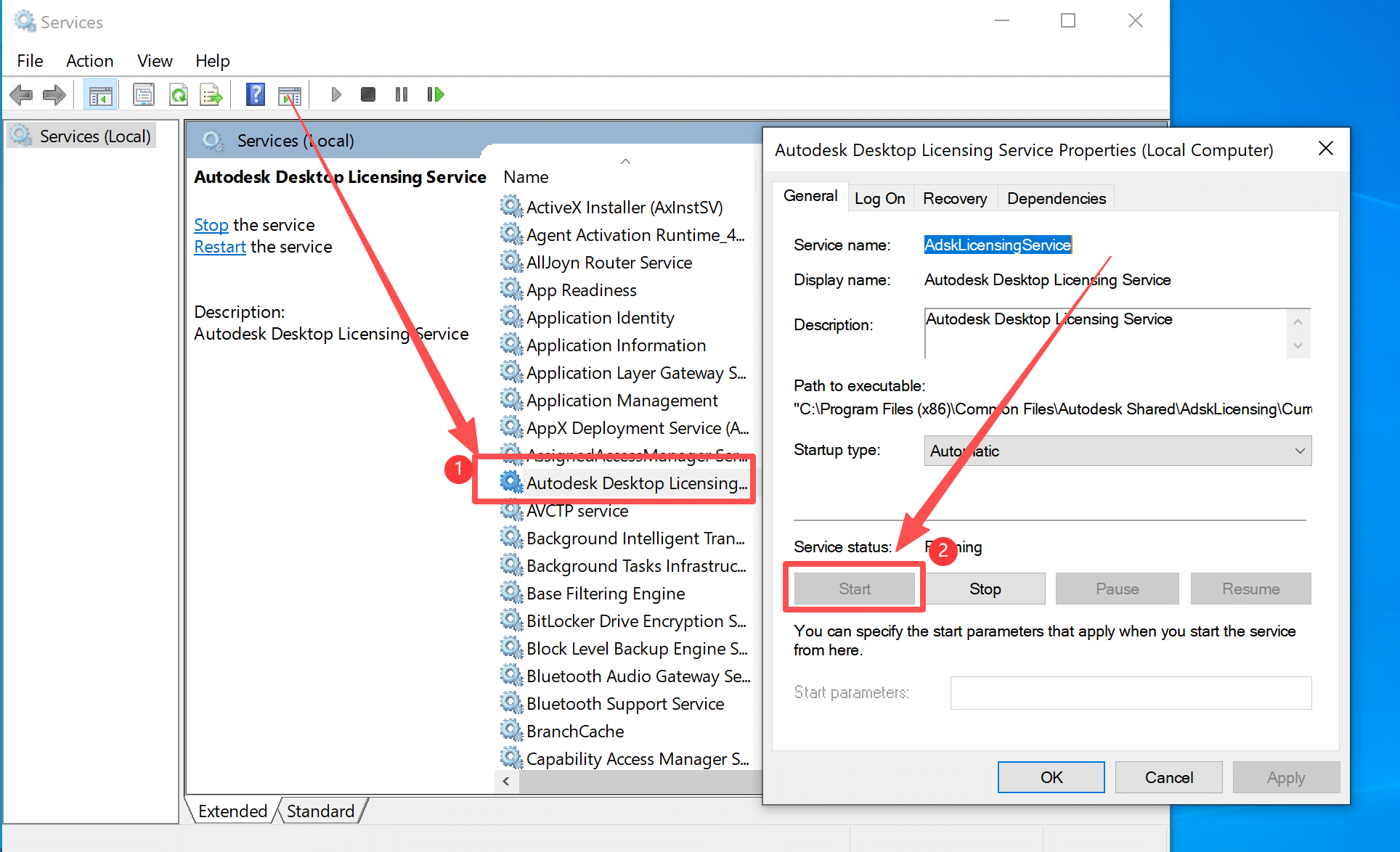
- If the service is running, attempt the conversion process again as described in the “Solution” section above.