 Arabic
  English
  Chinese
  Japanese
  Hindi
Hindi  Spanish
  French
  Bengali
  Russian
  Portuguese
  Indonesian
  Korean
  German
 الإصدار:
Failed to initialize Visual Basic for Apps, equations and
macros will not work, Are you low on disc space?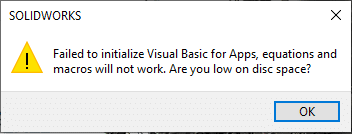
الحل:
الخطوة 1
قم بتنزيل أحدث إصدار من DeepUninstaller من الموقع الرسمي وقم بتسجيل الدخول.
رابط التحميل: deepuninstaller.com
الخطوة 2
انقر على "Extensions"،" ثم انقر فوق "Start" بجوار "إلغاء تثبيت VBA"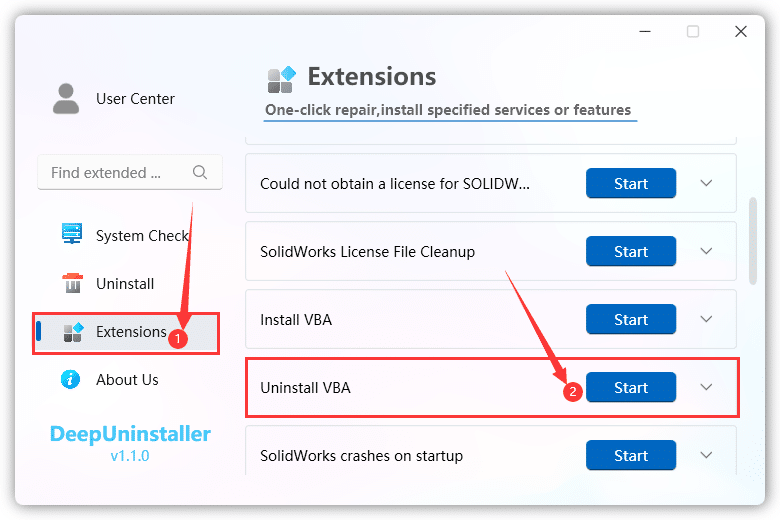
ترك التعليق